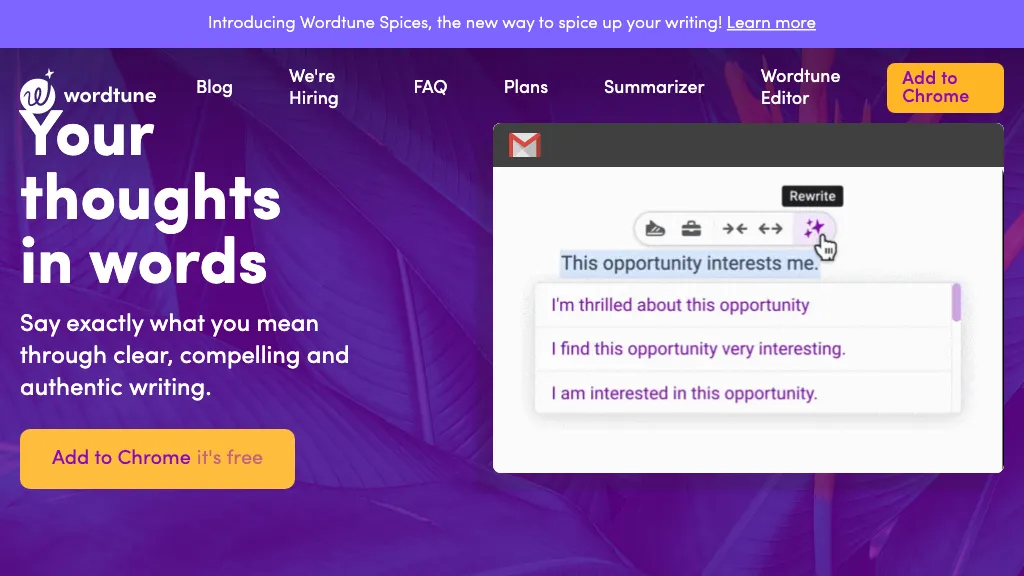
Historical Wordtune marketing image retained from the original December 2024 article. The current interface and offers may differ. This image is not evidence of a GPTOnline product test.
Updated October 15, 2026. Wordtune is an AI writing and reading assistant from AI21 Labs. Its main appeal is giving you alternative ways to express an idea: rewrite a sentence, adjust its tone or length, review grammar, or work through a summary of source material. Treat those suggestions as editing options that you still need to evaluate.
Editorial note: This guide is based on Wordtune’s public product pages, help articles, policies, and app listings. We checked both billing options on its website, but did not sign in, install an extension, generate output, or purchase a plan. The fictional example below is an edited editorial illustration, not a Wordtune test result.
What does Wordtune do?
Wordtune’s web Editor brings writing and reading into one workspace. Pages holds your drafts; Summaries holds source material you upload or link. Its documented writing controls include rewriting sentences or paragraphs, switching between casual and formal wording, expanding or shortening text, and asking AI for clarification or new phrasing ideas.
The official product overview also describes spelling and grammar suggestions. These features can help you compare wording, but they do not establish that a passage is factually correct or suitable for its audience. For a short email, the useful question is whether a proposed change makes the request easier to understand while preserving your intent.
- Draft revision: explore a clearer or more concise way to say something you already know.
- Tone adjustment: consider how the same request might sound to a colleague or a new client.
- Reading support: identify passages worth examining in the original document.
- English-language assistance: review alternative phrasing, especially when the intended message is clear but the wording feels awkward.
Which languages does it support?
Wordtune’s language guidance lists Spanish, Mandarin, Arabic, Hindi, Korean, Hebrew, Russian, German, French, and Portuguese as inputs for translation through Rewrite into English. English is the supported output language; although some generative features may respond in other languages, the help article does not promise those outputs. This is not a general guarantee of multilingual editing.
Wordtune pricing and usage limits
The following USD website prices were checked on October 15, 2026. The official plans page has separate monthly and annual billing options.
| Plan | Monthly billing | Annual-billing display | Rewrite and summary allowances |
|---|---|---|---|
| Basic | Free | Free | 10 rewrites and AI suggestions daily; 3 summaries monthly |
| Advanced | US$13.99 per month | US$6.99 per month, billed annually | 30 rewrites and AI suggestions daily; 15 summaries monthly |
| Unlimited | US$19.99 per month | US$9.99 per month, billed annually | Rewrites, AI suggestions, and summaries listed as unlimited |
All three list unlimited spelling and grammar checks. Unlimited also lists premium support. The website advertises a three-day paid-plan trial requiring payment information, with charging after the trial unless canceled beforehand.
Multiplying the advertised annual monthly equivalents by 12 gives US$83.88 for Advanced and US$119.88 for Unlimited. Those are calculations, not verified checkout totals. The annual rates should not be read as month-to-month prices.
Wordtune’s plan help page says offers can vary by region or promotion. The billing guide identifies USD billing. Check the currency, total, taxes, and renewal details in your own purchase flow.
Subscriptions automatically renew. Wordtune’s terms say cancellation takes effect after the current subscription period and describe no refunds or credits for partial periods, subject to applicable statutory rights. A free Basic account and a payment-backed trial are different choices.
App-store caveat: The US iPhone listing separately displays Premium Monthly at US$24.99 and Premium Yearly at US$119.99. These are store-listed purchases, not a confirmed match to the website’s named tiers. Check the offer in the channel where you subscribe.
How summarization works
The documented summary workflow accepts pasted text, article or webpage links, and PDF uploads in the Editor. It places summaries beside source passages and can highlight the corresponding original text. Notes and keyword search help you revisit a document.
There are practical input limits. The help page warns that some scanned PDFs, files of 300 or more pages or 10 MB or more, and material behind paywalls or authorization screens may not work. Some websites also fail to parse correctly. These are compatibility warnings, not a promise that every smaller file will succeed.
For YouTube, the current extension instructions describe copying an available transcript and pasting it into the Editor’s summary input. They say summarization has moved into the Editor. Do not assume that installing the extension provides one-click analysis of every video or that a transcript covers visual information shown on screen.
A useful reading routine is to skim the summary, locate the relevant original passage, and then check qualifications, dates, and evidence there. Keep the full source available whenever you intend to quote it or make a decision from it.
Apps and platform availability
Wordtune’s platform guide lists the web Editor and extensions for Chrome, Edge, Firefox, and Arc. It says Safari has no supported extension, Android is not supported, and the former limited-beta Mac desktop app has been discontinued. Mac users can use the web app or a supported browser instead.
The iPhone app remains listed in Apple’s store and currently requires iOS 17 or later. For PDF and link summarization, use the documented web Editor workflow rather than assuming feature parity between the website, extension, and phone app. Wordtune also warns that its browser-based app does not work well on mobile devices.
If you edit in Google Docs, the extension help page specifies Pages mode rather than Pageless mode. Check compatibility with the actual place you write before choosing a paid plan.
An editorial rewriting example
The following fictional example was written and edited for this article. It illustrates what to check in a rewrite; it was not generated or tested in Wordtune.
Draft: “We might be able to send the revised brochure on Thursday if the photographs reach us by Tuesday.”
Edited editorial illustration: “If we receive the photographs by Tuesday, we may be able to send the revised brochure on Thursday.”
The revision brings the condition forward without turning an estimate into a promise. A more forceful version such as “We will send the brochure on Thursday” would lose both the dependency and the uncertainty. That distinction matters more than making the sentence sound polished.
- Identify the facts, conditions, and commitments that must survive the edit.
- Compare the suggestion with the original, rather than accepting it in isolation.
- Check names, numbers, deadlines, and words such as “may,” “only,” and “unless.”
- Read the whole paragraph again to make sure the tone and meaning still fit.
Accuracy, originality, and privacy
Wordtune’s terms do not guarantee accurate or error-free output. Its plagiarism guidance also says suggestions are not guaranteed to avoid plagiarism-checker flags. A rewrite does not remove the need to acknowledge another person’s ideas. Follow your school’s or employer’s AI-use rules and verify any supplied source link before relying on it.
The individual privacy policy, dated August 3, 2025, covers submitted prompts, text, and documents. It describes using information to provide and improve services and lists training among product-development purposes. It also describes aggregation or de-identification for further use. This should not be interpreted as a blanket promise that your writing is excluded from training.
Section 5.5 says you can email [email protected] to opt out of future aggregation of your information and content. That stated control is narrower than a verified, universal model-training switch. Deletion requests and retention exceptions are covered separately. We did not inspect account-level settings.
The general terms prohibit submitting sensitive information and grant a content license for service provision, improvement, and anonymous analysis. They also contain personal-use restrictions for derived content. Review the terms applicable to your plan before uploading confidential work or republishing summaries; obtain permission for source material and keep your own backup.
Is Wordtune a good fit?
Wordtune is worth considering when your recurring task is revising English wording and you want several alternatives to compare. Start with a non-confidential sample of your own writing. Check whether the suggestions preserve the meaning, whether your normal writing app is supported, and whether the daily or monthly allowance fits your workload.
A paid tier makes sense only when its additional allowance solves a limitation you actually encounter. Writers who need reliable output in languages other than English, offline work, or guaranteed factual accuracy should evaluate those requirements separately. For another writing-assistant comparison point, see our Grammarly AI guide.