Updated October 25, 2026
| Name | PixVerse |
| Overview | PixVerse is an AI video-generation platform with prompt, image, reference and editing workflows. It generates and transforms clips through selected models and tools; it should not be described as a universally automatic raw-footage editor with guaranteed scene detection or real-time rendering. PixVerse caters to various video formats and resolutions, supporting applications including social media, marketing campaigns, and professional presentations. Templates and supported audio or lip-sync workflows can assist production, but availability and output need checking for the selected workflow. Review or add captions separately where needed. Creators can use guided tools while reviewing generated detail, timing, audio and suitability before publication. |
| Key features & benefits |
|
| Use cases and applications |
|
| Who uses? |
|
| Pricing |
The selected Monthly display checked on October 25, 2026 lists Standard $10 with 1,200 credits every 30 days, Pro $30 with 6,000, Premium $60 with 15,000 and Ultra $199 with 25,000. Ultra’s displayed reference price is $249, so the $199 offer is not guaranteed permanent. Team Ultra is displayed at $199 per seat per month, with a minimum of two seats. Basic lists 60 initial credits and 30 daily credits. The individual paid plans list 60 daily credits in addition to their resetting membership allocation. Generation costs depend on the model and settings; selected Relax-mode unlimited offers do not mean every model or all video generation is unlimited. Consumer subscriptions and developer API billing are separate. |
| Tags | AI video creation, automated editing, social media videos, video production, video templates |
| App available? | Yes. The web service and official iOS and Android apps are available; app download is not proof that all generation features are free. |
Commercial use is not automatic: the Web Terms distinguish output ownership, separate authorizations and restrictions on platform-provided creative materials. A paid plan does not clear third-party likeness, music or brand rights. Public-service terms also describe aggregated, anonymized use of content for service improvement and training unless an available opt-out is used.
Sources: Consumer plans and billing · Current PixVerse capabilities · Official mobile apps · Prompt-control limitations · Web Terms
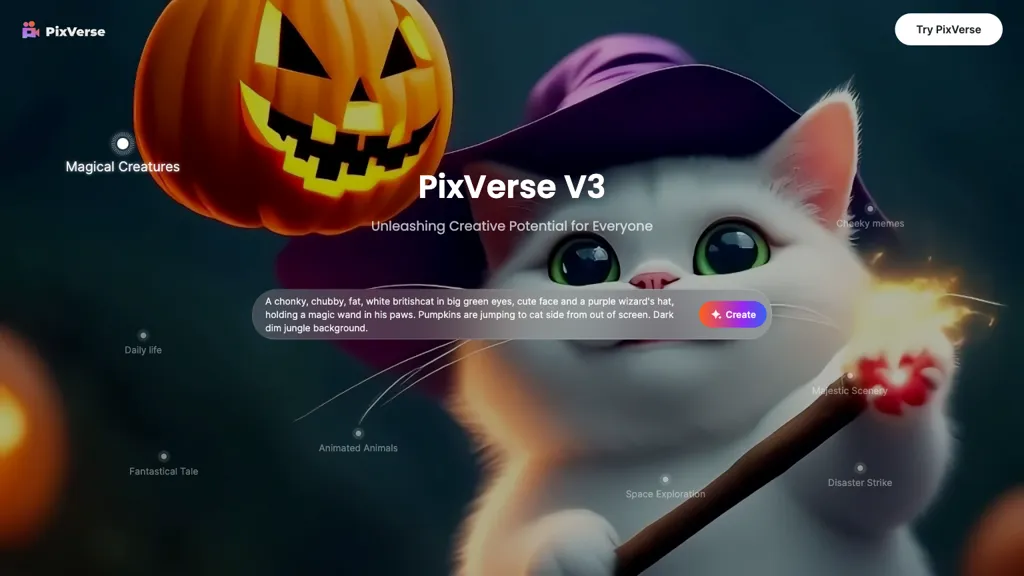
The existing image is an earlier PixVerse V3 promotional visual featuring a stylized cat and pumpkin. It identifies the product historically, rather than demonstrating the current model menu or independently tested output.