Updated October 18, 2026. Visily is a browser-based UI design and prototyping tool for turning product ideas into editable screens, diagrams and interactive flows. Its AI assistant accepts written instructions and visual references, while the canvas lets a team refine the design manually. It is useful for discussing a proposed app or website before committing to implementation. Visit the official Visily website.
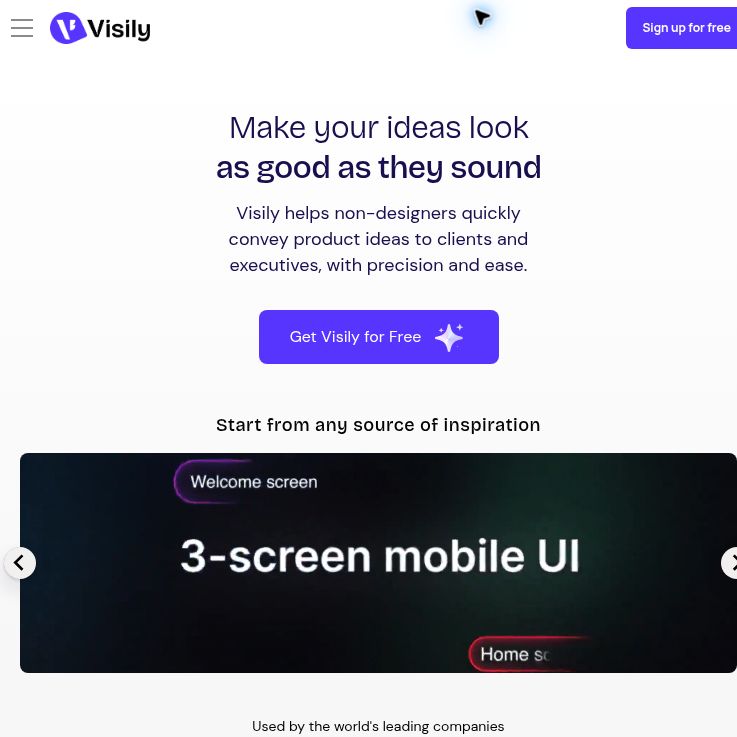
Screenshot of the official Visily homepage, captured October 18, 2026. The preview is a vendor demonstration; no account was created and no design was generated for this review.
What can you build with Visily?
- AI-assisted screens and components: Generate a screen, app flow, menu, table or diagram, then continue revising it in the same chat. Images and existing designs can guide the result. Plan Mode, Design Instructions and Deep Design are among the options documented by Visily, with availability depending on the plan. AI Chat Assistant guide.
- Editable wireframes: Combine templates, text, shapes and reusable UI controls on a canvas. This preserves the original purpose of Visily as a tool for product managers, founders, designers and developers to communicate interface ideas. Wireframe elements.
- Screenshot-to-design workflows: Visily documents a browser extension for Chrome, Firefox and Edge. It can import captured material as an editable wireframe or a static image reference. Wireframe conversion consumes AI credits, and some Firefox functions are unavailable in responsive mode. Browser extension guide.
- Review and collaboration: Share a board, a particular screen or a prototype presentation for feedback. Access can be inherited from a workspace, team or folder, so check who can open the underlying board rather than assuming a screen link is private. Sharing options.
Pricing and plan limits
The following public prices and limits were checked on October 18, 2026. Paid-plan cards show the dollar symbol without a currency code, so confirm the currency, taxes and final charge in checkout. Amounts below reproduce the listed figures rather than a verified local-currency quote.
| Plan | Listed price | Selected limits |
|---|---|---|
| Starter | Free | Two editable boards per workspace, 2,500 elements per board, and no private folders or boards. |
| Pro | The main pricing page lists $14 per editor/month. Official license-help examples use $132 per editor/year ($11/month equivalent); confirm the current annual offer before subscribing. | Unlimited boards and elements; Figma import/export, code export and private boards. |
| Business | $29 per editor per month, billed annually: $348 per editor per year before taxes. | Higher AI allowance, SAML SSO, custom team management and 30-day version history. |
| Enterprise | Contact Visily for a quote. | Custom limits and account arrangements require confirmation. |
Sources: current plan comparison and monthly and annual license examples. The Business annual total above is calculated as 12 × $29, not a separate quoted checkout amount.
A paid license is required for workspace owners, admins and editors; viewers and guests do not require licenses. Monthly billing is available for Pro, while annual billing is charged once a year. Subscriptions renew automatically unless canceled. Cancellation keeps access through the current cycle, and the billing guide says payments are non-refundable on termination. Billing and licenses.
How far do the AI credits go?
Starter receives 600 AI credits per workspace in its first month and 300 per month thereafter. Pro includes 3,000 per workspace editor per month, while Business includes 10,000. Monthly credits do not roll over. Guest-editor allowances are separate: 600 credits per guest editor per month on Pro and 2,000 per guest editor per month on Business. Current AI credit rules.
Credits are not the same as a number of finished projects. Standard screen generation costs 30 credits per screen; Deep Design screen generation costs 90. A three-screen standard draft would therefore use 90 credits before any further billable actions. That is a planning example, not a measured result, and templates have a separate credit allowance.
Exports and developer handoff
Image export supports PNG, JPG and WebP, and PDF export is also documented. Free-plan exports are limited to 1× scale; paid plans enable higher resolution and watermark-free output. Image export guide.
On supported paid plans, code export provides React, Vue or HTML for screens, with up to ten screens per export. AI Layout uses 15 AI credits per screen; Static Layout does not consume AI credits. Visily describes the exported files as a development starting point. They still need engineering review, integration and testing before release. Code export guide.
Example workflow: plan a booking flow
This is a hypothetical workflow, not a hands-on benchmark:
- Define a small scope, such as three screens for selecting a service, choosing an appointment and reviewing the booking. Use fictional names and data.
- Give the AI a concrete brief: “Create a mobile booking flow with a service list, date and time selection, and a confirmation screen. Include clear prices, a back button and an empty state.”
- Review the proposed screens on the canvas. Correct missing steps, unclear labels, spacing and contradictory prices before requesting more generations.
- Connect the flow as a prototype and ask reviewers to complete one task. Include a route for no available appointments and a way to change a selection.
- Check sharing permissions, collect feedback and choose the appropriate export. Have a developer validate any exported code, including responsive behavior, accessibility and real booking logic.
Privacy and who it suits
Visily’s privacy policy says it does not use customer data to train its AI models or share that data with third-party AI platforms. The same policy describes other processing and service-provider disclosures. This is a vendor policy statement, not an independent security audit or a promise that uploads never leave your device.
Use sanitized screenshots and sample data until your organization has approved the service and access settings. Private-board controls and sharing permissions deserve particular attention when collaborating with clients or outside reviewers.
Visily is worth evaluating for early product discussions, UI mockups and prototype feedback. Generated designs still need human judgment and user testing; neither an editable mockup nor exported code proves that an application is usable, secure or ready to deploy. This update reviews public documentation without creating an account, installing extensions or testing paid features.
Explore the GPTOnline AI tools directory to compare other tools by the design, prototyping or development task you need to complete.