Updated October 18, 2026. SpeechGen is a browser-based text-to-speech service for turning scripts into downloadable narration. Its pay-as-you-go balance can suit occasional voiceover work, but the important budgeting unit is a Credit: the number of characters you can synthesize depends on the voice tier.
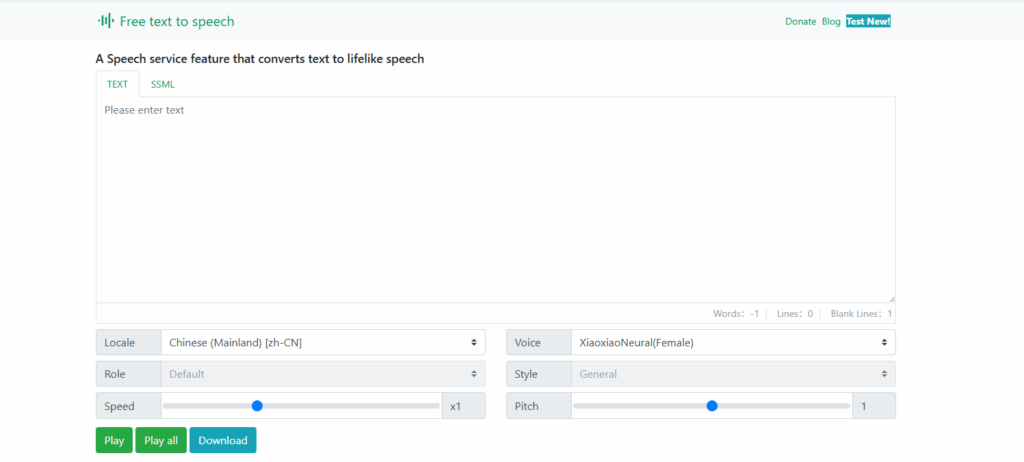
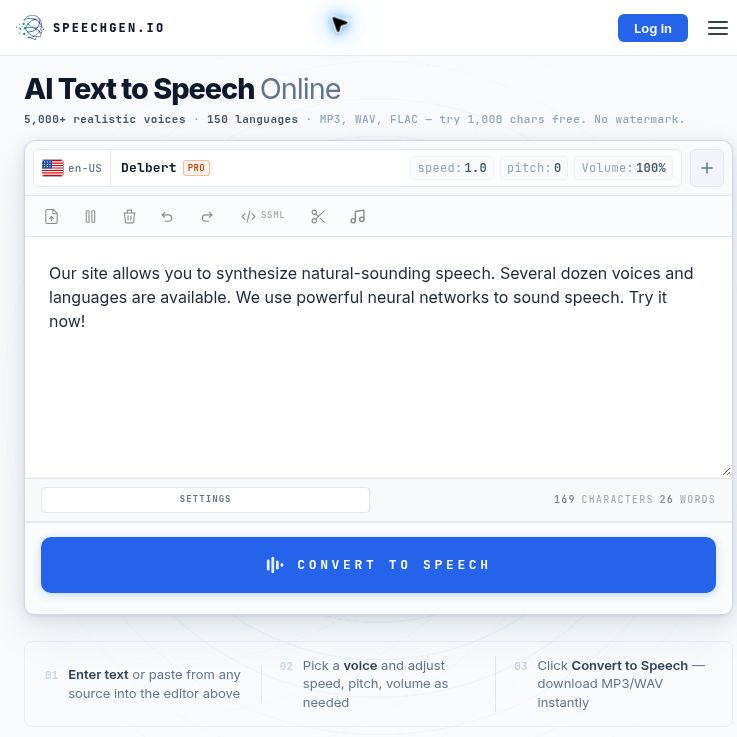
Screenshot of the official SpeechGen homepage, captured October 18, 2026. The editor shows the provider’s default sample text; no audio was synthesized or quality-tested.
This guide covers SpeechGen at speechgen.io. It is based on public product documentation and pricing, not a hands-on audio-quality test.
What can SpeechGen do?
The current homepage advertises more than 5,000 voices across 150 languages. You can paste a script, choose a language and voice, adjust speech settings, and download the result. DOCX and PDF imports help with existing documents; a separate subtitle workflow handles timed text. MP3 and WAV are supported, while the homepage also advertises FLAC. Check the format selector for your chosen workflow.
- Script narration: create voiceovers for a tutorial, presentation, explainer, or audio edition of your own writing.
- Dialogue and segmentation: assign voices to different passages and divide a longer script into separately downloadable sections.
- Pronunciation and pacing controls: adjust speed, pitch, pauses, and supported SSML settings. Available controls vary by voice; a library-wide promise of identical customization would be misleading.
- Programmatic generation: the SpeechGen API documentation describes short-text, long-text, and subtitle-alignment methods. API access requires a paid account. It lists MP3, WAV, FLAC, OGG, and Opus output options.
The official usage guide is useful for checking controls before building a larger project. SpeechGen is accessible through a web browser; this review does not verify a separate native mobile application.
Pricing: Credits are not always characters
The English pricing page displayed the following one-time prices in euros when checked on October 18, 2026. Confirm the currency and final total shown to you before paying; other official pages display dollar amounts.
| Credit pack | Observed price, EUR |
|---|---|
| 25,000 Credits | €4.99 |
| 65,000 Credits | €9.99 |
| 200,000 Credits | €24.99 |
| 500,000 Credits | €49.99 |
| 2,000,000 Credits | €149.99 |
Standard voices use one Credit per two characters, Pro voices one per character, and HD voices two per character. Spaces and punctuation count. Listed audio minutes are estimates, not a fixed purchased duration.
Purchased Credits expire after one year. The pricing FAQ says topping up before expiry combines the remaining balance with the new pack and restarts that one-year period. These are one-time purchases, with no subscription or automatic renewal; balances do not refill every month.
Is there a free trial?
The homepage advertises 1,000 characters without an account. Registration allowances are not described consistently across the public pages, and a clear expiry period for free Credits was not established. Check the actual allowance and any conditions shown in the editor or account before relying on it for a project. A small initial allowance is not unlimited free narration.
How Smart Cache affects revision costs
According to the Smart Cache documentation, matching sentences can be reused for seven days. The match includes the voice and its settings. Changing a sentence, speaker, voice speed, or voice pitch can therefore create a new charge. Unchanged cached speech can be reassembled with different pauses or output formats without resynthesizing it.
This makes the order of work important: settle on a voice and speaking speed using a short passage before generating the full script. Do not assume every revision is free, or that a version created months earlier remains cached.
Example workflow: a short software tutorial
The following is a planning example, not a test performed for this review.
- Prepare the script. Write three short sections: the task, the steps, and the result. Replace private account details with fictitious examples. Expand abbreviations that should be spoken as words and keep a separate list of brand names to check.
- Choose a representative sample. Use a paragraph containing a product name, a number, and a sentence with a natural pause. Compare candidate voices with that passage before spending Credits on the complete narration.
- Budget by tier. A hypothetical 6,000-character script would consume 3,000 Standard, 6,000 Pro, or 12,000 HD Credits for one complete new synthesis at the published rates. Budget separately for additional versions and changed settings.
- Generate by scene. Keep the introduction, demonstration, and closing message separate enough to replace one section without losing your editing structure. Name downloaded files to match the video timeline.
- Review before delivery. Listen through the whole track, check terminology against the screen recording, and verify that pauses leave enough time for each action. Correct the script or settings where necessary, then keep a local copy of the approved audio.
Commercial use, storage, and practical limits
The site policy permits commercial use of synthesized speech while requiring users to hold the necessary rights to the underlying content. It also prohibits deceptive impersonation and requires disclosure of synthetic media in the circumstances it describes. A commercial-use statement does not clear someone else’s script, recording, identity, or trademark for your project.
The policy says generated files are retained for 30 days for registered users and 24 hours for unregistered users. Download approved work rather than treating the service as your only archive. Avoid uploading confidential scripts unless its current data-handling terms meet your requirements.
Refund language on that page is inconsistent: it says unused balances are non-refundable, but also describes a request window of 24 hours with no more than 3,000 characters used. Ask the vendor to clarify before buying if refund eligibility matters to your decision.
SpeechGen is worth considering when you need editable narration and prefer purchasing a balance as work arises. Voice suitability, pronunciation, and the amount of correction required still need checking for your language and subject. Browse the GPTOnline AI tools directory to compare other approaches.