Updated October 18, 2026. FakeYou is a web-based collection of AI audio tools for text-to-speech, voice conversion and voice cloning. Its community voice library includes character-inspired and original models. It can help explore dialogue, narration and clearly labeled creative audio, but a voice appearing in the library does not establish permission to impersonate its subject or use it commercially.
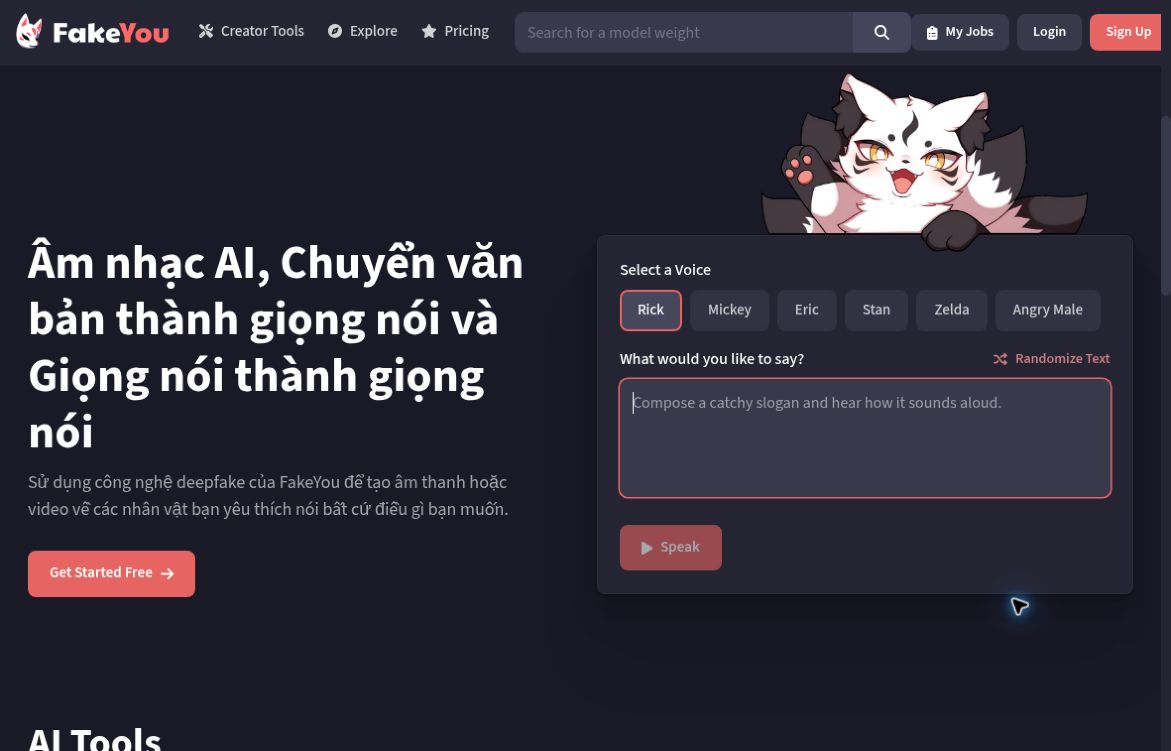
Image: Screenshot of FakeYou’s official homepage, captured October 18, 2026, with the headline displayed in Vietnamese. Shown for product identification; no audio was generated or uploaded for this review.
What does FakeYou offer?
- Text-to-speech: select a voice, enter a script and generate spoken audio. The official TTS page advertises more than 3,500 community-created voices and acknowledges that quality varies between models.
- Voice conversion: use an audio performance as the input for a different voice. This is a separate workflow from typing a script.
- Voice creation: the homepage links to a beta Voice Designer, F5-TTS voice cloning and Seed-VC voice conversion. The F5-TTS page accepts a reference recording and text, with MP3, WAV, FLAC and OGG listed as supported reference formats.
- Paid processing tiers: subscriptions provide different processing priorities and clip-length limits; Pro and Elite also list private-model uploads.
These are public product descriptions, not a hands-on assessment of speech quality, speed or reliability. This overview covers the browser tools linked from FakeYou’s current website.
Useful creative applications
Possible applications include draft dialogue for an animation or indie game, experimental narration for an educational project, and non-commercial fan or parody audio that follows the service’s rules and respects the people and characters involved. An original script and a voice you have permission to use are safer starting points than recreating a recognizable person’s speech.
For a prototype, begin with a short passage containing the names, pauses and emotional cues that matter. Listen for pronunciation errors, inconsistent tone and unnatural timing before building a longer sequence. A successful short sample does not establish that a model will handle an audiobook or a production voiceover consistently.
FakeYou pricing and limits
The official pricing page checked October 18, 2026 says its features are free to use and lists these monthly subscriptions. It displays a dollar sign without an explicit currency code in the public page reviewed; confirm the currency, taxes and total before paying.
- Plus: $12 per month. Normal processing priority; unlimited TTS generation with audio up to 30 seconds; voice-to-voice audio up to four minutes.
- Pro: $25 per month. Faster processing; unlimited TTS generation with audio up to one minute; voice-to-voice audio up to five minutes; private-model uploads.
- Elite: $40 per month. Fastest listed processing priority; unlimited TTS generation with audio up to two minutes; voice-to-voice described as unlimited audio; private-model uploading and sharing.
The current Pro price is $25, not $125. “Unlimited generation” on a TTS plan does not remove its per-clip duration limit, and processing-priority labels are not guaranteed turnaround times. The public pricing page does not specify a complete free-tier quota or a separate limit schedule for every newer tool. Check the selected tool before relying on it for a deadline.
The terms say cancellation takes effect at the end of the paid term and direct users to contact the provider. Paid access does not automatically grant commercial rights to every voice.
Voice consent, impersonation and commercial use
FakeYou’s terms and usage overview prohibit deception, abuse and unlawful impersonation, and require published uses to be identified as deepfakes. They restrict commercial deepfake use to cases expressly allowed with specially designated commercial voices. Check the specific voice’s authorization and obtain the necessary permissions before using audio in an advertisement, monetized project or client delivery.
Do not treat a parody label as blanket permission to clone someone, imply an endorsement or make a misleading recording. Use recordings you own or are authorized to upload, obtain the speaker’s permission where relevant, and clearly disclose synthetic audio. The terms require necessary rights and consents for contributed material and describe a takedown process for rightsholders and original speakers.
Privacy considerations before uploading
The privacy statement, marked November 18, 2022, describes collection of account, device and usage information, analytics and service-provider sharing. Its introductory explanation says audio is used to provide and improve the service; it does not establish a blanket no-training commitment.
Separately, the terms say contributions may be visible to other users and treated as non-confidential, and grant a broad license over posted contributions, including voice material. A paid plan’s private-model feature should not be read as a general confidentiality agreement. Avoid uploading confidential client recordings, private conversations or sensitive scripts without reviewing the applicable terms and obtaining permission.
Is FakeYou a good fit?
FakeYou is worth investigating for short-form voice experiments and creative prototypes where model variability and clear synthetic-audio labeling are acceptable. Professional work needs an additional rights check, reliable quality review and confirmation that the chosen voice and tool meet the project’s requirements.
Visit FakeYou’s official website or explore more AI tools on GPTOnline. No audio was generated or uploaded for this research.