Updated October 19, 2026. Reviewed and revised for current information.
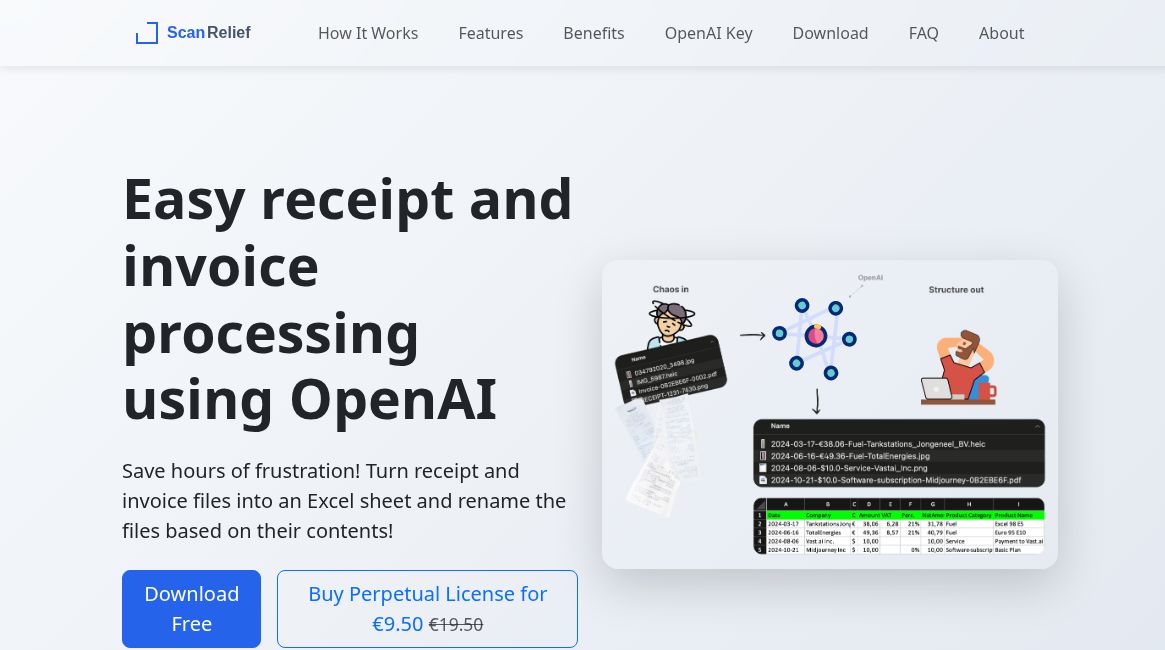
Image: Official ScanRelief homepage with its public workflow illustration and advertised €9.50 perpetual license, captured October 19, 2026. Receipt, filename and spreadsheet examples belong to the provider’s presentation. No software was installed, API key entered, or receipt processed or tested.
ScanRelief AI is a Windows and Mac application for organizing receipt and invoice files. The official website describes extracting receipt details, renaming files and creating an Excel report. It is aimed at people who already keep expense documents in folders and want a more usable record.
What does ScanRelief do?
- Content-based names: rename receipts using vendor, date and amount.
- Spreadsheet output: consolidate extracted details into an Excel file.
- Batch input: process several files from a folder.
- Supported formats: PDF, JPEG, PNG and HEIC. The vendor lists additional operating-system conditions for HEIC.
Who might find it useful?
Freelancers, small-business owners and bookkeepers can consider this workflow when matching saved documents with an expense list. A consistent naming system can make review easier, particularly when several receipts come from the same supplier.
Before changing an existing archive, make a separate working copy. Decide which details must remain in a filename and how you want to handle two documents with the same date and amount. Those are useful trial questions, rather than assumptions that every accounting workflow will fit the defaults.
Pricing and API requirements
Checked October 19, 2026: ScanRelief advertises a one-week free trial and a perpetual software license for €9.50 as a one-time payment. OpenAI API usage is billed separately and requires your own API key and funded API account. The license does not include those processing charges. Consult the live offer before purchasing; no fixed per-receipt cost is guaranteed here.
Privacy: desktop software with cloud AI processing
Receipt analysis uses OpenAI. ScanRelief’s privacy statement says receipt data passes through the OpenAI API and that ScanRelief does not store it on its own server. A desktop interface should therefore not be read as an offline-only or local-only privacy promise. Review the provider’s current data terms before processing confidential financial documents.
A sensible first-run checklist
- Use a small, non-sensitive sample and preserve the originals.
- Compare extracted vendor names, dates, totals and currency with each source document.
- Check the renamed files against the spreadsheet, including duplicates and multi-page invoices.
- Decide how errors will be corrected before expanding to a larger folder.
This is an editorial evaluation checklist, not a report of hands-on testing. AI extraction can require correction; keep an explicit review step before using a spreadsheet for bookkeeping or tax preparation. ScanRelief’s value is most plausibly in document preparation and organization, while responsibility for accurate records remains with the user.