FileFolder AI
File Management

FileFolder AI

Visit website

FileFolder AI automates file naming, tagging, and organization, offering semantic search and chat-based interaction for efficient file management.

FileFolder AI

Updated October 24, 2026.

Retained screenshot of the FileFolder website, with a demonstration workspace and login/signup links; its original capture date is unrecorded. The free-start invitation does not establish unlimited free usage.

Name FileFolder AI
Overview FileFolder AI is an intelligent file management platform that leverages artificial intelligence to streamline the organization of digital files. It automatically names, tags, and sorts files based on their content, reducing manual effort and enhancing productivity. The platform also offers semantic search capabilities, allowing users to find files using natural language queries. Additionally, users can interact with their files through a chat-based interface, making file management more intuitive and efficient.
Key Features & Benefits
  • Automated File Organization: AI-driven naming, tagging, and sorting of files to minimize manual work.
  • Semantic Search: Natural language search functionality to quickly locate files.
  • Chat-Based Interaction: Engage with your files through a conversational interface for easier access and management.
  • Additional Utilities: PDF compression and image conversion were previously listed; check their current availability and limits separately from the file workspace.
  • Data Handling: The privacy policy lists account authentication, usage analytics and subprocessors including OpenAI and Cloudflare. Do not treat the workspace as anonymous, tracking-free or wholly local.
Use Cases & Applications
  • Personal File Management: Organize personal documents, photos, and media files efficiently.
  • Professional Use: Manage work-related files, reports, and presentations with ease.
  • Educational Purposes: Students can sort and find study materials quickly.
  • Creative Projects: Artists and designers can manage portfolios and project files effectively.
Who Uses It?
  • Individuals seeking to declutter and organize their digital files.
  • Professionals needing efficient file management solutions.
  • Students managing academic materials.
  • Creatives handling numerous project files.
Pricing The official homepage offers a free starting option, but a current paid price list and full usage limits were not verified in this review. Confirm storage, upload and AI-processing allowances before depending on it for a large collection. The privacy policy describes account data and authentication, so “no signup or login required” is not a reliable description of the whole workspace.
Tags AI File Management, Semantic Search, Automated File Organization, Document Chat, File Organization
App Available? As of now, FileFolder AI is accessible via its web platform at filefolder.org. A separately distributed mobile or desktop app was not confirmed in the sources reviewed.

Check files and privacy before uploading

Start with a non-sensitive document, check the proposed filename and tags, and compare chat answers with the source file. Keep your own backup rather than treating generated labels or answers as authoritative. The official privacy policy describes Google OAuth/Clerk authentication, Google Analytics and PostHog usage data, Cloudflare storage, OpenAI content processing and TurboPuffer indexing. Review those arrangements before uploading confidential material.

KEEP EXPLORING

More tools to discover.

Official ScanRelief homepage screenshot

Explore ScanRelief AI for receipt file renaming and Excel reports on Windows and Mac. Review its euro license price, API costs and cloud-processing caveat.

File ManagementExplore
Historical Pinbot homepage showing its logo and an empty Chrome-extension demo preview beneath a play overlay.

Explore Pinbot’s Chrome bookmark extension, summaries, tags and search, with developer-reported privacy claims and clear pricing and availability limits.

File ManagementExplore
Historical The Drive homepage with a document-management message and illustrated laptop and files.

Explore The Drive AI for organizing files, document questions and writing assistance. Check mobile apps, Chrome access, free limits and paid features.

File ManagementExplore
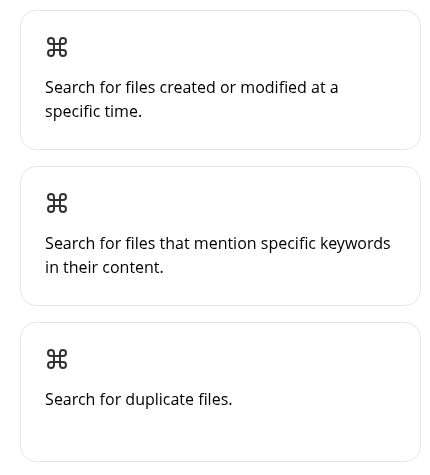
AI Finder website feature cards describing date, keyword and duplicate-file searches.

Review AI Finder’s Mac file-search and PDF tools, current US subscription listings, workspace scope and privacy limits, with cautious duplicate-file handling.

File ManagementExplore

Explore Tagbox’s AI-assisted media library, Mac and Windows desktop apps, 30-day trial, and current monthly versus annually billed team subscription plans.

File ManagementExplore
Find your next starting point