Updated October 29, 2026
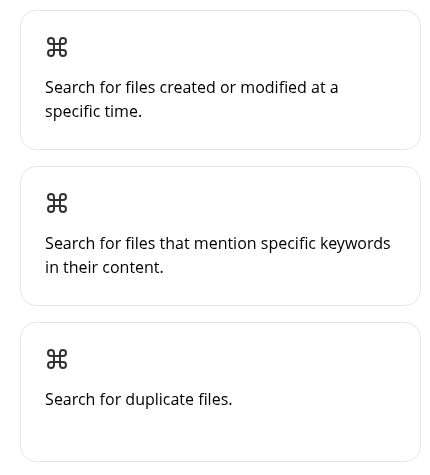
Image: three feature cards from the official AI Finder website, captured October 29, 2026 at 05:26 UTC. They describe date, keyword and duplicate-file searches; this is website information, not a tested app interface or search result.
| Name | AI Finder — listed as AI File Finder in the Mac App Store |
| Overview | AI Finder is a macOS file-search tool. The official AI Finder website describes natural-language queries within selected files and folders, with searches using dates, content, duplicates and tags. It also advertises PDF questions and summaries. These are provider descriptions, not independently tested search results. |
| Key features & benefits |
Search support does not establish that the app creates tags or safely deletes duplicate files. |
| Use cases and applications |
Check the actual files and context rather than relying on a search label or AI summary alone. |
| Who uses? | Knowledge workers, content creators, project managers, researchers, students, teachers and administrative personnel working with Mac files. |
| Pricing | The US linked App Store listing retrieved October 29, 2026 lists a free download with Monthly Premium at US$2.00 and Annual Premium at US$16.00. Free download does not establish unlimited free use or trial duration. Confirm the local purchase screen, included features and subscription conditions. The earlier article recorded that its .dmg perpetual-license, future-update and 30-day-refund claims could not be re-verified on October 23, 2026; those claims remain unconfirmed and are not current offers established by this review. |
| Tags | File Searching, AI Assistance, macOS, Productivity, File Management |
| App available? | The linked Mac App Store app requires macOS 13.0 or later. Current independent .dmg distribution and its OpenAI-key requirements were not verified. No app was installed or account tested. |
Search scope and a practical example
The store description limits its direct content search to plain text, RTF and ZIP-compressed text formats such as those used by Word and Excel. This is not a promise to search every file type or image accurately. PDF chat is a separately advertised feature.
For a hypothetical evaluation, place a few non-sensitive sample documents in a test folder and note their names and modification dates. Ask for a document mentioning a specific project, then compare the results with the files you placed there. Check whether expected documents are missing and whether unrelated ones appear. This is a suggested evaluation method, not a test performed for this article.
Do not delete files simply because a tool marks them as duplicates. Check contents, versions, locations and dependencies, and keep a backup before any removal. This review did not test deletion, recovery or duplicate-detection accuracy.
Privacy, permissions and licensing limits
The provider says file processing is local and access is limited to user-selected workspaces. It also says GPT interprets queries. These statements do not independently establish the complete network data flow or that every query, PDF interaction and feature works offline. Confirm what is sent to AI services before using confidential files; sandboxing is not a blanket security guarantee.
The linked privacy policy primarily describes the website, including logs, cookies and service providers, and references older related domains. It does not fully explain every app feature’s data handling. Apple’s “Data Not Collected” label is developer-reported and has not been verified by Apple; it should not be treated as an independent privacy audit.
The store links Apple’s standard app licence. This does not substantiate the old standalone .dmg purchase or its alleged refund and update promises. Read the applicable purchase terms rather than assuming the two distribution channels have identical conditions.
Review scope
Official website, linked store and policy pages checked October 29, 2026. No software was installed, API key supplied, private file uploaded, subscription purchased or real file deleted. Availability in the store is not a test of the app’s functionality.