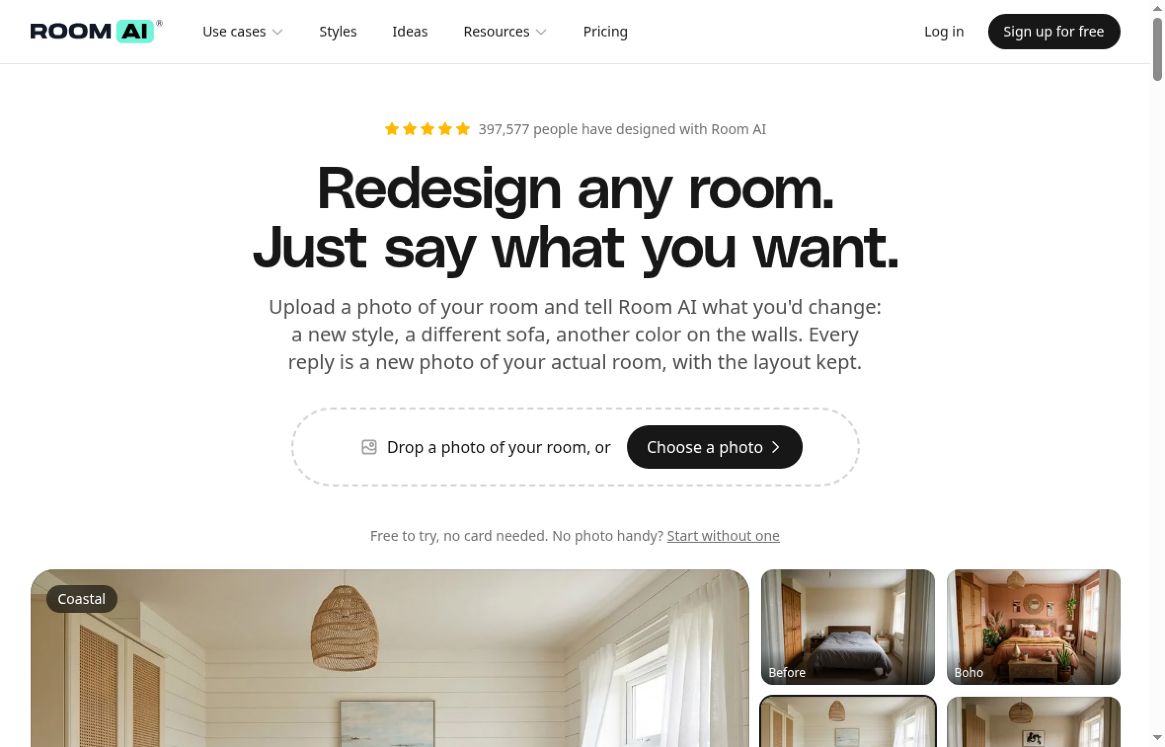
Updated October 18, 2026. Room AI is a browser-based interior design assistant for exploring changes to a room through images and conversation. Upload a room photo, describe a change, then refine the result with another instruction. Its October 2026 relaunch puts iterative editing at the center of the workflow, rather than a single style selection.
It is useful for homeowners comparing decorating ideas, interior designers preparing concepts, and real estate professionals exploring virtual staging. The resulting pictures are visual proposals: check measurements, materials, structural feasibility and listing accuracy separately before acting on them.
Featured image: screenshot of the official Room AI homepage, captured October 18, 2026. The bedroom examples and promotional statements shown belong to the provider; this is not a GPTOnline hands-on test.
What can Room AI do?
- Edit through conversation: ask for a different wall color, furniture item or finish, then continue from an earlier version. The service is designed to preserve the room’s layout and camera angle, but inspect each output for unintended changes.
- Explore styles: the homepage lists 32 built-in styles, with support for describing another look or supplying a reference image.
- Compare and save: saved versions, side-by-side comparison and upscaling help narrow a concept before sharing it.
- Go beyond indoor restyling: advertised workflows include emptying or furnishing rooms, converting a sketch into a render, and changing the lighting of an exterior photo.
Room AI runs in a computer or phone browser. Its current product overview describes a web service with nothing to install.
A practical room-design workflow
- Choose a clear photo that shows the room’s main features. Remove personal documents, people or sensitive details before uploading, and obtain permission for client or property photos.
- Start with one specific change, such as: “Use a warmer wall color while keeping the existing floor and sofa.”
- Compare the new picture with the original. Check windows, doorways, furniture proportions and any features that must remain unchanged.
- Refine one choice at a time and save the strongest versions. Use them to explain your preferences to a designer, contractor or supplier.
For property marketing, identify virtual staging appropriately and make sure the image does not misrepresent permanent features. For renovations, a persuasive render does not establish that a design is buildable or within budget.
Room AI pricing and usage limits
The pricing page checked October 18, 2026 lists the following recurring plans. Prices are shown with a dollar sign; the public pages reviewed did not explicitly identify the dollar currency, so confirm the currency and final charge before subscribing.
- Personal: $29 monthly, or $228 paid for a year (equivalent to $19 per month). Personal-use rights and standard usage.
- Pro: $99 monthly, or $828 paid for a year (equivalent to $69 per month). Commercial license and four times Personal’s usage.
- Team: $299 monthly, or $2,388 paid for a year (equivalent to $199 per month). Commercial license, twelve times Personal’s usage and up to five people.
The current plans use usage allowances rather than the old 250/1,000/5,000-image quotas. The pricing page says usage refills monthly. The public page does not give a fixed image count; Settings shows remaining usage. “No credits” does not mean unlimited generation.
The homepage advertises a no-card tryout, while the plan-based seven-day trial on the pricing page requires a card and becomes paid unless canceled before it ends. Check which offer you are starting. Refunds are discretionary: the current terms say a typical qualifying request is within seven days, with no more than three images or upscales since payment and no previous refund, with additional exceptions.
Privacy and commercial rights
The privacy policy, updated October 14, 2026, says photos, prompts and designs are not used to train AI models, including by its AI providers. Those providers may retain processed content for abuse detection, generally up to 30 days, and Room AI may review generated images for policy compliance. This is not a promise that uploaded material never leaves the service’s infrastructure.
The terms, updated October 16, 2026, tie image usage rights to the subscription plan and require uploaders to have appropriate rights. They do not guarantee unique outputs. Keep your own backups: the terms reserve the right to delete account data after cancellation.
Who should consider it?
Room AI is most relevant when you want to compare visual directions and explain a design idea quickly. Personal suits your own home; Pro or Team is the appropriate plan category for client presentations, listings and commercial marketing. It complements professional planning rather than supplying measured construction documents.
Explore Room AI’s official website or browse more AI tools on GPTOnline. This overview is based on current public product pages and policies, without hands-on generation testing.