Updated October 16, 2026.
Poolside AI develops open-weight models and tools for software engineering. Its current public lineup centers on Laguna, with ways to work in a terminal, editor, desktop app, or a self-managed environment. The important choice is where the model runs and who handles your code. Visit Poolside for its current product lineup.
This is a documentation-based review. We did not install Poolside, create an account, run its models, or test generated code. The evaluation example below is fictional.
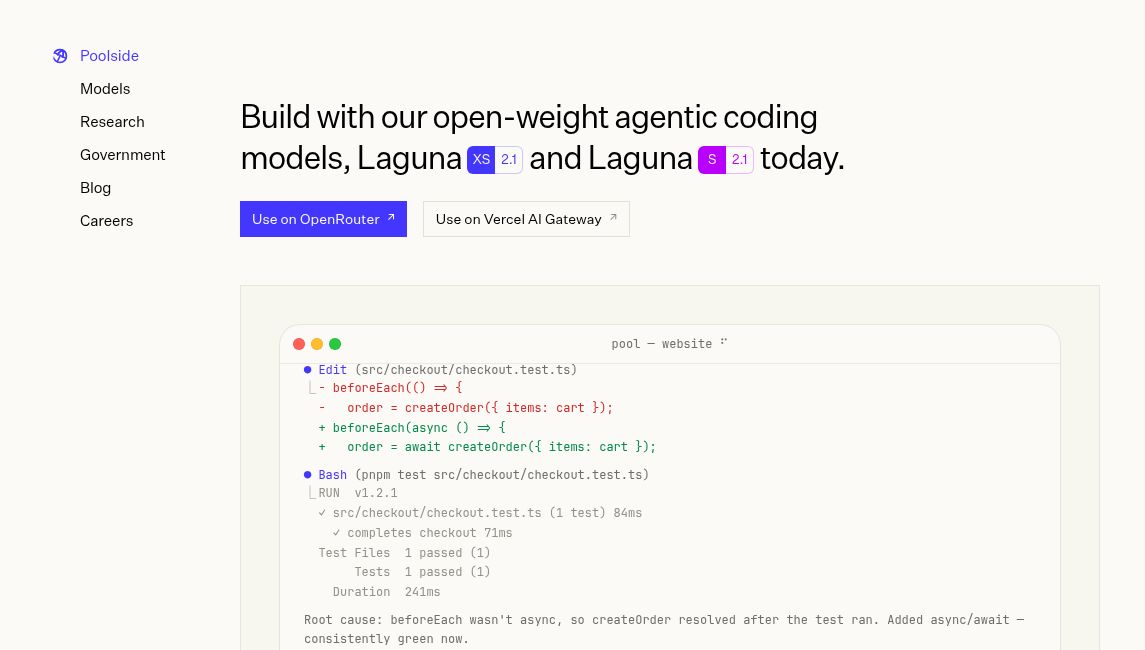
Image: Poolside homepage, captured October 16, 2026. The terminal shows a vendor demonstration, not a GPTOnline test. See the access notices below before relying on the pictured provider links.
Access changes
Check availability before starting a new project. The official Poolside Chat page announces a shutdown on October 31, 2026. OpenRouter’s Poolside listing also marks the paid and free Laguna S 2.1 and XS 2.1 listings as going away on that date. These notices concern those access routes; they do not establish that downloaded model weights stop working.
Poolside’s API documentation still describes Poolside-hosted, self-managed, and OpenRouter access. Its public console did not display a shutdown date when checked; we did not sign in to verify account-specific availability. Confirm the direct endpoint’s lifecycle before making it a production dependency.
Laguna models
The supported-models documentation distinguishes these options:
- Laguna S 2.1: aimed at longer coding tasks and extended tool use; 118 billion total parameters, 8 billion active per token, and a stated context window of up to 1 million tokens.
- Laguna XS 2.1: the smaller option for faster iteration; 33 billion total parameters, 3 billion active per token, and a 256K-token context window.
- Laguna M.1: also remains in the supported-model list for complex, multi-step coding work.
S 2.1 and XS 2.1 use the OpenMDW-1.1 license; M.1 uses Apache 2.0. Check the exact model and license you download. Provider variants and available context can differ, so a model’s maximum window is not a promise for every endpoint.
Poolside describes reinforcement learning inside its agent harness as part of its model-training approach. That background does not guarantee that a generated patch is correct or ready to deploy.
Apps and editors
- Terminal: the Poolside Agent CLI, called pool, has installation instructions for macOS and Linux, with Windows support labeled beta.
- VS Code and Visual Studio: Poolside Assistant connects to coding agents through Agent Client Protocol, or ACP. It is distinct from the enterprise extension.
- JetBrains: the documented integration requires an ACP-capable IDE and an installed, authenticated Poolside CLI.
- Desktop: Poolside Assistant for desktop supports Apple Silicon Macs. It offers project work, Git worktrees, change review, and supported on-device models. Its phone-access feature is experimental remote access, not evidence of a separate native mobile app.
Installing a client and running a model locally are separate decisions. Check the chosen endpoint, model files, and hardware requirements rather than assuming a desktop interface keeps all processing on your computer.
Private deployment
Self-managed deployment remains a useful part of the original enterprise proposition. Poolside documents inference on Amazon EKS, OpenShift, upstream Kubernetes, and on-premises hardware. Sizing depends on the model, concurrency, context length, and GPU configuration. A small active-parameter count does not describe the full memory requirement.
Its government offering emphasizes on-premises and air-gapped operation. Treat that as a specific deployment offering. For an organizational rollout, obtain the agreed architecture, support scope, data-handling terms, and infrastructure costs. Do not transfer its isolation claims to a public hosted endpoint.
Pricing
There is no single Poolside price that covers every access route. The login guide advertises free developer access through Poolside Platform, while the models page calls free use time-limited. We did not verify an account-specific allowance, ongoing entitlement, or a public enterprise contract price.
For a dated comparison, OpenRouter displayed these discounted usage rates on October 16, 2026, per 1 million tokens:
- Laguna S 2.1: $0.09 input, $0.18 output, and $0.009 cache read, with a 10% discount shown.
- Laguna XS 2.1: $0.06 input, $0.12 output, and $0.03 cache read, with a 40% discount shown.
These are USD-denominated inference rates, not monthly subscriptions or enterprise deployment quotes. OpenRouter’s pricing page separately lists credit-purchase fees of 5.5% for Standard and 8% for Business, plus applicable taxes. Its free models have request limits. Recheck checkout terms and the October 31 removal notices before paying for this route. Self-hosting also requires a budget for hardware, operations, and any support agreement.
Privacy and limits
Do not assume every Poolside service has a no-training policy. Its public Terms of Use, updated July 21, 2026, allow content to be used for model training unless the user opts out. Feedback and safety-review exceptions can still apply after opting out; third-party platforms may provide their own controls. The terms also require independent verification of outputs and restrict certain highly sensitive information unless expressly permitted in writing.
The privacy policy describes collection of contact details, device information, usage analytics, and information supplied in inputs. It also describes processing across multiple jurisdictions. Before sharing a private repository, check the actual service, account settings, retention arrangements, and your organization’s approval. A model license and a hosted service’s data policy answer different questions.
A small evaluation
Fictional example: an engineering team wants help replacing a deprecated date-parsing function. This is a suggested trial design, not a reported Poolside result.
- Use a disposable branch and a small repository with synthetic data. Remove credentials and production records.
- Ask the agent to locate the parser, explain its callers, and propose a change before editing. Specify that public function signatures must stay the same.
- Request tests for invalid input, leap days, and time-zone boundaries. Review the patch before allowing commands or dependency changes.
- Run the existing suite and the new tests independently. Check for unrelated edits, weakened assertions, and changes that merely hide failures.
- Record accepted changes, review time, failed attempts, latency, and actual usage cost. Compare against the same task completed with your current workflow.
The same approach can evaluate documentation drafts, code explanations, and narrowly scoped refactoring. Set acceptance criteria before the trial. A plausible answer or a passing test written by the same agent is not enough to establish correctness.
Who it suits
Poolside is worth evaluating when your team wants a choice of coding-agent interfaces or needs to assess self-managed models. Allow time for infrastructure and security review. If you need a stable hosted service immediately, resolve the announced access changes first. Browse our AI tools directory for other tools to evaluate against the same requirements.
Poolside is a trademark of Poolside, Inc. This article is independent and is not endorsed by Poolside.