Updated October 17, 2026
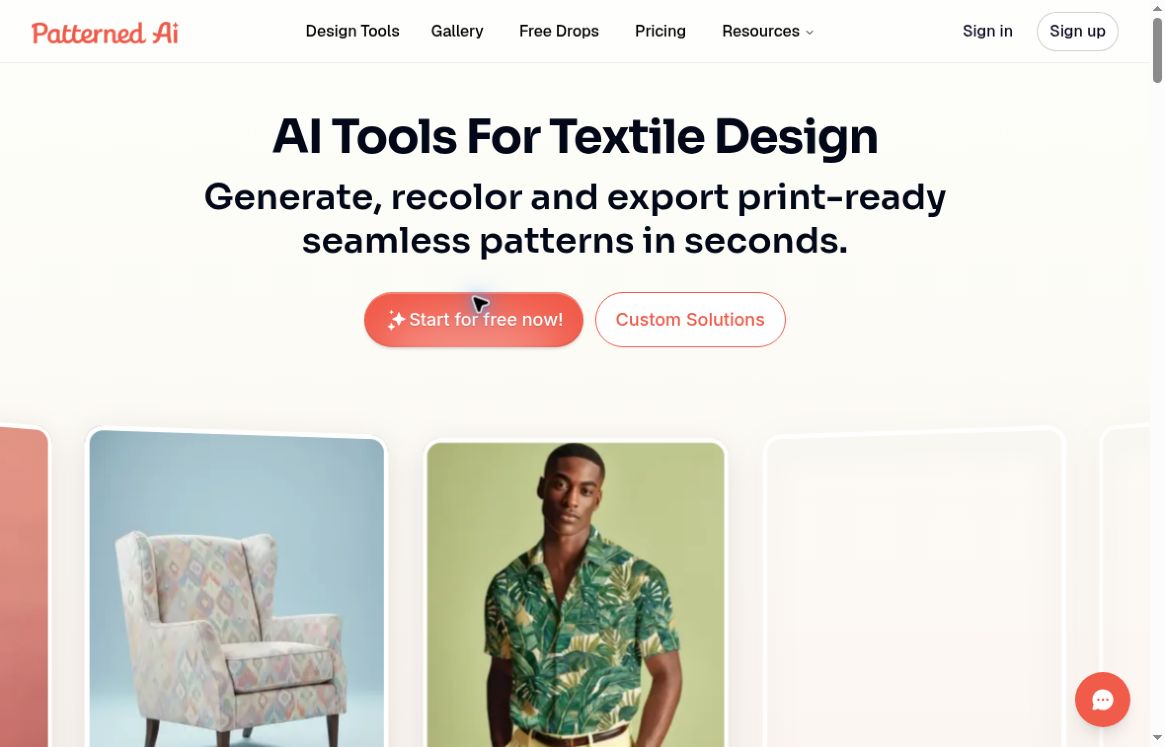
Patterned AI, branded PatternedAI, is a browser-based toolkit for creating and refining repeating surface designs. The official website focuses on fashion, textiles, home décor and packaging, with tools for generation, recoloring, repeat repair, upscaling and product mockups. It can support design exploration, but a generated file still needs inspection before commercial use or manufacturing. This overview is based on public documentation, not a hands-on production test.
What can you do with PatternedAI?
- Generate from a brief: describe the motif, palette, spacing and visual style to explore repeating designs.
- Develop an existing image: the image-based tool recreates a reference as a pattern, so the result may differ from the input. Use material you have permission to upload.
- Refine the result: editing, recoloring, restyling and seam-repair tools address different changes. Availability depends on the plan.
- Inspect a repeat: the Seamless Checker previews tiles so you can look for joins, edge mismatches and awkward repetition.
- Prepare variations and previews: colorways and mockups can help compare options for fabric, wrapping paper, wallpaper or digital backgrounds.
The FAQ distinguishes automatic palette variations from custom palette controls. It also acknowledges that requested HEX colors may have tonal variations. Treat a desired palette as a target to check, especially when matching a client’s brand or a printer’s color requirements.
Plans, credits and billing
The pricing page lists a one-time allocation of 100 free credits for new users, with some advanced tools restricted to paid plans. This is not a recurring free allowance.
- Standard: $30/month paid monthly, or $24/month equivalent paid yearly; 2,000 credits per month; up to 2× upscaling.
- Pro: $60/month paid monthly, or $48/month equivalent paid yearly; 4,000 credits per month; up to 4× upscaling and additional image/editing tools. The comparison matrix includes SVG export.
- Business: $300/month paid monthly, or $240/month equivalent paid yearly; 20,000 credits per month; up to 16× upscaling, layered Illustrator and separated TIFF exports.
Text generation costs 10 credits per output image; vectorization costs 30. Upscaling varies by scale, while the seamless checker is free. Credits reset monthly, including on annual plans, with no rollover. Remaining credits do not unlock features excluded from your plan.
Prices above are the displayed dollar amounts checked on October 17, 2026. The cards do not identify the currency code. Annual figures are monthly equivalents billed yearly, not monthly-payment offers. Confirm currency, total, taxes and renewal/cancellation terms at checkout.
Exports and print preparation
The upscaler documentation advertises outputs up to 8,200 × 8,200 pixels, subject to the output-size cap and plan limits. That maximum is not the size of every download. Choose resolution for the intended physical repeat size; a “300 DPI” label alone does not establish that a file suits a particular print job.
Check the actual export format before subscribing. The vectorizer’s specific FAQ says SVG does not contain separated color layers and directs users to Illustrator or individual TIFF files for separations. This differs from the broader FAQ’s description of layered SVG. Confirm the required format and inspect a sample export rather than assuming all vector files have equivalent production features. Detailed photographic textures may also simplify differently from flat graphic motifs during vectorization.
A practical first-project workflow
For example, a designer evaluating a botanical wrapping-paper concept could use this process:
- Define the job: record the repeat dimensions, intended paper, palette and printer’s file requirements before generating anything.
- Start with a modest brief: try an original prompt such as “small olive leaves and round berries, spacious arrangement, dark green and warm cream, flat illustrated shapes.” This is an example prompt, not a tested output.
- Compare a few candidates: check motif shapes, visual balance and unwanted details. Reserve credits for editing and export rather than spending the entire allowance on generation.
- Inspect the repeat: tile the design at multiple scales and examine all joins. Repeat the check after editing, upscaling or vectorizing.
- Prepare and proof: confirm dimensions, colors and separations with the printer, then order or produce a small proof before a full run.
A mockup is useful for presentation, but it cannot validate how ink, substrate and scale will behave in the finished product.
Commercial use and privacy
PatternedAI markets its patterns for royalty-free commercial use. Its terms assign rights in created patterns subject to the agreement and applicable law. They also say images from users without Pro membership may be public and reusable by others without compensation. Do not interpret the commercial-use language as a guarantee of exclusivity, legal uniqueness or clearance of third-party rights in uploaded references.
There is a documentation mismatch to resolve for confidential work. The current FAQ says uploads are private and not used for training, Pro and Business outputs are private, and selected Standard text-generated designs may appear publicly. The terms use broader non-Pro public-use wording. Ask support which conditions apply to your plan before uploading unreleased client artwork or relying on private output.
The privacy policy describes collection of account information, queries, generated patterns, feedback and usage analytics. It identifies Stripe as the payment provider and explains account/contact routes for access, correction and deletion. A private-gallery setting is not a claim that the service collects no data.
Using PatternedAI in Canva
Canva has an official PatternedAI app listing for text-based patterns and gallery designs. It states that the app can read and change a design’s contents when open. Review those permissions before connecting it to sensitive projects.
Do not assume Canva and the standalone website share plans or credits. Canva’s app listing describes free availability, while its pattern-generator guide describes a 20-credit allowance. Verify the allowance and any upgrade requirements shown in the app; neither statement establishes unlimited free generation or access to every standalone export tool.
PatternedAI is worth evaluating for surface-design iteration and repeat preparation, particularly when you can review and proof the result yourself. It is less suitable if you need guaranteed exclusive artwork or a production file with no manual checks. For adjacent creative software, browse our AI tools directory.