Updated October 15, 2026. This guide reviews official documentation; we did not run API requests or test an account for this revision.
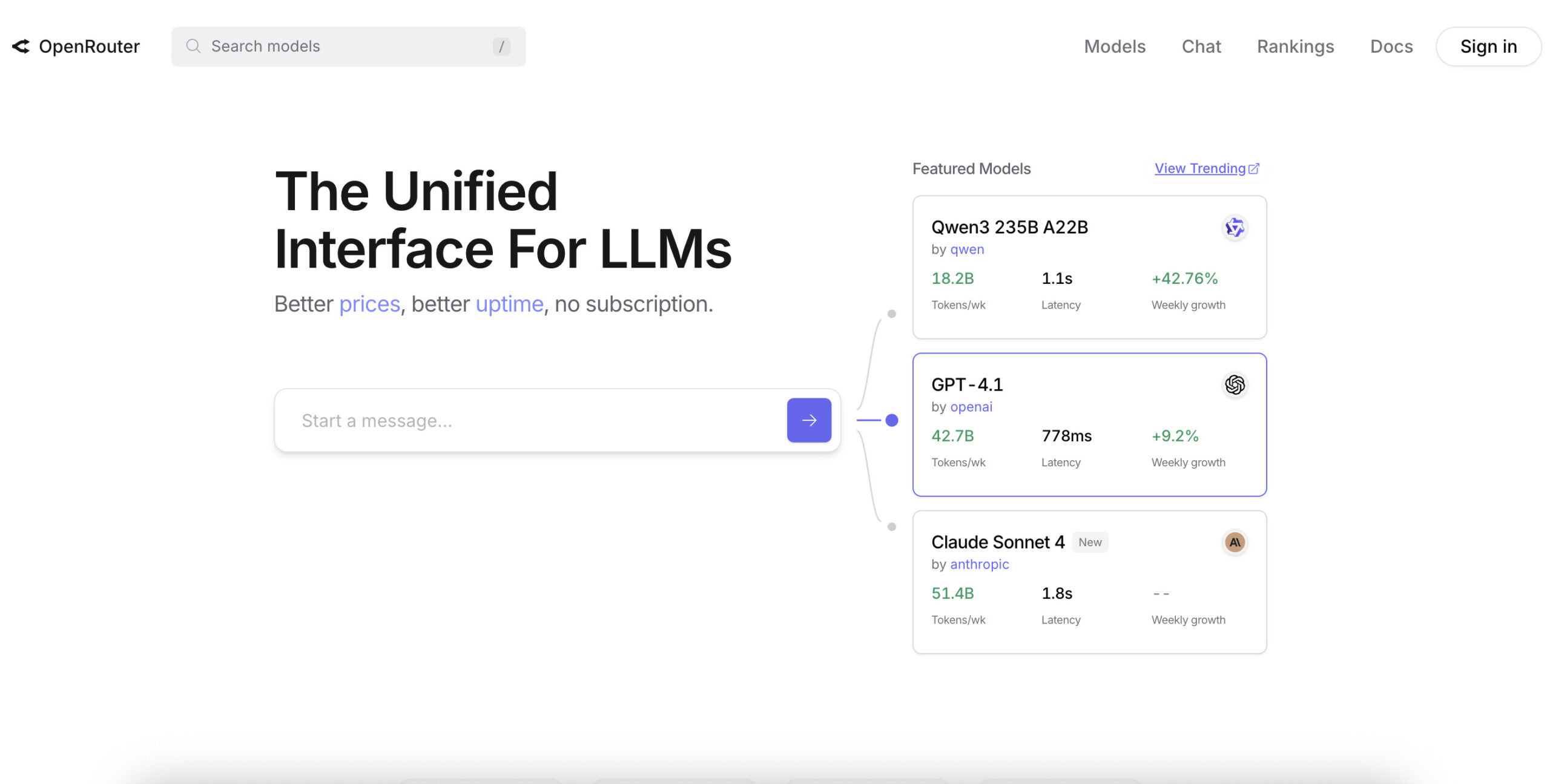
Historical homepage image retained from the original May 2025 article. The displayed models, activity figures, and pricing or uptime slogans are archival vendor marketing, not current measurements or results of our testing.
OpenRouter AI is a hosted gateway for using AI models from different providers through a common API. Its appeal is operational: a developer can compare models, manage usage, and configure routing without building a separate integration for every provider. It also offers a browser chat interface. The official FAQ explains these core workflows.
The important buying questions are more specific than how many models appear in the catalog: which endpoint can handle your task, what will the complete request cost, where can your data go, and what happens when the first choice fails?
What It Does
Think of three separate pieces: your application sends a request, OpenRouter routes it, and a model provider performs the inference. A model is the AI system you select; a provider is the service hosting it. The same model can have multiple hosting options, with different prices and operational characteristics.
OpenRouter documents its own SDKs and an OpenAI-compatible integration. Existing OpenAI SDK applications can point to OpenRouter’s base URL and use its model IDs. This can reduce integration work, but compatibility still needs checking for the features your application relies on. See the quickstart before changing an existing client.
This is most useful when you have a concrete comparison to make: for example, testing whether a less expensive model can produce acceptable product summaries, or choosing an alternative host for an application you already operate. A large catalog alone does not establish that a model is suitable for your workload.
Pricing and Credits
Credits and published prices use US dollars. Charges can depend on input and output tokens, reasoning, images, or other model-specific units, so inspect the complete rate card rather than a single headline price. The billing FAQ describes how usage is deducted.
- Standard: a 5.5% platform fee on credit purchases.
- Business: an 8% platform fee on credit purchases.
- Enterprise: pricing and commitments are set by contract.
These fees are separate from inference, which OpenRouter says it bills at provider list prices. Standard and Business have no minimum ongoing spend or lock-in; applicable taxes are extra. Check the current pricing page for plan differences.
There are two different minimums to understand. OpenRouter’s spend guidance, updated September 24, 2026, states a $0.80 minimum fee for Standard card top-ups. Its terms, section 4.1, state a $5 minimum credit purchase. Neither is a monthly subscription minimum. The checkout total should be checked before paying, especially for a different payment method; support guidance notes that crypto payments may have an additional processing fee.
Under the terms, unused-credit refunds must be requested within 24 hours; platform fees are non-refundable, and crypto payments are not refundable. OpenRouter also reserves the right to expire unused credits after 365 days. Avoid funding a large balance solely because a model looks inexpensive today.
Free Models
A :free variant is available only when the catalog lists that specific free entry. Adding the suffix to an arbitrary paid model does not make it free. Free entries may have their own context limits, endpoints, and availability. See the free-variant documentation.
The published caps are 20 requests per minute and 50 per day, rising to 1,000 per day after at least $10 in credit purchases. Failed attempts count toward the daily cap, and a negative balance can block free use. Paid models have no plan-based request cap, but upstream provider limits and OpenRouter’s DDoS protection still apply. These details are on the pricing page.
For a learning exercise, a free model can be a sensible starting point. For a customer-facing feature, make capacity and failure behavior part of your evaluation instead of treating the daily allowance as reserved capacity.
Bring Your Own Key
BYOK lets you supply credentials for a supported provider account while using OpenRouter’s interface. The provider bills the inference directly. Pay-as-you-go includes $25,000 per month of list-price inference without an OpenRouter BYOK fee; this allowance is measured in equivalent inference value, not request count. Above it, the fee is 5% of the equivalent OpenRouter model/provider cost and is deducted from OpenRouter credits. Enterprise allowances are custom. See BYOK documentation.
Review fallback settings carefully: a failed or exhausted key can fall back to shared OpenRouter capacity and spend credits. Restricting shared capacity for one provider does not automatically exclude other providers. BYOK also does not, by itself, bypass routing privacy rules or establish a zero-retention agreement.
For teams, spend-control documentation explains that BYOK usage must be explicitly included in applicable guardrail and workspace budgets. The recorded inference value can differ from your provider invoice. Reconcile both bills when evaluating the arrangement.
Routing and Fallbacks
Provider fallback tries another eligible host for a model. You can order or allowlist providers, disable fallbacks, sort by price or performance, and cap acceptable provider rates. A preferred provider order is not the same as a strict allowlist. If a parameter is essential, require_parameters can exclude providers that do not support it; otherwise unsupported parameters may be ignored. These controls are documented in provider routing.
Model fallback is a separate choice: an ordered list of different models to try after errors. Requests are priced for the model that ultimately serves them, and the response identifies that model. If the alternatives also fail, an error can still reach your application. See model fallbacks.
Fallback is a recovery mechanism, not a guarantee of uninterrupted service or identical answers. A different model may change the tone, formatting, or quality of a result. Review those differences before making it a production backup.
Nor does routing guarantee low latency: OpenRouter’s performance documentation notes that a failed first attempt adds delay. Measure time to first token separately from completion time, using realistic prompts and output lengths.
A Budget Example
Fictional planning example, not a measured result or a current model quote: a small shop wants 1,000 product summaries. Each request uses 800 input tokens and 200 output tokens. Assume an illustrative rate of $1 per million input tokens and $4 per million output tokens.
- Input: 800,000 tokens cost $0.80.
- Output: 200,000 tokens cost $0.80.
- Estimated inference total: $1.60, before other billable features or extra attempts.
If the shop separately buys $20 of Standard credits, the published 5.5% purchase fee adds $1.10: $21.10 paid before tax. That funds a balance; it does not mean this batch costs $21.10. The applicable credit-purchase fee is charged at top-up.
For routing, the shop could approve two hosts, require its output-format parameter, and set input/output price ceilings. If neither host satisfies those constraints, the sensible fallback for this fictional workflow is a queued job and a visible error, rather than silently accepting an unreviewed provider. The routing controls support expressing those restrictions; the queue is the application’s responsibility.
Keep a margin for longer prompts, regenerated summaries, and any paid tools. Evaluate cost per accepted summary, including human editing time, rather than choosing a model purely by its token price.
Privacy Controls
Privacy involves several independent decisions. Turning off one kind of logging does not settle all of them.
- Private input/output logging: optional storage for your own debugging and review. It is off by default; organization administrators can view logged organization data.
- OpenRouter use of inputs/outputs: a separate, default-off choice allowing product-improvement use in return for a 1% usage discount.
OpenRouter says it normally retains request metadata rather than prompt/response content. It also describes anonymous prompt categorization using a zero-retention model, so “no stored prompts by default” should not be read as “no processing.” See its data-collection documentation.
Provider training is a separate setting, with distinct controls for paid and free models. Opting out restricts routing to providers that do not train on the data; it does not determine OpenRouter’s own handling. See provider policies.
Retention is different from training. A provider can avoid training while still retaining content for another purpose. Zero Data Retention routing restricts inference to eligible endpoints, but it does not generally cover third-party tools or plugins you enable. Review those services separately. The ZDR guide explains the scope.
The privacy policy states that OpenRouter does not use inputs or outputs for model training, while provider terms govern their own practices. Requests still pass through OpenRouter to providers, and account, transaction, or usage data can be collected. Uploaded files stored through a Files feature have their own retention behavior. For confidential work, verify the whole route and relevant agreements before submitting real material.
Practical Limits
- Availability: narrow provider, price, or privacy restrictions can leave no eligible route. Your application needs an explicit failure path.
- Feature coverage: a common API does not make every model support the same inputs, tools, or response formats.
- Cost predictability: output length, fallback choices, and additional features can change the bill. A cheap starting rate is not an end-to-end cost guarantee.
- Operational dependence: a hosted gateway still depends on external services. Plan how the application behaves when it cannot obtain an answer.
OpenRouter is worth evaluating when your main problem is accessing and governing several hosted models. If your requirement is to run a model on your own machine, that is a different workflow; the Ollama AI overview is a relevant starting point for exploring local execution.
Before You Start
- Choose a representative task and define what an acceptable answer looks like.
- Check the selected model’s live prices, context window, supported features, and eligible providers.
- Decide which providers and fallback models you are willing to use, then inspect the applicable privacy settings.
- Set an experiment budget and an error-handling policy before connecting a recurring workload.
- Evaluate with synthetic or non-sensitive inputs first, then review quality and actual cost before expanding use.
How This Was Reviewed
This is a documentation-based assessment of OpenRouter’s public pricing, product documentation, support guidance, and policies, checked on October 15, 2026. No account was created, no credit purchase or API request was made, and no private data was submitted. The budget and shop scenario above are illustrative; no hands-on performance, uptime, or output-quality testing is claimed. Recheck official pages before relying on a rate, limit, or setting.