Listnr AI
Text-to-speech

Listnr AI

Visit website

Compare Listnr AI’s free starter credits and paid plans, voice controls, podcast hosting, API and MP3/WAV exports, with checks before generating audio.

Listnr AI

Updated: October 24, 2026

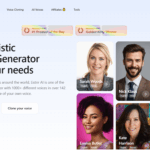
Retained screenshot of the Listnr website; original capture date not recorded. The pictured voice and language counts, user total and realism claim are provider marketing from that capture, not independently verified measurements or confirmation of current availability.

Name Listnr AI
Overview Listnr AI is an intuitive, web-based text-to-speech platform featuring a vast library of over 1,000 realistic voices in 140+ languages. It includes voice-cloning, a podcast manager with hosting, embeddable audio players, and distribution to Spotify/Apple Podcasts. Listnr also advertises text-to-video and dubbing workflows; check the selected product and plan for lip-sync availability. Developers can leverage a robust API, and users can customize speech with controls such as speed, pitch, emotion and pronunciation, depending on the selected voice or model. Cloud storage is included for efficient project management, and MP3/WAV exports are supported, subject to the selected plan’s download limits.
Key Features & Benefits
  • 1,000+ voices, 140+ languages for global reach and content diversity
  • Voice cloning enables creating personalized branded voices using your own voice or a speaker’s written permission
  • Fine-tuned speech editor: adjust supported speed, pitch, pause, pronunciation and emotion settings; available controls vary by voice or model
  • Text‑to‑video & lip‑sync: Listnr advertises video-generation and dubbing workflows; confirm the chosen workflow’s features and plan. Separate Listnr Studio plans have their own pricing
  • Podcast tools: host and embed audio with built-in players; submit the RSS feed to each podcast directory initially, then distribute new episodes through that feed
  • Developer API: integrate lifelike TTS voices into apps, games, websites
  • Multi-format downloads & cloud storage for organized content workflows; Free has limited downloads/exports, while the listed paid tiers offer unlimited downloads/exports within generation quotas
Use Cases & Applications
  • Generate voice-overs for YouTube, social media, marketing videos
  • Convert blogs/articles into audio or podcasts
  • Produce multilingual audio content and audiobooks
  • Add narration to e‑learning modules
  • Implement accessible solutions (screen readers, IVR systems)
  • Integrate voice into applications via API
Who Uses?
  • Content creators (YouTubers, podcasters, marketers)
  • Educators and e-learning producers
  • Businesses & agencies needing branded audio content
  • Developers building voice-enabled apps/games
  • Accessibility professionals, IVR/voice interface designers
Pricing
  • Free: 1,000 credits to start, with limited downloads/exports. A recurring monthly free allowance was not verified.
  • Student: A current Student offer was not verified on the public pricing page; check availability and eligibility directly with Listnr.
  • Individual: $19 billed monthly or $190 billed annually; 20,000 credits/month, 50 GB storage and 50 videos/month.
  • Solo: $39 billed monthly or $390 billed annually; 50,000 credits/month, 100 GB storage and 150 videos/month.
  • Agency: $99 billed monthly or $990 billed annually; 250,000 credits/month, 250 GB storage and 250 videos/month.

These are the allowances displayed on the official pricing page. Credits are listed as credits, without assuming an exact word conversion. Check the selected plan and current billing terms before subscribing; unlimited paid downloads do not mean unlimited generation.

Tags AI Voice Generator ,Text‑to‑Speech , Voice Cloning , Podcast Hosting , Text‑to‑Video , Multilingual Voices , TTS API , Accessibility
App Available? Web-based platform, accessible through modern browsers on computers and mobile devices; no installation is required for the web workflow.

Before generating and exporting

  1. Choose a voice and a short, representative script. For voice cloning, use your own voice or obtain the speaker’s written permission; review the terms and privacy policy before uploading sensitive audio.
  2. Preview names, numbers and specialist terms. Adjust supported pronunciation, pacing and pauses, then listen again before generating the full script.
  3. Check the remaining credits and export allowance, then download the reviewed audio as MP3 or WAV. For podcasts, complete each directory’s initial RSS submission before expecting new episodes to appear there.

Feature sources: text-to-speech, podcast hosting, TTS API and AI dubbing. Features and limits can vary by selected voice, workflow and plan.

KEEP EXPLORING

More tools to discover.

Rime wordmark captured from its official homepage header.

Explore Rime's streaming text-to-speech API, Coda and Mist v3 models, voice-agent workflows, pronunciation controls, and usage-based pricing.

Top AI ToolsExplore
Earlier Speaktor homepage with a Convert Text to Speech heading and voice-selection cards on a black-and-purple background

Explore Speaktor AI for text-to-speech, document listening and voiceovers. Compare billing periods, usage limits, free access, content rights and privacy.

Text-to-speechExplore
FakeYou homepage voice demo with its logo, cat mascot, voice selector, empty text box and Vietnamese headline

Explore FakeYou AI voice tools, Plus, Pro and Elite pricing, clip limits, privacy considerations and restrictions on impersonation and commercial use.

Text-to-speechExplore
Free Text-To-Speech editor with an empty text box, Chinese voice settings, and speed and pitch controls

Convert text into speech with multilingual voices, speed and pitch controls. Review pronunciation, export options and the provider’s current access limits.

Text-to-speechExplore
Historical ElevenLabs homepage with its wordmark, a voice-platform headline, product tabs, and a text-to-speech sample panel.

Explore ElevenLabs voice tools, Creative plan prices, voice-cloning consent, commercial-use permissions and privacy settings. Updated October 2026.

Text-to-speechExplore
Find your next starting point