
Review updated October 16, 2026. This is a review of Inliner’s public documentation. We did not create an account, generate or edit images, call its API, test delivery speed, or complete a purchase.
Inliner AI combines image generation with hosted image URLs and project organization. Its browser-based Studio is one entry point; developers can also use authenticated programming tools. The practical appeal is keeping image creation and delivery in the same workflow. Getting-started guide · API documentation.
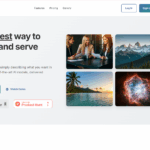
Image note: the retained image above shows an earlier Inliner marketing homepage. Its sample pictures and free/speed messaging are historical marketing, not our test results or evidence of today’s interface, prices, or performance.
How URLs work
An image address contains a project namespace, a description, dimensions, and a format. The tutorial describes edits as additional URL instructions that create new versions while preserving the original. It also describes account registration and project setup. URL and project guide.
Do not assume every operation is key-free. The tutorial advertises direct URL generation without API keys, but the integration guide says authenticated tools create first renders for account-owned namespaces. The REST reference requires an API key in the Authorization header. For a production integration, use the documented authenticated route and confirm your project’s settings.
A planned URL is also different from a finished asset. The MCP guide distinguishes URL recommendation from actual generation and says to wait for the completed image before inserting it. That is a useful safeguard when an AI coding assistant prepares a page.
Features
- Visual creation: Studio documents one or four variations, reference-image selection, and project organization. Projects support up to five reference images. These are documented controls, not a guarantee of matching a brand precisely. Studio guide.
- Asset management: automatic tags and descriptions, multi-tag search, collections, metadata editing, and suggested URL names can help organize reusable images. Review AI-written labels and alt text before publication. Asset-management overview.
- Developer access: the REST documentation lists JavaScript/TypeScript, Python, Go, and PHP SDKs. The CLI guide includes macOS, Linux, and Windows setup; MCP documentation covers compatible coding assistants. SDKs · CLI · MCP.
These sources establish a web interface and developer tools. We did not verify a standalone iOS or Android app, or test compatibility with individual CMS image fields.
Pricing
The homepage’s monthly table showed the following on October 16, 2026:
| Plan | Monthly price | Image credits/month | Projects | Hosted images |
|---|---|---|---|---|
| Free | $0 | 120 | 1 | 25 |
| Basic | $9.99 | 600 | 5 | 500 |
| Standard | $29.99 | 1,800 | 20 | 5,000 |
| Pro | $99.99 | 6,400 | Unlimited | 15,000 |
Standard generation uses four image credits; Cheap Mode uses one. Reusing a generated CDN URL does not spend another generation credit. Editing, infill, and enhancement have separate allowances. Inliner says failed generations receive credit refunds. Credit explanation.
The table displays “$” without identifying a currency code. Older figures remain on the team guide, so confirm your account’s offer before subscribing. We did not establish taxes, credit rollover, renewal or cancellation details, or a cash-refund policy from the reviewed public pages. A failed-generation credit refund should not be read as a subscription money-back promise. Check those conditions on the billing screen or with Inliner before payment.
Hosting and privacy
Inliner’s FAQ conditions continued paid-plan image URLs on the account remaining in good standing. We could not establish exact free-tier, deleted-image, or closed-account retention periods. Keep independent copies of important assets. Hosting FAQ.
The GDPR page identifies Cloudflare for image storage/delivery, DigitalOcean for infrastructure, and Stripe for payments. The privacy policy describes logs, registration details, cookies, and usage data, but does not clearly explain prompt/reference-image retention, model-provider processing, or training use. Its contact section still contains placeholder text.
As a precaution, treat an embeddable image URL as shareable with anyone who receives it. We did not verify private-image access controls. Avoid confidential prompts, unreleased client material, or identifiable personal reference photos until Inliner clarifies the relevant controls and processing terms. This is an editorial risk precaution, not a tested finding about every asset’s visibility.
Rights and models
The homepage permits personal and commercial use but warns that outputs may resemble copyrighted material. This is a vendor statement, not independent clearance of an image’s rights. Commercial-use FAQ.
The Terms of Service largely address website materials, disclaim warranties, and retain unfilled definitions and jurisdiction text. They do not provide a clear model-by-model output license. Obtain written clarification for rights-sensitive client work rather than relying on a blanket ownership claim.
Model availability changes: the release index records Krea 2 Medium and Recraft V4.1 additions and later Google-model maintenance. Check the current picker and applicable provider restrictions for the model you intend to use. We did not compare output quality, fidelity, or generation times.
Example workflow
Fictional, untested example: a small café wants an illustrated newsletter header. This is a planning exercise, not a result produced with Inliner.
- Prepare an original brief: a ceramic cup beside a rainy window, with space for a headline. Use only reference artwork the café is entitled to upload.
- Create a dedicated project and request one draft in Studio or through authenticated tooling. Confirm the selected generation mode and its credit cost first.
- Inspect the completed image for unwanted logos, distorted objects, and misleading details. If revising it, supply the existing image as the edit source; the CLI documentation warns that a size instruction without a source can be treated as a new generation.
- Save an approved copy, write useful alt text, and test the final newsletter in its intended mail client before sending.
Verdict
Inliner is worth investigating when a developer or content team wants to manage generated visuals and reusable URLs together. Start with a small, non-sensitive trial and measure the whole process, including review, revisions, and embedding. For confidential assets, rights-critical campaigns, or long-lived production dependencies, resolve the documentation gaps first. This review does not establish image quality, uptime, speed, or savings against alternatives.
For another image-generation product to compare, see our Recraft AI review.