Updated October 26, 2026: Platform, plan and feature details checked against the provider’s current public pages.
| Field | Details |
| Name | CrystalSound |
| Overview | CrystalSound is an AI-powered voice enhancement and noise-reduction app with audio-file enhancement and screen recording. Its voice-isolation features are designed to reduce other voices and background noise during calls, including group interactions. Its privacy statement describes local audio and VoiceID processing for noise reduction, but the current pricing page separately lists cloud call recording as a preview. Do not assume every feature is processed entirely on-device. It works alongside communication apps and can improve audio files for listening and further editing. Native meeting transcription is listed under the coming-soon Elite plan, not as an included feature available to every user. |
| Key features & benefits |
|
| Use cases and applications |
|
| Who uses? |
|
| Pricing | CrystalSound offers free access and paid subscriptions. The current pricing page uses different plan names from the earlier Basic $99/month and Pro $299/month figures in this article; those older rates were not verified as current.
Elite is marked coming soon. Cloud call recording is a preview, while automatic titles, smart meeting minutes and keyword/sentiment analysis are marked unavailable. Check the current plans, billing and feature status rather than assuming these features are included today. The pricing page advertises a 30-day refund window, while the Terms contain non-refund language; confirm the terms that apply to your purchase before paying. |
| Tags | AI Voice Enhancement, Noise Reduction, Audio Editing, Communication Tools |
| App available? | Yes. The official website links Windows, macOS and Linux downloads. Confirm system requirements and feature support for your version before installing. |
Before a meeting: Follow the official setup guide for your operating system and calling app, then make a short recording to check voice isolation and audibility. Obtain any required recording consent, and review cloud-feature settings and the privacy statement before recording sensitive discussions.
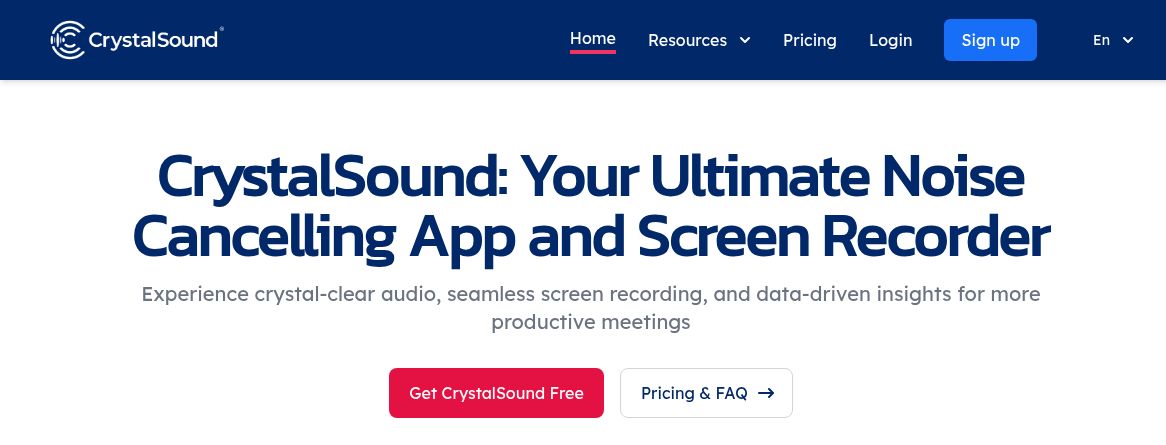
Current CrystalSound homepage promoting noise cancellation and screen recording; feature availability varies by plan.