Updated on October 20, 2026.
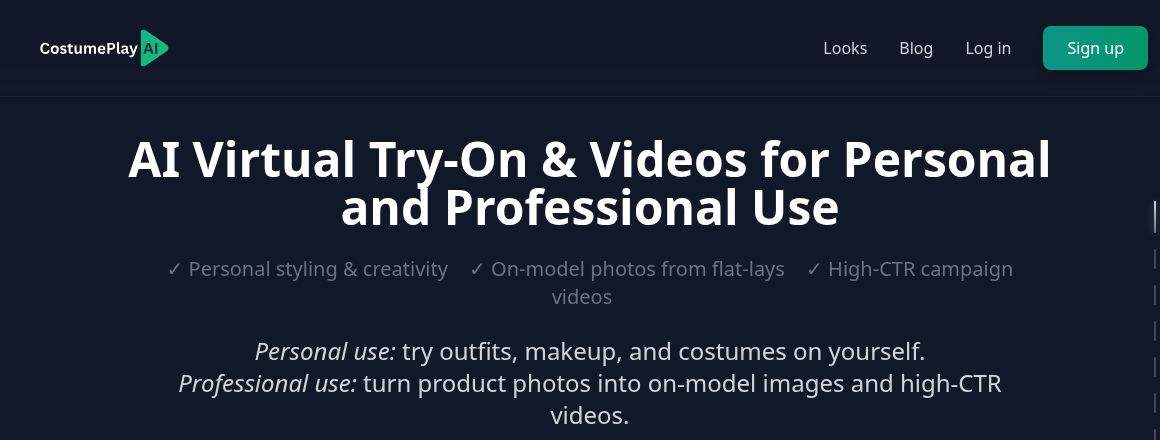
Featured image: screenshot of CostumePlay AI’s official website, captured October 20, 2026. Vendor presentation, not a hands-on test.
CostumePlay AI creates virtual try-on images, on-model product photos, and short promotional videos. Its current website serves both personal styling and professional fashion content: individuals can explore outfits, makeup, and costumes, while merchants can turn garment images into visual assets for a catalog or campaign.
The platform still supports the original listing’s core fashion-marketing use cases, but its billing has changed. Current public plans are subscriptions with monthly credits, not the earlier one-time-only credit packs.
Features and workflow
The official homepage describes using clear garment photos, including flat-lays, to produce on-model imagery. Existing model or lifestyle shots can be used as the basis for campaign videos. These workflows may help a small brand prepare variations for a lookbook, product page, or social post.
- Virtual try-on: explore a visual look using clothing, costumes, makeup, and related styling concepts.
- On-model photos: generate modeled presentations from product images.
- Short videos: create promotional clips from fashion imagery.
- Video editing: add a logo or audio, change timing, reorder or hide generations, and use the advertised upscaling option.
The official Shopify App Store listing, published by AOC Tech Solutions, also describes product import, clip trimming, soundtrack controls, and MP4 export. Shopify integration is a separate app installation; it is not evidence of a native iOS or Android application.
Subscription prices and credits
The public pricing page shows these monthly and annual options. The same plan amounts are listed in US dollars in the official Shopify listing. Confirm the total, tax, and billing channel before subscribing.
| Plan | Monthly option | Annual option | Monthly credits |
|---|---|---|---|
| Starter | $8 per month | $77 per year | 50 |
| Hobby | $37 per month | $355 per year | 200 |
| Pro | $147 per month | $1,411 per year | 1,000 |
The annual selector advertises a 20% saving and displays rounded monthly equivalents. The yearly totals above are the published commitment, rather than a calculation from those rounded figures. The homepage says credits do not expire and additional credits can be purchased; a current public top-up rate was not verified.
For 50 credits, the Starter card lists capacities of 50 standard-definition photos, 16 high-definition photos, or 10 video clips, alongside try-on and avatar examples. Higher plans show proportional examples. Check the charge for the selected operation before generating, and do not budget as though every listed output count were a separate bonus allowance. Pro’s Dialogue feature is labeled coming soon, not currently included functionality.
The Shopify listing advertises 10 credits on installation. That offer is specific to the installation route and should not be assumed to apply to every web signup.
Free previews and commercial use
The homepage advertises commercial usage for professional outputs, but the separate Free Preview generator explicitly limits its outputs to personal use and testing, requires attribution, and excludes commercial rights. It is a lower-resolution preview tool, not the full paid virtual-try-on workflow.
For an advertisement or product catalog, confirm that the selected plan and generation route permit the intended use. The Content License Agreement says commercial users must not imply that generated images were human-created. It also disclaims guarantees of uniqueness, absence of third-party rights, and suitability for a particular purpose. Also check that you have permission to use uploaded photographs, identifiable people, logos, music, and other source material. A platform’s output-use statement does not verify rights in those inputs.
Quality checks before publishing
- Use clear product images and confirm the garment’s color, print, seams, and silhouette in the output.
- Check anatomy, accessories, text, and logos for generated distortions.
- Do not treat a try-on image as a measurement, sizing recommendation, or proof of physical fit.
- Inspect video timing, sound, and export dimensions on the intended channel.
- Compare campaign variants using your own results, rather than assuming a promised click-through or sales increase.
CostumePlay’s speed, fabric-fidelity, and cost-saving statements are vendor claims, not results established here. No image, video, Shopify installation, or paid plan was tested. The service is browser-based; a dedicated mobile app was not verified. Sources checked: October 20, 2026. Explore related fashion AI tools.