Updated: November 10, 2026.
| Name | ChatBotKit |
| Overview | ChatBotKit is an AI-driven platform designed to assist users in developing and enhancing AI chatbots for interactions across various platforms, including websites, Slack, and Discord. Users can create customized datasets to provide tailored responses, utilize skill sets for advanced functionalities, and import media and website content as references. The current pricing page lists models from OpenAI, Anthropic, Mistral and other providers, with an option to bring your own provider key. The tool also supports streaming for real-time interaction. Additionally, ChatBotKit offers an AI playground and a no-code interface, allowing users to build and customize chatbots. A free trial is advertised; confirm its duration and conditions before signing up. |
| Key features & benefits |
|
| Use cases and applications |
|
| Who uses? |
|
| Pricing | ChatBotKit offers a Free trial model, allowing users to test the tool before moving to a paid plan.
ChatBotKit pricing packages:
|
| Tags | AI chatbots, chatbot creation, customer service, no-code platform, AI tools |
| App available? | Web-based platform for chatbots and integrations. A native iOS or Android app was not verified in the reviewed sources. |
Build a website FAQ bot with your own answers
For a small business, start with a short set of approved public FAQs rather than importing every document. ChatBotKit’s documentation describes this setup:
- Create a dataset and add text records or attach a file containing the answers. Link that dataset in the bot’s settings so it can retrieve relevant context during conversations.
- Choose the dataset’s visibility deliberately: public datasets can be discovered and used by the community. Set a Mismatch Instruction explaining what the bot should do when no suitable record is found, such as directing visitors to your support page rather than inventing an answer.
- In Integrations, create a Widget integration and connect your bot. Save it, then use Install to obtain the embed snippet for your website.
- Configure the widget’s allowed origins for the websites where it should run. Before publishing, compare answers with your FAQs and try a question the dataset does not cover to check the fallback.
This is a documentation-based workflow, not a hands-on test or a guarantee of accurate answers. See the official dataset guide and widget setup guide.
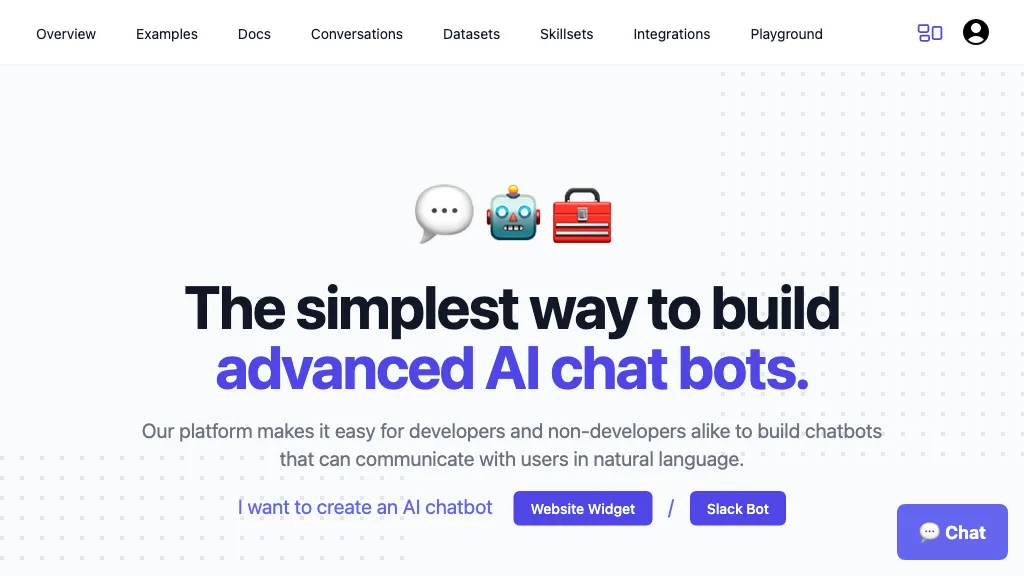
Historical image: The retained ChatBotKit homepage screenshot shows an earlier chatbot-building interface with Website Widget and Slack Bot controls. Its capture date is unverified; it does not establish current functionality or performance.
Sources: ChatBotKit pricing and plan FAQ. Checked October 26, 2026.