Updated October 15, 2026
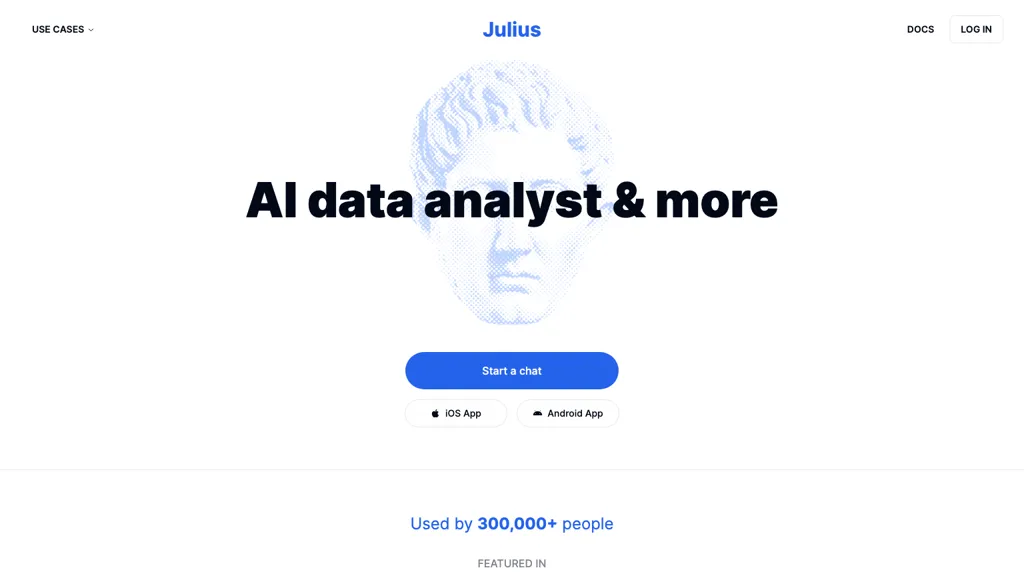
The featured image shows an earlier Julius marketing page; its interface, plans and promotional figures may have changed.
Julius is an AI workspace with a strong focus on working with data. You can ask questions about spreadsheets, request calculations and charts, and develop the findings into a report or presentation. Its current scope also includes research, websites, images and video. This guide focuses on its data-analysis workflow, current public pricing and the checks worth making before relying on an answer. It is based on official documentation; we did not run a hands-on Julius test.
What Julius does
According to Julius’s service description, the workspace can execute Python, R and SQL, research topics with citations, and produce downloadable or shareable work. Data can be exported to Excel or CSV, while presentations can remain editable in PowerPoint or Google Slides. An internet connection is required, and capabilities vary by plan.
The tools documentation says users can expand activity steps to inspect generated code and its output. That is useful when checking a calculation: ask for the method, inspect the implementation and compare the result with a small independent calculation. A convincing explanation alone does not establish that the right records, units or formula were used.
Files and connections
Julius’s file guide lists CSV, Excel, JSON, Parquet, Feather, SQLite and SPSS data, along with PDFs, text, images and code files. It also describes linking Google Sheets. For multi-tab workbooks, name the exact sheets and explain how they relate instead of assuming the tool will infer the correct relationship.
Documented database connections include PostgreSQL, MySQL, SQL Server, Snowflake, BigQuery and Supabase; Google Ads and Meta Ads also appear in the connector list. These let Julius query a source without a manual file export. Confirm availability for your plan and involve the data owner before connecting a business system. Start with limited, approved access and explain important column definitions.
Current pricing
The following are selected plans shown on the official pricing page when checked on October 15, 2026. Prices are in US dollars.
- Free: $0, with daily credits and limited access.
- Plus: $20 monthly, or a displayed $16 per month with annual billing; 2,000 monthly credits or 24,000 annual credits.
- Pro: $45 monthly, or a displayed $37 per month with annual billing; 5,000 monthly credits or 60,000 annual credits.
- Business: $450 monthly, or a displayed $375 per month with annual billing; 60,000 monthly credits or 720,000 annual credits.
- Enterprise: contact Julius for pricing.
The annual figures above are advertised monthly rates for yearly billing. Check the exact upfront charge, included features and applicable taxes before subscribing. Other capacity options may be available.
Credits and limits
Julius now measures use in credits. Its credit guide explains that models, tools and task complexity affect consumption, so a credit allowance cannot be converted into a fixed number of analyses. Annual subscribers receive their allocation upfront; unused credits expire at the billing-cycle boundary. The guide also contains a Pro annual example of 50,000 credits that differs from the pricing page’s 60,000. Confirm the grant shown for your subscription rather than relying on an older example.
Dataset capacity also needs a practical check. The FAQ says it does not impose a row-count limit, but available memory constrains analysis. A file opening successfully does not prove that a large join or model will finish. Try a representative sample, record the credits consumed, and retain a reproducible copy of the work.
Storage and privacy
Julius’s security page says it encrypts data in transit and at rest, reports SOC 2 Type II compliance, and does not use customer data to train internal or external models. It says its AI providers are contractually bound by that training restriction. These are provider statements, not an independent security assessment by GPTOnline.
Storage deserves separate attention. The file guide describes deletion after up to one hour of inactivity for Free users and availability for up to seven days of inactivity for paid users. Public pricing also displays plan-specific storage terms. Confirm the terms applicable to your account and export work you need to keep; do not assume permanent storage or immediate deletion of every record.
The privacy policy, updated July 1, 2026, identifies service providers including Anthropic, Google and OpenAI. It asks users not to submit sensitive personal data and allows retention of account information for service, legal and other stated purposes. It also expressly declines to guarantee protection from unauthorized disclosure. Review these terms and your organization’s requirements before uploading confidential material.
A checkable example
Illustrative, untested example: prepare a fictional six-row CSV about cardboard tubes. Use columns for sample ID, length, length unit and mass in grams. Give one tube a length of 12 centimetres and another 120 millimetres. Add one blank mass, one missing length unit and one exact duplicate row. Use invented measurements and identifiers, with no personal or confidential information.
A useful first prompt would be:
Inspect this fictional tube-measurement file. Report the row count, unique sample IDs, duplicates, missing values and units. Preserve the original columns. Propose a cleaning plan before changing anything. Convert lengths to millimetres only where the source unit is explicit. Do not fill missing values or silently remove rows.
After reviewing that inventory, decide how the duplicate should be handled and which incomplete records can be used for each calculation. Then request a cleaned export, a summary of valid lengths, a clearly labelled chart and a log of every transformation. Ask Julius to show the calculation behind each reported statistic and the number of observations included.
The test has straightforward checks: 12 centimetres should become 120 millimetres; a missing mass should remain distinguishable from zero; a missing unit should be flagged. The duplicate should be reported before any removal. Because the file is small, you can inspect every row and recalculate the summary yourself. A correct result on this exercise would support a larger trial, without establishing reliability for every dataset.
Review the result
- Check scope: confirm the selected file, sheets, date range and filters.
- Check meaning: verify units, category labels, missing-value treatment and the denominator of every percentage.
- Check joins: compare row counts before and after combining tables; repeated keys can multiply records.
- Check calculations: recompute several totals or statistics independently and inspect generated code where available.
- Check presentation: make sure charts label axes and units, and that narrative claims match the underlying numbers.
Define these pass conditions before trying the tool. GPTOnline’s guide to using AI benchmark scores in a real workflow explains the broader value of judging an assistant against the work you need it to complete. Keep the original data and a record of accepted changes so another person can reproduce your conclusion.
Mobile access
Julius is available through its web service, and Apple currently lists Julius AI: Data & Math Helper for iPhone and iPad under Caesar Labs. We verified that listing, not feature parity or app performance. A currently available Android download was not confirmed during this update.
Who should consider it?
Julius is worth evaluating if you regularly turn spreadsheets into calculations, charts and written explanations, and can review the resulting work. Begin with a small, non-sensitive dataset and an explicit success checklist. If the workflow passes, compare the actual credit cost and review effort with your existing process before committing to a larger plan.