Updated October 29, 2026
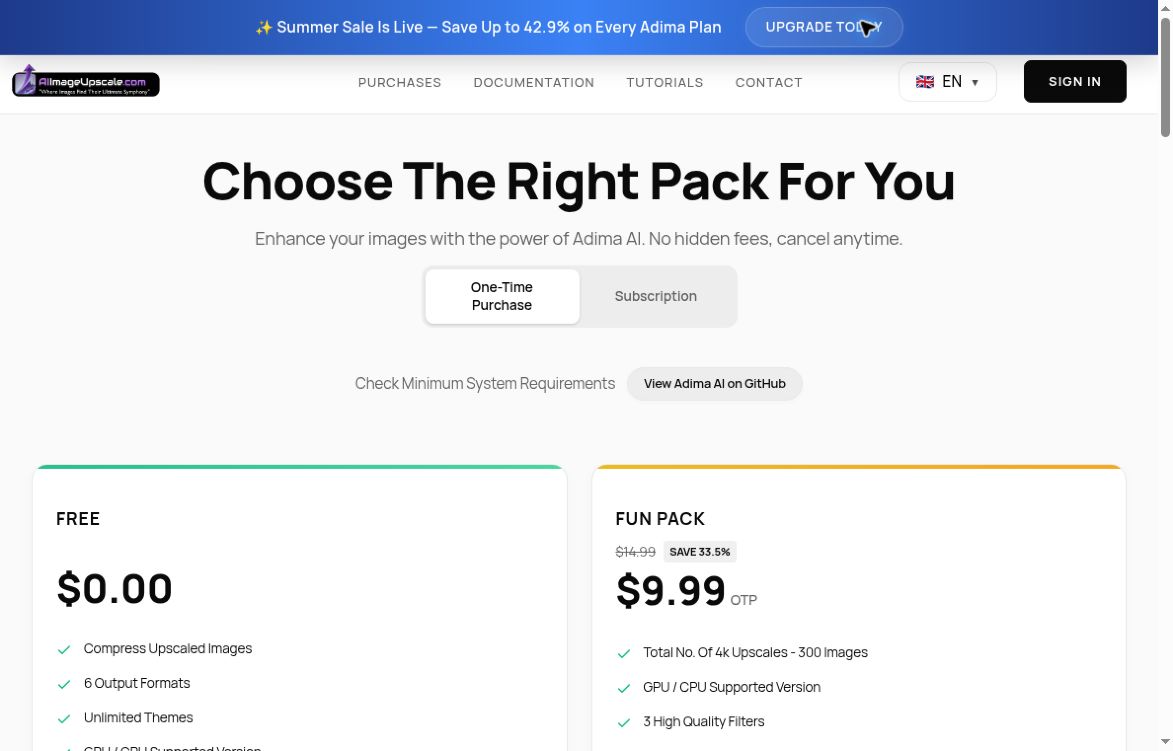
Image source note: Retained screenshot of AIImageUpscale’s official Adima pricing page with One-Time Purchase selected, reviewed October 28, 2026 (UTC). The original capture date is unknown. The displayed prices, “Summer Sale” banner and promotional or cancellation wording are provider page content, not independently verified purchase terms or a promise that an offer remains available. Check current prices and conditions before purchase. This is a pricing-page view, not an upscaling test or generated output. Source: Adima pricing.
Link context: The official pricing page links the same X/Twitter account shown in “Find them online”; its current activity was not checked. The Facebook group, Discord invitation and Instagram link are retained from the earlier listing, but their current affiliation or availability was not independently confirmed. Do not treat those three links as verified support channels.
Features, uses and access
| Name | AI Powered Image Upscaler (Adima AI by AIImageUpscale) |
| Overview | AIImageUpscale now presents its image-enhancement products under the Adima AI name. It offers Windows software and an Android photo-enhancement app for enlarging and editing images. The Windows product advertises AI upscaling, noise reduction, face restoration and batch processing, with features varying by plan. Results depend on the original image, chosen model and device; enhancement does not guarantee recovery of authentic missing detail. |
| Key features & benefits |
|
| Use cases and applications |
|
| Who uses? |
|
| Pricing | A free Windows plan lists 20 free 4× upscales. Paid one-time packages and monthly subscriptions are offered. Features and promotional prices vary; check the official pricing page and try the free version on your hardware before purchasing. |
| Tags | AI, Image Enhancement, Upscaling, Photo Editing |
| App available? | Yes. Adima AI is offered for Windows and Android. Other platforms mentioned on the roadmap should not be treated as released apps. |
Check details before using an enhanced image
For example, inspect small product labels after upscaling rather than assuming newly sharpened text matches the original. On-device image processing is a provider description, not a guarantee that the service collects no other data. Review its privacy policy and keep original files.
Official sources checked October 28, 2026 (UTC): AIImageUpscale and Adima identity, Windows product, pricing, Android listing and privacy policy. No software was installed or output tested for this review.