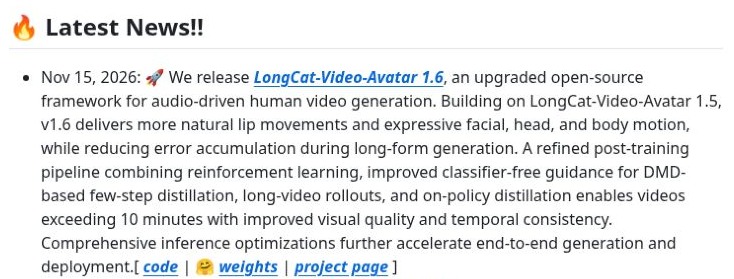
Featured image: screenshot of the official LongCat-Video release note, captured November 17, 2026. Copyright (c) 2025 Meituan. MIT permission and license notice.
LongCat-Video-Avatar 1.6 is an open-weight model from Meituan’s LongCat Team that animates characters from audio. It can use a reference image and speech to generate a talking avatar or continue a video in segments. Released on November 15, 2026, it is a self-hosted video workflow, not a browser editor or a text-to-speech tool.
What changed from version 1.5?
Version 1.6 builds on the 1.5 architecture. Meituan reports more natural mouth movements and less drift in identity, body movement and hand-object interactions over longer sequences. The official project page shows paired examples, some longer than ten minutes. Those examples do not guarantee that every long render will hold its timing or appearance.
What can you make?
- One speaker: Use a reference image and audio, or start with a text description and audio.
- Multiple speakers: Use the multi-audio workflow to animate several characters from a reference image.
- Longer sequences: Continue a video in successive segments and review the joins before exporting.
A practical first test is a short excerpt from a narration you recorded yourself and an illustration you own. Choose a passage with a pause and some clearly articulated words. Check mouth movement during the pause, lip timing and whether the face stays consistent. This is a proposed test, not a hands-on result.
Hardware and downloads
The file listing shows 77.6 GB for the full repository, including alternate weights. This is storage, not a VRAM requirement. Reference examples in the official repository use two GPU processes with CUDA-based PyTorch. It describes an optional weight-only INT8 checkpoint but does not establish that one 12 GB card can run the documented avatar workflow. Check capacity before renting hardware.
Keep model and media rights separate
The model card lists the weights under MIT. That does not grant rights to faces, voices or the project’s illustrative videos. Use media you have permission to use, and label synthetic footage when viewers could mistake it for a real recording. Local execution can keep your input off third-party services; check file access and retention if using rented hardware or a hosted demo.