Reading a long article or a textbook chapter rarely ends with real understanding. The ideas blur, the connections fade, and the notes you meant to keep stay scattered. Scatter takes a different approach: it turns any topic into an AI-powered mind map on an infinite canvas, where every explanation can branch into the next question. You start with a topic, a chat or an image, and the map grows as your curiosity does. Scatter appeared on Show HN on 14 November 2026.
What Scatter Does
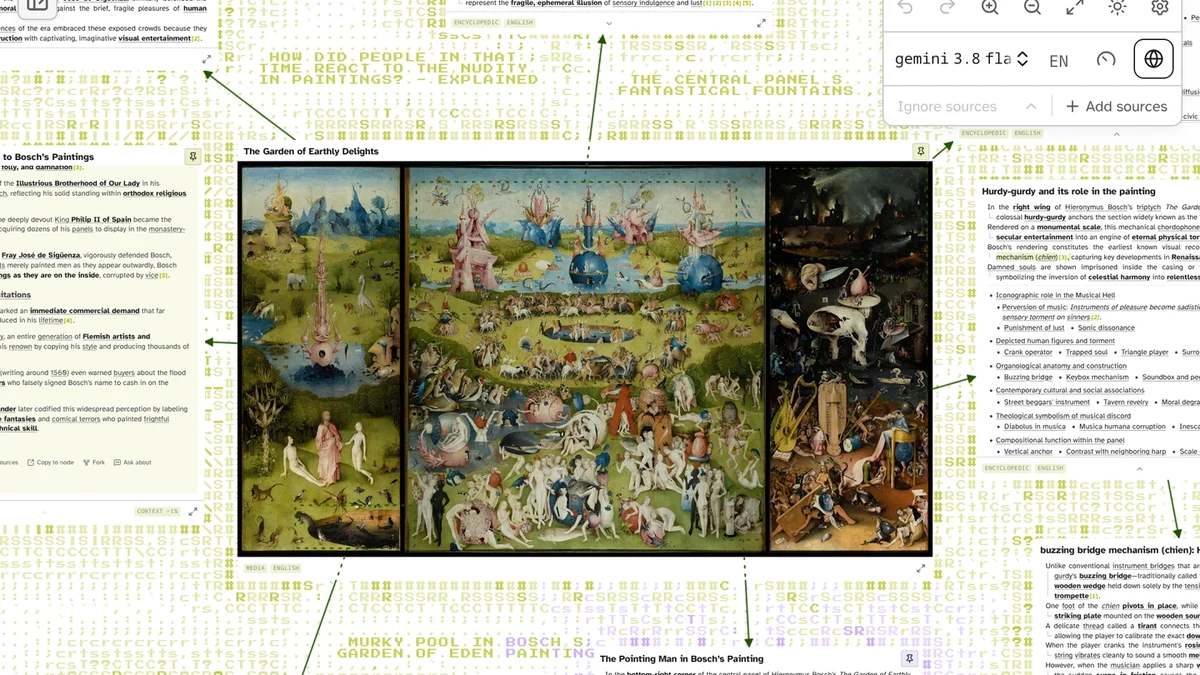
Scatter generates a structured overview of a topic, then marks the terms worth exploring inside each answer. Hovering over a term shows a short explanation, and clicking it creates a connected node or jumps to the node that already covers it, so the map builds itself as you follow what interests you.
You can ask about a whole node, a selected passage or a region of an image, and the answers arrive as new nodes on the canvas. Image questions can build an atlas-like map with the image at the centre, which suits art history, anatomy and any subject where the picture itself is the question.
Key Features
The core of Scatter is the branching mind map: AI-generated explanations on an infinite canvas, with marked terms that open connected nodes with a click. You can add your own sources, including PDFs, documents, webpages, images and pasted text, and restrict answers to selected sources only, with citations you can inspect. Interactive nodes can be generated from a prompt or an existing explanation, then run as working programs right on the canvas.
- AI mind maps on an infinite canvas with branching explanations
- Marked terms that open connected nodes with a click
- Your own sources with citations, and answers restricted to selected sources
- Interactive nodes that generate and run programs on the canvas
- Sentence-by-sentence fact-checking with evidence review and rewrite
- Branching chats, Markdown editor and Obsidian Canvas export
- Google Drive and WebDAV sync, and bring your own API keys
Who Scatter Is For
Scatter fits students, researchers and self-directed learners who study by following connections rather than reading in a straight line. It suits anyone working through a dense subject, from music theory to history to science, where one term leads to three more and a flat document cannot hold the shape of the topic.
It also fits people who care about where their work lives. Projects, sources, saved media and settings are stored in your browser, no separate app account is required, and your browser sends requests directly to your model providers with no app server or relay in between. For a learner who wants privacy without giving up AI help, that design is a real advantage.
Scatter Pricing
Scatter is free and source-available, as stated on the official site and checked on 16 Nov 2026. The app code is published under the PolyForm Noncommercial License 1.0.0, which permits use, modification and redistribution for the purposes the license defines, while commercial uses outside those permissions need separate permission. That makes Scatter source-available rather than open source under the Open Source Definition, a distinction the site states plainly.
There are no paid tiers published: you bring your own API keys for cloud or local models, through OpenRouter, OpenAI, Anthropic or a local server such as Ollama, and your model choices and provider rates determine the bill. The app is designed to keep costs low, with cheaper secondary models for routine work, low reasoning by default and tight limits on the context sent with each request. Since there is no price to quote, the honest summary is that Scatter itself costs nothing, and you pay only your model provider, if anything.
Getting Started With Scatter
Getting started takes a few minutes in a desktop browser. Open the app, use quick setup for OpenRouter with recommended models, or custom setup to add providers and choose models yourself, then set a spending limit with your provider where supported and use a separate key for this app if possible. Scatter is worth trying for any learner who wants their notes to think the way they do.
Image: official Scatter product screenshot, via scatter.study.