Gamma PDF is a free, open source reader for research papers. Most PDF readers let you highlight and move on, and the insight fades. Gamma turns every mark into a note in an outliner beside the paper, and lets an AI answer questions with citations that jump back to the exact passage. It appeared on Hacker News on 14 November 2026, and it runs on your own machine, with no account and no telemetry. This review covers what Gamma PDF does, who it suits and what it costs, from the official Gamma PDF website, checked on 15 November 2026.
What Gamma PDF Does
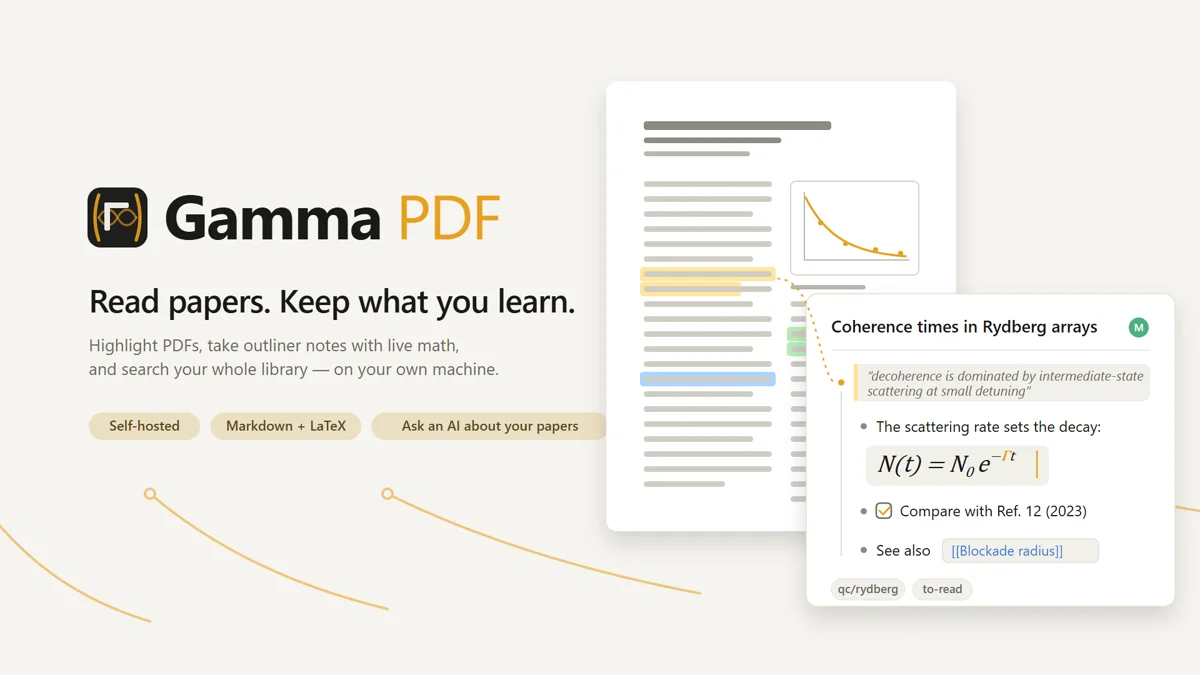
Gamma PDF is a PDF annotator with outliner notes, live math and an AI that reads along. You highlight, draw or type on the page, and each mark lands in your notes, with one click back to the passage. Notes support live Markdown and LaTeX, links between pages and handwriting, so a formula stays readable. The AI answers questions with cited answers, using your own Anthropic or OpenAI key or a paid ChatGPT plan. Title, authors and venue fill in on open, and BibTeX copies in one click. Everything lives in SQLite and plain files in one folder, and you can export it all at any time.
Key Features of Gamma PDF
The strongest part of Gamma PDF is that reading, notes and search form one system. You can search notes, highlights and every PDF at once. A browser extension saves the paper you are reading. Shared workspaces add live cursors and comments, so a lab can read together. Imports cover Zotero, Obsidian, Logseq and Notion, and Codex, Claude Code and any MCP client can search and read your papers, read-only, for one workspace you approve. The app runs on Windows, macOS, Linux, iPad and Android, plus a Docker server for a whole lab.
Who Gamma PDF Is For
Gamma PDF is built for researchers, students and anyone who reads papers. A PhD student gets highlights that become searchable notes and an AI that points at its sources. A lab team gets a shared workspace where comments sit on the highlight under discussion. A reader who cares about privacy gets no account, no telemetry and files that stay on their own disk. It is less suited to someone who only opens the occasional PDF, since the outliner rewards a reader with a real library. Casual readers will find a plain viewer simpler, while heavy readers will feel the difference within a week.
Gamma PDF Pricing
Gamma PDF is free and open source. The desktop app is free, and the self-hosted server is one free Docker image for your whole lab. Paid plans add an always reachable library: Lite costs $2 a month or $20 a year, with 1 GB for uploads and unlimited published pages. Plus costs $5 a month or $50 a year, with everything in Lite and 6 GB for uploads. Pro costs $20 a month or $200 a year for your own server, with 10 accounts, shared workspaces, 100 GB pooled, one shared AI connection and hourly off-site copies. Prices may change, so check the official pricing page before you buy.
Final Thoughts on Gamma PDF
Gamma PDF treats reading as work worth keeping. Highlights that become linked, searchable notes and an AI that cites its passages solve the real problem: not finding papers, but remembering what was in them. The free, open source core has every feature, and the paid plans only add a hosted library for people who would rather not run a server. The limits are clear too: the AI needs your own key or a paid plan. For a researcher whose library keeps growing faster than their memory, it is worth a try. Visit the official Gamma PDF website to download it free. Details were checked on 15 November 2026.