OpenAI has added iCloud Mail and Calendar plugins to ChatGPT, letting the chatbot read, search and act on Apple users’ email and schedules for the first time. OpenAI announced the two plugins on Tuesday, October 27, 2026, in a post from the official ChatGPT account on X, saying they are available on all ChatGPT plans on the web, desktop and iOS.
“Much requested, and now yours to connect: iCloud Mail and Calendar plugins are available in ChatGPT,” OpenAI wrote in the announcement. “Ask ChatGPT to find that email, catch up on your inbox, check what’s next, or update a calendar event. Phew.”
What ChatGPT Can Do With Your iCloud Data
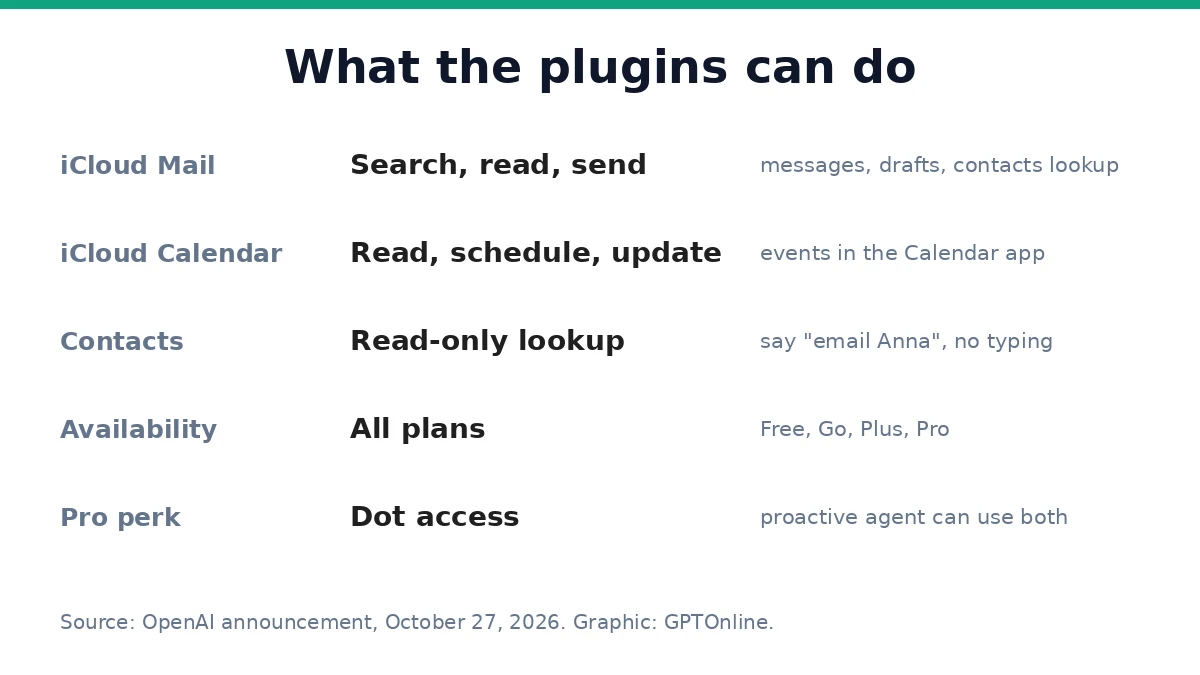
The iCloud Mail plugin lets ChatGPT search and read iCloud Mail, manage messages and drafts, send email and look up iCloud contacts. The iCloud Calendar plugin lets it read, schedule and update events, including events shown in the Calendar app on iPhone. Both plugins include read-only contact lookup, so a user can say “email Anna” instead of typing an address.
The combination is the point. Because the chatbot can see both the inbox and the schedule, it can find details in an email and use them to update a calendar event, or catch a user up on an inbox before checking what is next. ChatGPT already offered similar plugins for Gmail, Google Calendar and Outlook. iCloud users were the last major group left out, and this launch closes that gap.
How to Connect
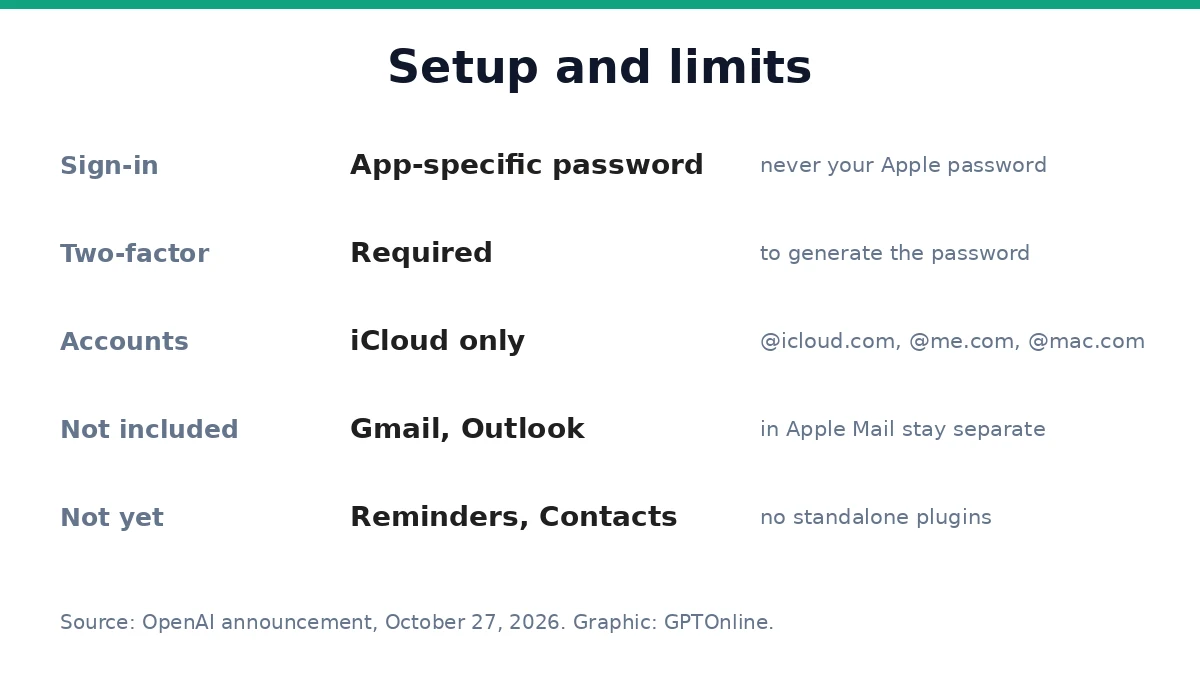
Each plugin connects separately, and each one requires signing in with an Apple app-specific password, the same mechanism third-party mail and calendar apps use with iCloud. Users generate the password through their Apple Account rather than typing their regular Apple password into ChatGPT, and generating one requires two-factor authentication. The plugins work on all ChatGPT plans, including Free, Go, Plus and Pro, across the web, the desktop app and iOS.
For subscribers on OpenAI’s Pro plan, the company’s proactive agent, Dot, can also use either plugin. That means a Dot can watch an inbox for meeting requests and cross-reference them with the calendar, or even help set up the iCloud plugins themselves. 9to5Mac, which tested the update, confirmed that both plugins enable Dot compatibility for iCloud users for the first time.
What It Cannot See
The access has clear boundaries. The Mail plugin works only with native Apple addresses, those ending in @icloud.com, @me.com or @mac.com. Gmail or Outlook accounts that happen to show up inside the Apple Mail app are not included, and those accounts connect through their own plugins instead. The plugins also do not integrate with the native macOS Mail and Calendar apps directly, so they cannot reach third-party accounts managed inside Apple’s desktop software.
The launch is also focused strictly on mail and scheduling. Standalone plugins for Apple Reminders and Contacts were not included, so task lists and contact editing still happen manually in Apple’s own apps.
Why It Matters
The launch caps a run of Apple-focused moves from OpenAI. A ChatGPT update in August added Apple Messages integration on Mac, OpenAI upgraded ChatGPT and Codex with its new GPT-6.1 Terra model on October 26, and Apple announced Creator Studio updates on October 27 that include a chatbot experience in Pages, Numbers and Keynote partly powered by OpenAI models. OpenAI has also added other app plugins recently, including Sonos, Canva, Hevy and Tripsy.
The timing is notable because the Apple-OpenAI relationship is complicated. Apple later chose Google rather than OpenAI to revamp the AI models behind Siri, and Apple filed a lawsuit in July alleging that OpenAI employees stole its trade secrets. Rather than depending on Apple to hand users over, OpenAI is now reaching Apple users directly, inside ChatGPT, with the same personal data access that Siri AI itself relies on.
That access is also the privacy question. Email and calendars hold account details, itineraries and financial information, and handing them to a chatbot is a real trust decision. The app-specific password setup is designed to limit the risk: ChatGPT never receives the full Apple ID credentials, and access can be revoked independently at any time through Apple’s account management portal. Users who rely on iCloud will have to weigh that convenience against how much of their inbox they are comfortable sharing.
Sources
- 9to5Mac: iCloud Mail and Calendar plugins now work with ChatGPT
- MacRumors: ChatGPT Can Now Access Your iCloud Mail and Calendar
- Engadget: ChatGPT Can Work With Your iCloud Mail And Calendar Thanks To New Plugin Support
- Dataconomy: ChatGPT Now Works With iCloud Mail And Calendar
- TechBriefly: ChatGPT adds iCloud Mail and Calendar support for all users