Updated: October 17, 2026
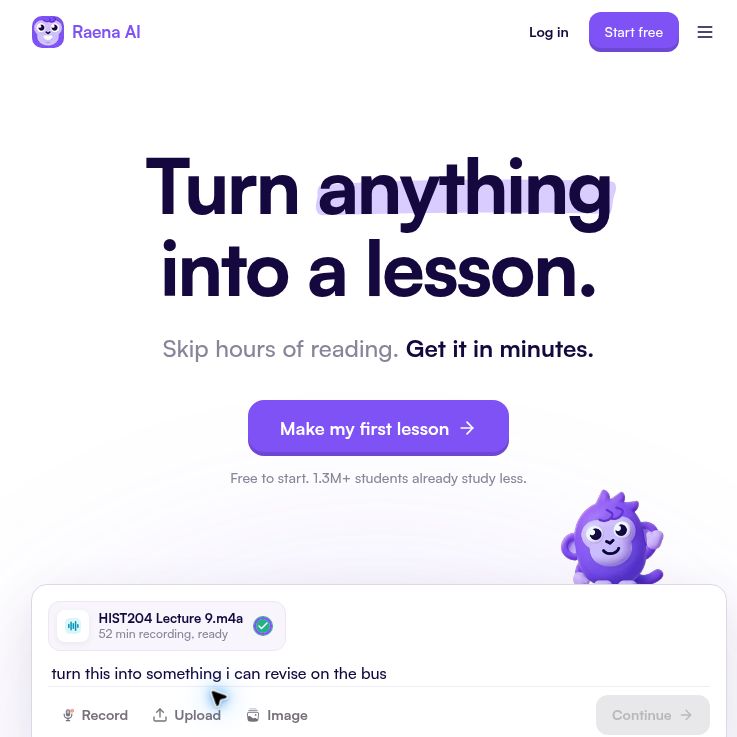
Screenshot of the official Raena AI homepage, captured October 18, 2026. Marketing view; no learning session was tested.
Raena AI turns study materials into lessons and revision activities. Its appeal is having several ways to work through the same topic, rather than treating an AI answer as the final authority. It may suit a student revising course notes or an adult reviewing a subject, provided they check the generated material against reliable sources.
What Raena AI Offers
The official website describes short lesson chapters with questions, summaries, flashcards, quizzes, podcasts and games. It also offers a tutor with source-page references and spoken conversation, plus short “brainrot” study videos over gameplay. These are advertised capabilities, not features we tested.
Listed inputs include PDFs, slides, Word and Excel files, photos, recordings, YouTube videos, links and pasted text. Check the actual file, page and processing limits before uploading a large course pack. A supported format does not ensure that handwriting, diagrams or complex tables will be interpreted correctly.
For collaborative revision, Raena’s product updates describe sharing study materials in groups and group chat. Review access settings before sharing, and tell classmates which answers have been checked. A polished summary or a high game score is not evidence that every explanation is accurate.
A Practical Revision Workflow
Imagine you have your own notes on a history topic and want to prepare for a seminar. This is a suggested evaluation exercise, not a report of using a Raena account:
- Define the task. Choose one question you need to explain, rather than importing an entire semester at once.
- Prepare a clean source. Fix unclear names and dates in your notes. Remove classmates’ contact details, confidential feedback and material you do not have permission to upload.
- Compare the lesson with the source. Look for missing qualifications, unsupported quotations and events presented in the wrong order. Keep the original available beside the generated version.
- Answer before revealing the explanation. Try the quiz or flashcards yourself, then explain why an answer is correct. Recheck disputed answers with your textbook or instructor.
- Use the tutor for a specific gap. For example: “Which part of my notes supports this explanation, and what am I leaving out?” Open any cited page and check that it supports the response.
- Choose another format only when useful. A podcast can be convenient for revisiting the topic, while a short video can provide an alternative presentation. Neither replaces checking your understanding without prompts.
Record the errors you had to correct and the time spent reviewing them. Those observations are more useful for deciding whether to keep the tool than assuming that fluent explanations, animations or testimonials guarantee better grades.
Free Access, Subscriptions and Credits
The current homepage advertises a free first lesson with no card required and describes Pro access for lessons, quizzes, flashcards and tutoring as unlimited. However, its older subscription guide still lists Free, Premium and Pro. We could not verify a current public subscription-price table or the exact free allowance across tools. Do not assume that an older tier description applies to a new purchase.
An April 27, 2026 credit announcement describes additional generations after plan limits, including for Pro. It lists optional packs of 100 credits for US$4.99, 500 for US$19.99 and 1,500 for US$49.99, with non-expiring balances and non-refundable purchases. Those are dated published pack prices, not a verified checkout quote. The announcement gives different costs by feature, such as 10 credits for a text quiz and 100 for a premium podcast.
Because this limits-and-credits guidance differs from the homepage’s broad unlimited wording, confirm which features are included, which consume credits and whether any fair-use restrictions apply to your chosen plan. Check the full amount, currency, billing period, tax and renewal terms before paying. Store purchase listings alone do not establish a subscription’s duration or your local price.
Trial wording differs across the older help guide and the policy rendering we reviewed. Confirm the exact trial end and first charge on your offer; do not assume a trial is automatically included. The terms describe automatic renewal, cancellation taking effect at the end of the paid period and a non-refundable payment policy, subject to applicable legal exceptions. The cancellation guide describes billing controls and says subscription payments are non-refundable; it also includes additional payment-method instructions. Follow the current instructions for the channel where you subscribed, obtain cancellation confirmation and contact support if the account still shows an upcoming charge.
Apps and Device Availability
Raena has a web app and official mobile listings linked from its website. The US App Store listing covers iPhone and iPad, and the Google Play listing verifies an Android app. Availability, compatibility, purchase options and feature rollout can vary. Check the current listing for your device and region rather than assuming every web feature is available identically on mobile.
Privacy, Permissions and Responsible Use
Before recording a lecture, obtain the permissions required by the institution and the people being recorded. Raena’s recording announcement makes consent the user’s responsibility. Having access to a textbook, class recording or shared document does not automatically give you permission to upload or redistribute it.
The privacy policy describes third-party AI processing of inputs and outputs, device and usage information, and tracking technologies. Retention generally follows the purpose and account relationship, with legal and backup exceptions. Its recording provision describes deletion on request or account deletion, rather than an automatic immediate purge after transcription.
The terms contain a broad licence for user contributions, but a separate recording clause limits processing to service delivery and requires separate explicit consent for advertising, commercial exploitation or AI-model training with recordings. Do not generalize that recording-specific protection to every upload. Minors must have parental or guardian permission and direct supervision. The embedded policies reviewed were rendered in French and dated April 12, 2026; ask the provider about any unclear wording.
The homepage describes encryption, but Google Play’s developer-supplied data-safety panel says data is not encrypted. We did not test either claim. Ask Raena to explain this mismatch before uploading confidential material.
The App Store’s developer-supplied privacy disclosures include tracking-related purchase and contact information; Apple states that those disclosures are not independently verified. For a younger learner, a store age rating is not a substitute for checking account eligibility, parental consent and school approval.
Use generated material within your course’s AI rules. Check quotations and citations at their original source, and do not submit an AI explanation as your own work when that is prohibited. Raena can be evaluated as a revision aid, but this review establishes neither learning gains nor suitability for high-stakes professional decisions.
Compare its workflow with other products in our AI tools directory. Review basis: public product pages, official help articles and app listings; no account, upload, subscription or learning session was tested.