Updated: October 25, 2026
| Name | Magic School AI |
|---|---|
| Overview | Magic School AI is an innovative platform offering 80+ teacher tools and plan-dependent student tools designed to streamline educational tasks. From crafting lesson plans and designing assignments to generating materials and creating newsletters, it aims to save educators significant time, allowing them to focus more on student engagement and personalized instruction. |
| Key Features & Benefits | – Extensive Toolset: Access 80+ teacher tools for classroom preparation; Plus and Enterprise also list 50+ student tools. – Time Efficiency: The provider reports examples of teachers saving 7–10 hours weekly; this is not an independently verified result for every teacher or task. – Differentiated Instruction: Tools like the Text Leveler adjust content to suit diverse student reading levels, promoting inclusivity. – Multilingual Support: The March 2026 FAQ lists 24 interface languages and translation into 98 languages. Review translations for your classroom and audience. – Privacy and Security: The provider lists COPPA, GDPR, SOC 2 and FERPA safeguards/compliance. These claims do not certify every school deployment: follow district rules and the applicable data agreement, and avoid student-identifying data unless authorized. |
| Use Cases & Applications | – Lesson Planning: Quickly generate standards-aligned lesson plans across various subjects and grade levels. – Assessment Creation: Develop customized quizzes, tests, and rubrics to evaluate student understanding effectively. – Individualized Education Plans (IEPs): Draft IEP-related material for qualified staff to review against each student’s needs and the school’s requirements. – Parent and Student Communication: Draft clear and professional communications to keep parents and students informed. – Student Engagement: Utilize AI tools to create interactive and personalized learning materials, enhancing student interest and participation. |
| Who Uses? | – Educators: Teachers seeking to enhance efficiency and effectiveness in instructional planning and delivery. – Schools & Districts: Institutions aiming to integrate AI solutions for improved educational outcomes and operational efficiency. – Students: Learners using teacher-configured activities and supervised Student Rooms where the plan permits. |
| Pricing |
Free: $0 for individual teachers, with 80+ teacher tools and limited generations/history; it is not the full unlimited Plus tier. Plus: $12.99 USD per month billed monthly, or $8.33 per user per month billed annually ($99.96 yearly, as explicitly stated by the provider). Includes unlimited generations/history/editing and expanded student features. Enterprise: Custom school/district quote for oversight, integrations, SSO and additional controls. Applicable taxes and account terms may apply. |
| Tags | AI in Education, Lesson Planning, Assessment Tools, Differentiated Instruction, Multilingual Education, Educational Technology, Teacher Resources |
| App Available? | Core teaching tools run in the web app. The official Chrome extension listing announces retirement on October 30, 2026; as of October 25 that date is still upcoming, and the provider directs users to app.magicschool.ai for tools and saved work. A separate MagicSchool Community Android app supports educator community activity; it is not evidence of a native replacement for the core teaching workspace. |
Use with professional review: Start with a lesson, rubric or differentiated-text draft, then check its accuracy, bias, curriculum fit and suitability before sharing it. MagicSchool’s terms describe the service as a professional aid, not a replacement for educator judgment. Student access should follow teacher and institutional controls.
Sources: Plans and pricing; Current FAQ; Privacy and school safeguards; Terms of service; Provider classroom examples; Extension retirement notice; Community Android listing.
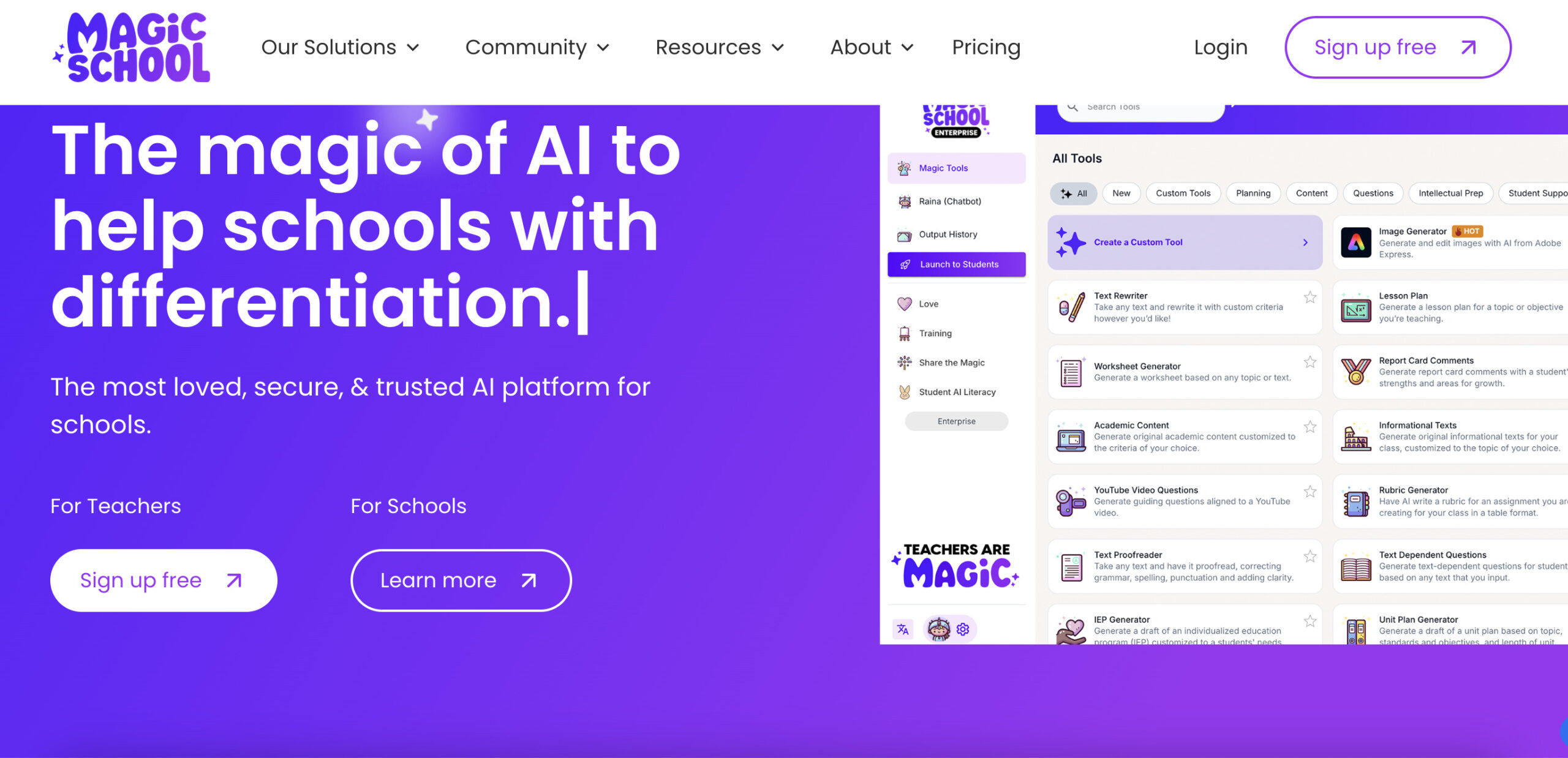
Image context: The existing MagicSchool homepage screenshot shows an earlier purple landing page and differentiation-tool interface. Its capture date is unknown; it is a provider website image, not an independently tested classroom outcome or a current plan comparison.