
Updated October 31, 2026
Uminal is presented on its official landing page as an AI assistant that can browse the web and use custom apps or skills. A retrieved copy of that page supported this description during this review, but account access and the assistant’s current operation were not tested. The description below distinguishes advertised capabilities from verified results.
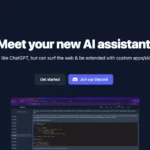
The featured image is an earlier Uminal homepage screenshot; its original capture date is unknown. The small chat and code preview is a provider demonstration, not a result from our testing. The pictured start and Discord links do not establish current account access or support availability.
| Field | Details |
|---|---|
| Name | Uminal |
| Overview | An assistant concept combining conversational interaction, web information retrieval and extensions. The official page compares it with ChatGPT, but this does not establish an OpenAI affiliation or identify the model currently used. |
| Key features & benefits |
|
| Use cases and applications |
|
| Who uses? | Potential audiences include product and project managers, developers, testers, writers, students, researchers, customer-support teams, salespeople, marketers, data analysts and individual users exploring assistant workflows. These are possible audiences, not verified customers or evidence of suitability for consequential decisions. |
| Pricing | Current prices, billing terms and any free allowance were not verified. The earlier freemium label should not be treated as an active offer. |
| Tags | AI assistant, web research, custom skills, assistant extensions |
| App available? | A website landing page was retrievable. No current native mobile app listing was verified; the previous categorical “No” was not established. A landing page alone does not confirm working registration or assistant access. |
Historical context and practical limits
A historical Reddit project introduction linked directly to the Uminal prototype and described adding capabilities to GPT-3 through app endpoints. That helps explain the extension concept, but it is not evidence of the current model, integration catalogue or service availability.
Applicable current privacy, retention and service terms were not verified in the retrieved material. Before connecting an account or extension, review what information it receives and what actions it can perform. Avoid providing passwords, confidential records or sensitive personal information without understanding those conditions. Check sources and review proposed actions rather than relying on an assistant’s response alone.
Sources reviewed October 30, 2026 UTC: the official landing page (retrieved copy crawled six days earlier) and the historical project introduction. No login, voice search, extension installation or output generation was performed. This review does not establish that the service has closed.