
| Name | MidJourney Prompt Tool |
| Overview | The MidJourney Prompt Tool is a third-party prompt-building helper for creative professionals. The linked Noonshot address currently opens PromptFolder’s helper: build prompt text here, then copy it into the separate Midjourney image-generation service. It helps users compose prompt descriptors for artistic styles, lighting, cameras, materials and colors, with quality and stylization parameters. Earlier coverage also described depth-of-field wording; a dedicated current depth-of-field control was not verified. It also supports user-uploaded inspirational images and allows for prompt customization by excluding specific terms. The provider describes saving prompts to a PromptFolder account for later use. Current activity of the linked social account and the earlier feedback workflow were not verified. |
| Key features & benefits |
|
| Use cases and applications |
|
| Who uses? | Photographers, Art Directors, Content Creators, Bloggers, Videographers, Filmmakers, Graphic Designers |
| Pricing | The provider lists this helper among its free tools. Midjourney generation access is separate; no current premium-helper tariff was verified. |
| Tags | AI, Prompt Generator, Creative Tool, Artistic Inspiration, Photography, Videography |
| App available? | Web-based prompt helper; separate native app availability was not verified. |
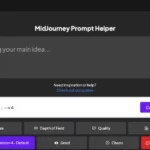
Historical image: The retained screenshot shows the earlier prompt helper with a Version 4 default and Copy Prompt control. Its capture date is unknown; the pictured default does not establish current version support.
Sources: current prompt helper and instructions; PromptFolder Terms, checked October 27, 2026.