BigJpg AI
Images

BigJpg AI

Visit website

Check Bigjpg’s upscaling prices, plan durations, image limits and paid batch/API access, plus privacy terms and a workflow for reviewing results.

BigJpg AI

Updated October 24, 2026

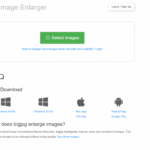
Image context: Retained screenshot of the Bigjpg website, showing its upload area, app downloads and FAQ. The original capture date was not recorded; this is not a newly captured view.

Name BigJpg AI
Overview Bigjpg is an AI image-enlargement service for illustrations, anime-style artwork, line art and photographs. It offers Artwork and Photo settings, adjustable noise reduction and enlargement up to 4× on the free plan or 16× on paid plans. Results depend on the source image and settings; enlargement does not guarantee recovery of missing detail.
Key Features & Benefits
  • AI upscaling: Uses deep convolutional neural networks to enlarge an existing image and reduce noise. Compare results rather than assuming every image will improve.
  • Artwork and Photo modes: Choose a setting suited to illustrations and line art or to photographs, with adjustable noise reduction.
  • Enlargement options: Free accounts support up to 4×; paid plans offer up to 16× and larger uploads. A higher factor is not automatically the best choice.
  • Batch and parallel jobs: Included with paid plans, not simply any logged-in account. The pricing table also lists offline enlarging; that label should not be read as on-device processing without an internet connection.
  • Temporary storage: Bigjpg states that images are deleted within 24 hours after processing for free accounts and 72 hours for premium accounts. Deletion is not a guarantee of complete privacy or security; review the current policy before uploading sensitive material.
Use Cases & Applications
  • Digital artists & illustrators: Preparing larger versions of artwork for portfolios or print, with a visual check before use.
  • Photographers: Testing enlarged files for a chosen print size while checking texture, faces and fine detail against the original.
  • Designers & content creators: Enlarging graphics and thumbnails for higher-resolution layouts.
  • E-commerce sellers: Preparing larger listing images while checking that product details remain accurate.
Who Uses It? Digital artists, photographers, graphic designers, content creators, e-commerce professionals and others preparing larger versions of existing images.
Pricing
  • Free: Listed allowance of 20 images per month; uploads up to 3000 × 3000 pixels and 5 MB; enlargement up to 4×. Uses shared servers and does not include batch or parallel jobs.
  • Basic — US$6 for 2 months: Listed allowance of 500 images per month, uploads up to 50 MB, enlargement up to 16×, and paid-plan batch and parallel processing.
  • Standard — US$12 for 6 months: Listed allowance of 1,000 images per month, with the same stated upload, enlargement, batch and parallel limits as Basic.
  • Premium — US$22 for 12 months: Listed allowance of 2,000 images per month, with the same stated upload, enlargement, batch and parallel limits.

These are displayed package prices for the stated durations, not monthly charges. Check the current price, remaining quota and displayed processing cost before starting a job.

Tags AI upscaler, image enlargement, super-resolution, anime art enhancement, photo upscaling, batch processing, noise reduction
App Available? The official website links Windows, macOS, iOS and Android apps. The Android listing states that an internet connection is required for processing. API access requires an active paid plan and an API key; its documented workflow uses publicly reachable input-image URLs, which needs consideration before handling confidential images.

How to Check an Enlarged Image

  1. Start with the largest original you have and use an image you own or have permission to process. Check the input limits and privacy terms before uploading.
  2. Choose Artwork or Photo to match the source, then select a modest enlargement factor and noise-reduction setting for a test.
  3. Compare the result with the original at 100% zoom, especially text, faces, textures and product features. Keep the original and assess the result at its intended display or print size before publishing.

Primary sources: official features and pricing, image-enlargement guidance, privacy policy, service terms, API reference, and official-linked Android listing.

KEEP EXPLORING

More tools to discover.

Official GenTube homepage screenshot

Explore GenTube AI for image creation, character ideas and remixing. Check its free offer, apps, public-sharing defaults and account requirements.

ImagesExplore
Image Optimizer AI

Image Optimizer AI streamlines generating images, variations, or background removal, and automatically optimizes them — compressed, renamed, web-ready - all for affordable credit-based pricing.

ImagesExplore
Official MatchPhotos homepage screenshot

Learn how MatchPhotos generates dating portraits, compare model and gallery details, explore its free bio tool, and check key purchase limitations.

ImagesExplore
Design Bundles membership homepage showing the brand, Unlimited membership headline, seven-day trial promotion and introductory description

Understand IllustrateAI’s former Plus features, the current Design Bundles Creator offering, membership prices and what remains unverified.

ImagesExplore
Gencraft

Generate images from prompts with Gencraft. Review its free access, paid-feature limits, commercial-use conditions and options for saving your creations.

ImagesExplore
EditApp

EditApp is an AI-driven photo editor that simplifies image creation, background changes, and fine-tuning, making creative editing accessible to all.

ImagesExplore
Find your next starting point