Updated October 19, 2026. Reviewed and revised for current information.
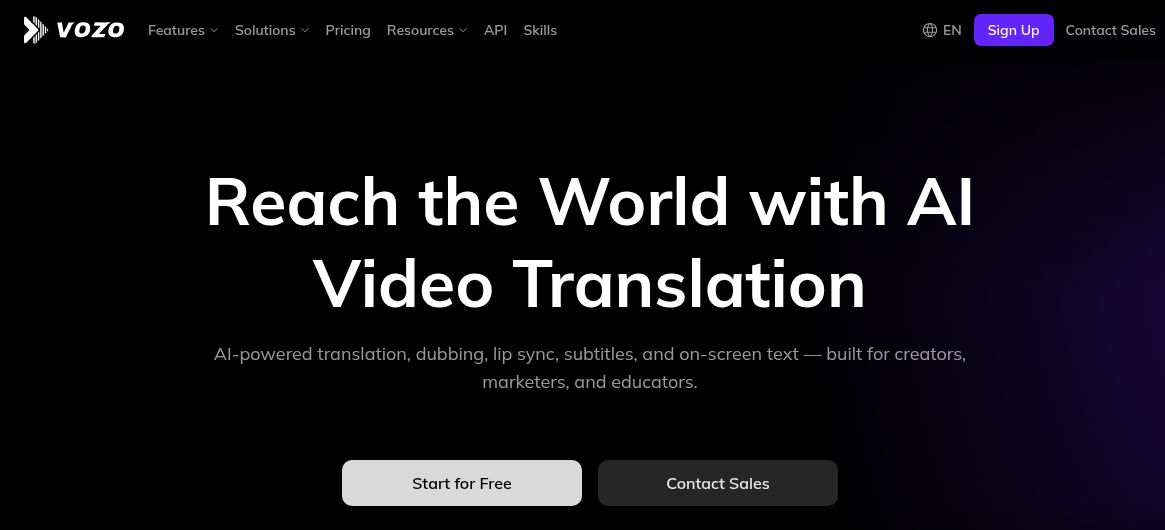
Image: Official Vozo homepage, captured October 19, 2026. The headline describes the provider’s video-translation offering, not an independently verified quality or speed result; no video, voice, translation, lip-sync or publishing workflow was tested.
Vozo AI is a video-localization and editing platform for translating existing footage, generating dubbed speech, adjusting lip movements and adding subtitles. It serves marketing, education and multilingual creator workflows. The current service meters its AI processing through points.
What Vozo AI does
The official product site presents translation, dubbing, lip sync, subtitles and on-screen text translation as connected tools. It is primarily a browser-based workflow for people who already have video or audio to adapt. This is a source-led overview, without a hands-on quality or processing-speed test.
Key features and practical differences
- AI dubbing and voice cloning: Vozo’s dubbing page describes editable translated speech. VoiceREAL is designed to retain the original speaker’s identity and expression; VoiceNATIVE emphasizes target-language accents.
- LipREAL lip sync: Adjust visible mouth movements to the supplied or generated speech. This is a separate processing choice, not a guarantee of a convincing result in every frame.
- Subtitles and visual translation: Translate captions and on-screen text, such as slides or labels.
- Voice Studio: Edit speech through text, use text-to-speech or work with cloned voices.
- Talking Photo and Shorts Generator: Animate a portrait or repurpose longer footage into shorter clips.
Language coverage depends on the tool. Translate & Dub lists 111 source languages and 165 target languages; this should not be applied to every feature. Check the exact source/target pair, voice choice and export requirements before planning a series. The vendor’s “natural” and “studio-grade” wording describes its aims, not an independent benchmark.
Pricing, points and billing
The current monthly pricing lists Free at US$0, Creator at US$29/month and Studio at US$99/month, with tax included. Creator includes 150 AI points monthly and one seat; Studio includes 600 points monthly and three seats. Enterprise requires a quote. Annual billing is offered separately; the amounts here describe monthly subscriptions.
The Free trial lists 20 points and up to three projects. Creator’s points are illustrated as approximately 50 dubbing minutes or 15 lip-sync minutes, not both as separate full allowances. The same balance is consumed across tools. The official page’s larger Studio XL/XXL cards returned ambiguous US$0 values during checking, so those are not presented as usable free paid tiers.
Vozo’s point rules explain that costs vary by operation and length. Inspect the point estimate before generating, especially when combining translation, lip sync and visual text work. Trial gift points expire after seven days. Monthly subscription allocations last two months; annual allocations last one year. The pricing FAQ says purchased packs last 60 days, while the linked help page says one year. Confirm the expiry attached to your purchase; the public sources conflict. Both require an active subscription to use the points.
The pricing FAQ says paid-plan purchases are not normally refundable and cancellation preserves benefits only through the current billing cycle. Check the exact checkout total, renewal and point expiry before committing. Plan names, point balances and prices should be rechecked before purchase.
Use cases worth considering
- Localizing marketing and product videos for international markets.
- Creating educational content in multiple languages.
- Repurposing social media content with AI voices and subtitles.
- Producing multilingual e-learning and training material.
- Adapting interviews or talking-head videos where visible lip movements matter.
For a course or product series, begin with a short representative section. Review names, terminology, numerical claims, captions, timing and pronunciation with someone fluent in the target language. Reuse an approved glossary and keep the original script available for comparison. This is editorial workflow advice, not a report of a test conducted for this article.
Limitations and access
Obtain permission to upload footage, clone a person’s voice or animate their portrait. Review the completed video before publishing; translated speech can alter meaning, and a convincing voice does not establish factual accuracy. Do not assume that a related mobile editor or caption app includes the full web localization service or the same subscription. This article verifies the public web offering, rather than asserting complete iOS/Android parity.