Veed.io (VEED) combines online video editing with AI-assisted production, including talking avatars, subtitles, voice tools and generated clips. It is worth considering for a short explainer, social video or training segment when you want to assemble and review the material in one editor. Its avatar tools sit within the wider video platform.
Updated: October 16, 2026. This guide is based on public product documentation, not a hands-on test. We did not generate an avatar, upload footage or purchase a subscription.
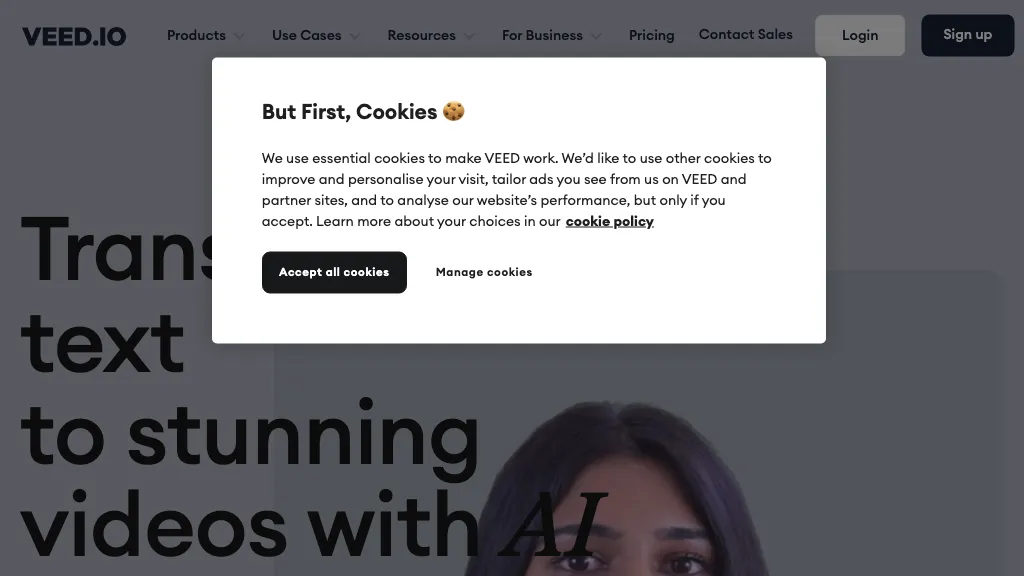
Image note: The retained image shows an older VEED marketing homepage partly covered by a cookie-consent dialog. It is an archival image, not the current editor or evidence of a GPTOnline product test.
What can you make?
VEED’s avatar overview describes stock, personal and studio avatars, alongside editing tools. A presenter-led introduction can be combined with your own demonstration footage rather than asking a synthetic presenter to stand in for evidence of a real event.
- Talking-character videos: Turn a prepared script into an avatar clip. The current help guide says generation requires AI credits and supports one character on screen at a time. Regenerating a character consumes credits again.
- Recorded demonstrations: Import your own media or capture your screen, camera, or both. See VEED’s media and recording guide.
- Captioned and localized content: Subtitle translation and audio dubbing are separate tools with their own allowances. Translation is a one-time trial on Free and Creator; higher plans have limits and require credits. Check the translation guide before planning several language versions.
There is an important distinction between workflows: the Gen-AI Studio guide describes assembling scripts with stock clips and avatars, while AI Playground generates new footage. A script-to-video result should not automatically be described as entirely newly generated imagery.
Plans and export limits
VEED’s account guide lists Free, Creator, Pro, Studio and Enterprise. The pricing page showed these paid options during our review:
| Plan | Monthly billing, per user | Annual billing, per user |
|---|---|---|
| Creator | $25/month; 500 credits/month | $147/year; 6,000 credits/year |
| Pro | $45/month; 2,500 credits/month | $265/year; 30,000 credits/year |
| Studio | $79/month; 15,000 credits/month | $465/year; 180,000 credits/year |
| Enterprise | Custom pricing and credits | |
Annual figures are the yearly charges, not monthly installments. The cards displayed “$” without a currency code. VEED says it uses local currency where available and USD otherwise, so these are captured dollar-denominated offers, not a universal USD quote. Confirm your checkout currency, total and selected credit package. Promotional prices and account offers can change.
- Free: 720p export, with a VEED watermark.
- Creator: Up to 1080p export; the account guide identifies watermark removal as a paid-plan benefit.
- Pro, Studio and Enterprise: Up to 4K export, according to the export guide.
These are resolution limits, not promises to improve low-resolution source footage. The export guide says a higher export setting will not enhance the original quality. The watermark guide confirms that free-account exports are watermarked, although that page still uses some older paid-plan names.
Check the maximum duration for your specific workflow separately from export resolution. For example, the Gen-AI Studio guide lists generation lengths up to one minute on Creator, five minutes on Pro and 30 minutes on Studio. Those figures should not be applied to every editing or generation tool. The same guide says avatars are unavailable in Bangladesh, India, Indonesia, Pakistan and the Philippines.
Credits and billing
For AI Playground, the selected model determines the credit charge, which is shown before generation. Its guide says unused monthly credits expire each month and annual credits reset yearly; failed generations do not consume credits. Free AI-credit availability varies by region. Budget for revisions instead of treating a subscription as unlimited generation.
VEED’s subscription guide says each workspace is billed separately and every workspace member counts as a seat. Subscriptions renew automatically; cancellation stops future renewal but does not itself produce a refund. Before paying, compare the full charge for the selected billing period, seat count and credit package, including any taxes, rather than only a monthly-equivalent headline.
Mobile access
VEED has an iOS app, and its current account and subscription help pages also describe Android access. However, the mobile landing page still advertises an Android waitlist. Because those official pages disagree, confirm availability through VEED’s official links on your device rather than assuming access in every region.
Check the app name and billing channel before subscribing. The subscription guide distinguishes the full VEED app from the separate VEED Lite iOS app, which has its own subscription. It also notes that purchases made inside the full iOS app are managed through Apple, while Android subscriptions use VEED’s checkout.
Likeness and privacy
Obtain permission before uploading someone else’s face, voice or personal information. VEED’s Code of Conduct requires consent and applies additional restrictions to avatars and digital voices. Stock-avatar access does not mean every endorsement or sensitive subject is allowed. The same policy prohibits uploading specified highly sensitive information, including medical records, government identification numbers and passwords.
The Privacy Policy covers uploaded audio and video and describes processing by service providers and international transfers. It requires explicit written consent when users supply other people’s special-category personal data. Consent alone does not override the Code of Conduct’s prohibited-data restrictions. Review the applicable policy and your organization’s requirements before uploading customer interviews, private training material or a recording for a personal avatar. This review does not establish a blanket no-training or local-only processing guarantee.
Example: a short product guide
Imagine a fictional stationery shop explaining how to refill a reusable notebook. This is a planning example, not a tested VEED result.
- Write a brief introduction and three factual steps. Use a stock presenter only for the introduction, and film the actual refill mechanism yourself so customers can see what they need to do.
- Choose the intended format before creating assets: a vertical social clip or a landscape help-page video. Check the avatar’s availability and the displayed credit cost, leaving room for a corrected take.
- Assemble the introduction and demonstration. Keep important hand movements visible, and check that captions do not obscure the refill latch or screw.
- Review product names, timings and spoken instructions. If translating, ask a fluent reviewer to check both the wording and whether the demonstration still matches the narration.
- Inspect the exported file on a phone. Check text size, sound, watermark status and whether every instruction remains legible. Keep the approved script and source footage for later corrections.
VEED may suit a workflow that combines a scripted presenter with practical editing. It is less suitable when the project requires an unaltered documentary record or an assurance that AI output needs no review. For another avatar-focused option to research, read our HeyGen guide and compare the specific consent, usage and billing requirements of your project.