
Updated October 15, 2026.
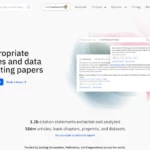
Featured image: historical Scite homepage marketing image. The interface and database totals shown may differ from the current product.
Scite helps researchers examine how published work is cited. Its Smart Citations combine citation passages with labels indicating supporting, contrasting or mentioning relationships. Alongside those reports, it offers an AI Assistant, literature search and tools for monitoring a reading list. The useful starting question is: what do later authors actually say about this paper? See Scite’s feature overview.
This update is based on public product documentation, pricing and policies. We did not run an account-based test, upload a manuscript or measure answer accuracy.
Reading Smart Citations
A citation count tells you that a work attracted references. Scite adds context by classifying the surrounding statements. Its classification guide describes three categories:
- Supporting: the citing authors provide evidence supporting the cited work.
- Contrasting: the passage presents evidence that contrasts with the cited work.
- Mentioning: the passage references the work without providing evidence for or against its validity.
These are predictions about a passage’s function. They are not quality scores for an entire paper. A supportive-sounding sentence may merely summarize earlier work; a supporting label can involve different experiments rather than a direct replication. Read the passage and the relevant methods before interpreting the label.
Automated labels can also be wrong. Scite provides a flagging process for misclassifications, which it says are reviewed by subject specialists. That is a useful correction mechanism, not a reason to skip checking the source.
A practical example
Consider a fictional literature review about whether shaded bus shelters improve passenger comfort. This example is illustrative and has not been tested in Scite.
- Define the claim. Separate measured air temperature, perceived comfort and willingness to wait. Those are different outcomes.
- Identify the source. Find the paper by its title or DOI and verify its authors, year and publication venue.
- Inspect the citing passages. A later paper might support a temperature finding but study a different climate. Another might mention the shelter design without evaluating comfort.
- Read the full studies. Check weather conditions, sample size, measurement times and comparison sites. Decide how closely their results match the claim you intend to make.
- Record the qualification. Write down the applicable setting and remaining uncertainty alongside the reference, rather than turning citation tallies into a vote.
The outcome should be a better-supported sentence in your review. A citation tally alone cannot supply the missing study details or establish that the claim applies everywhere.
Research tools
Assistant: Scite’s conversational research interface generates literature-linked responses. Use it to develop questions and locate candidate sources, then inspect whether each cited passage supports the associated answer. Generated synthesis still needs a human accuracy check. Scite describes Assistant here.
Search: The current search interface supports finding papers by title, author, keywords or DOI. Citation Statement Search looks within extracted citation passages, which can help locate discussion of a method or claim that is easy to miss in a title. See the citation-search guide.
Reports and Collections: Reports organize incoming citation passages. Collections gather papers from search results or imported reference lists and can monitor new citations and retractions. These are useful for revisiting a changing bibliography. The feature page explains both tools.
Reference Check: Uploading a manuscript PDF produces a report about its references and possible editorial concerns. Scite acknowledges that matching depends on PDF formatting, reference formatting and DOI availability, so some references may be missed. Compare the report against your bibliography. See Reference Check documentation.
Coverage and blind spots
Scite’s coverage page distinguishes indexed articles from documents held in full text. Publisher agreements and open-access material contribute to that coverage. An indexed record should not be assumed to have complete full-text citation analysis, and access to a passage should not be assumed to grant access to the whole paper.
The company lists several reasons for missing citations: material not yet processed, failed extraction, unavailable publisher agreements and metadata problems. Search another scholarly index and the publisher’s page when a crucial reference is absent.
Publication bias also affects the literature available to analyze. Scite explicitly explains that a retracted article may have no contrasting citations. Zero contrasting labels cannot establish reliability. Check editorial notices directly, and consider whether studies examined comparable populations, settings and outcomes.
Pricing and trial
On October 15, 2026, Scite’s pricing page displayed these annual-billing offers:
- Basic: $12 per month billed yearly, equivalent to $144 per year. Includes Assistant and Search, 250 MCP credits per month and collections of up to 1,000 papers.
- Pro: $40 per month billed yearly, equivalent to $480 per year. Adds API access, 2,500 MCP credits per month and collections of up to 10,000 papers.
- Enterprise: custom pricing for organizations and universities.
These monthly figures are annual-plan rates. The seven-day trial automatically converts to the selected subscription unless canceled before it ends. Verify the billing interval, final total, taxes and renewal details before enrolling. Scite’s terms specify U.S. dollars unless another accepted currency is indicated at payment.
For paid subscriptions, section 6 of the terms also describes non-refundable fees and cancellation at least 30 days before the following subscription month; later requests apply to the next cycle. Because this wording is month-based while annual offers exist, confirm the cancellation deadline and renewal terms for your selected plan.
Privacy and uploads
Scite’s terms, section 1, say Customer Data, including inputs, outputs, queries and usage data, is not used to train, fine-tune or improve its AI systems. Its privacy policy nevertheless describes collecting account information, submitted content, searches and device data, with retention rules. A no-training commitment does not mean nothing is stored.
The Reference Check guide says the uploaded PDF is deleted after report generation, while report information, including references and extracted citation statements, persists. Before uploading unpublished or confidential work, check your organization’s rules and the terms applicable to your account.
Integrations
Scite’s integration options include a Zotero plugin, a browser extension, an API and an MCP connection for compatible AI tools. Institutional holdings integrations support library access. The browser extension is described as free, but that does not establish free access to every platform feature. Check plan allowances, client compatibility and your institution’s existing license before paying separately.
Who should consider Scite?
Scite is worth evaluating when citation context is a recurring part of your work: checking a literature review, revisiting influential papers or reviewing references before submission. Its value depends on coverage in your field and how much time you spend following citations. Try a few familiar papers during the trial and compare what it retrieves with what you already know.
For another research-discovery workflow, see our Consensus AI overview. Whichever tool you choose, keep a record of the source, the specific claim it supports and the limitations you found by reading it.