Updated on October 20, 2026.
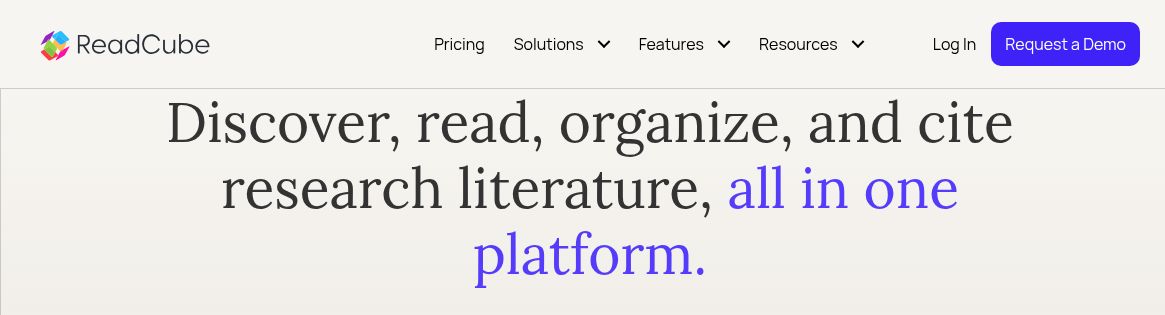
Featured image: screenshot of ReadCube’s official homepage, captured October 20, 2026. It identifies the current ReadCube branding of the product formerly presented as Papers; no research session or AI output was tested.
Papers AI is now presented under the ReadCube name. The former papersapp.com website redirects to ReadCube, whose brand-consolidation FAQ says Papers and ReadCube have been the same product for years. It says existing accounts, libraries, access and subscription terms are unchanged by that naming consolidation. New-customer prices should still be checked separately.
What the AI features do
ReadCube combines reference management with AI assistance for reading research. Its AI Assistant page describes summarizing papers, translating content, explaining unfamiliar terms and building search queries from plain-language questions. Official pages also describe Dimensions-backed literature discovery; the search and AI functions available to a user depend on the plan and license. Answers link to their source material so readers can verify them in context. A source link is a starting point for checking an answer, not a guarantee that the interpretation is correct.
The product includes different AI experiences. Chat with a PDF focuses on one document. Library chat can compare up to 20 selected articles where included in the plan. The newer Research Assistant, which its official guide identifies as exclusive to ReadCube Enterprise, can work with larger, dynamically chosen sets and search beyond the existing library. The September 3, 2026 guide says that assistant’s conversation history is local to the browser; switching devices or clearing browser data can remove access to those conversations.
The current PDF-chat guide explicitly includes summaries in another language. The earlier article’s English-only library-response limitation was not confirmed in the current help pages reviewed. Check your required response language in the specific AI feature before choosing a plan.
Current plans and prices
The public pricing page, checked October 20, 2026, lists:
- Essentials, formerly Papers Essentials: $10 per user/month or $95 per user/year. The comparison lists Chat with PDF at 5/day; Chat with Library is not included.
- Plus, formerly Papers Pro: $20 per user/month or $185 per user/year. The comparison lists Chat with PDF at 20/day and Chat with Library at 1/day.
- Enterprise, formerly ReadCube Pro: a requirements-based quote. The comparison labels PDF chat and library chat Unlimited, while explicitly stating that AI is available as an add-on to the base plan. Confirm the AI features and charges covered by the quote.
The daily figures above reproduce the comparison’s feature labels. We have not verified whether each daily use means a question, conversation or document; confirm that counting rule for your workflow. The separate limit of up to 20 articles concerns the set used for library chat. The detailed comparison also marks AI Assisted Query Builder and full-text search via Dimensions as unavailable in Essentials and Plus.
The page advertises a 40% academic discount requiring academic email or ID verification, and a 30-day Plus trial without a credit card. Annual prices are annual charges, not month-to-month subscriptions. Prices are displayed with a dollar sign without identifying the dollar currency; confirm the billing currency and taxes at checkout. These replace the earlier article’s lower new-customer price figures, without asserting that existing subscribers were repriced.
Reference management and supported devices
The platform overview describes organizing references with tags and lists, annotating PDFs, sharing libraries and using SmartCite for citations. AI access can depend on the document’s permitted use and the organization’s license; the AI Access Indicator is intended to help identify that distinction. An uploaded or accessible paper is not automatically licensed for every AI operation.
The official download center lists Windows and Mac desktop apps, iOS and Android apps, Word and Google Docs citation tools, and browser extensions for Chrome, Firefox, Safari and Edge. The October 14, 2026 iOS release notes also describe Research Assistant and AI chat across up to 20 PDFs on iOS. Feature access still depends on the license, and availability should be checked for the specific client you need.
Who may find it useful?
ReadCube may suit researchers who want to manage a reference library and interrogate papers within the same workflow. A standalone PDF-chat tool may be sufficient for a single document, while a systematic review needs its own documented search, screening and appraisal process. Do not confuse a conversational summary with a reproducible literature review.
Before choosing a plan, test a permitted sample paper, follow the answer’s links back to the actual passages, check bibliographic metadata and confirm your required client and AI allowances. For cross-paper answers, inspect contradictory findings and missing studies rather than accepting the generated synthesis at face value. We reviewed public documentation, without purchasing a plan or testing AI output quality.