Updated October 18, 2026. Notedly AI is a browser-based study tool that turns reading material into draft notes. Its official product material describes summarizing textbook chapters, research readings, news articles and lecture slides. The useful starting point is a shorter outline you can check against the original, especially when preparing for a discussion or deciding which sections need a closer read.
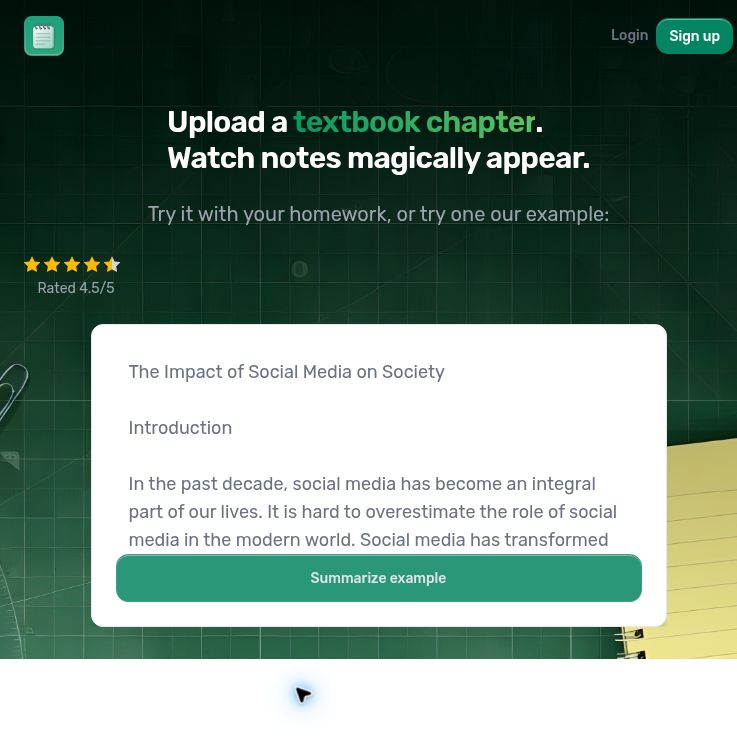
Screenshot of the official Notedly homepage, captured October 18, 2026. The example text, rating and marketing headline are supplied by the provider; no summary was submitted or tested.
Checked October 18, 2026: the official Notedly website is reachable. Public information supports its reading-summary workflow, but we could not verify a current paid price list, complete upload limits or successful note generation. This overview is based on public sources, not a hands-on test.
What can Notedly AI do?
- Turn readings into notes: the homepage advertises pasting assigned text and uploading study material, including lecture slides, to generate a condensed set of notes.
- Summarize links: Notedly has a public link-summary page for working from an online source.
- Choose a note structure: the official link-summary page advertises Standard, Cornell Notes and Outline formats. These organize the result as key-point bullets, notes with review cues, or a hierarchy of topics and subtopics.
The available formats are described on the official link-summary page. Availability can depend on the current interface and account. Supported file extensions, maximum document length, scanned-page handling and language coverage were not established by the public evidence we reviewed. Check these details before relying on the tool for a large reading assignment.
Which note format should you choose?
For a quick orientation, start with Standard notes and check whether the main argument survives the compression. An Outline can be useful when you need to see how a chapter’s sections fit together. Cornell-style notes suit a review session: use the cues as questions, hide the answer column and try recalling the explanation yourself.
Choosing a format changes how information is organized; it does not establish that every claim is correct or every important detail is included. Dates, figures, definitions, exceptions and opposing arguments deserve a direct comparison with the source.
Free access and pricing
Notedly’s public homepage advertises a first summary without creating an account. That is a limited introductory offer, not evidence of an unlimited free plan. Current recurring allowances, paid subscription amounts, billing currency, monthly versus annual commitments and document-size limits could not be verified from the accessible public information.
Before subscribing, check the offer shown to you for the total charge, renewal period, usage allowance and cancellation process. The accessible terms of service, dated September 27, 2022, describe subscriptions as non-refundable and reserve the ability to limit usage. Read the terms presented with your purchase rather than assuming an old price or free allowance still applies.
A practical study workflow
Hypothetical example: a university student wants to prepare for a seminar using a short, openly licensed article about urban heat islands. This is an evaluation plan, not a result from testing Notedly.
- Keep the source: save its title, author, date and URL. Make sure you are allowed to submit the text to an external service and that this use follows your course rules.
- Start small: use one complete section with its headings. Choose the input method and note style actually available in the interface.
- Check the argument: compare the draft notes with the article’s explanation of causes, evidence and limitations. Look for a distinction between a measured temperature difference and an explanation proposed by the author.
- Restore missing context: add important qualifiers, units and source locations yourself. Correct anything the notes overstate or omit.
- Practice recall: close the notes and explain the central idea in your own words. Turn gaps in your understanding into questions for the seminar.
A useful evaluation question is whether the corrected notes help you explain the reading accurately. Include the time spent checking and repairing them when judging whether the workflow helps.
Privacy and material you upload
The accessible privacy policy, dated January 17, 2022, identifies Syntak, LLC and describes collecting account details and usage information, including IP addresses and browser fingerprints. It provides broad retention language and says absolute security cannot be guaranteed.
That policy does not clearly establish document-specific retention periods, the AI providers handling uploaded material, or a no-training commitment. The linked marketing privacy page also displayed a policy dated January 17, 2022 when checked in the browser. Check the policy shown in your actual workflow and ask the provider about unresolved questions before submitting confidential research, student records or private interview transcripts.
Who is it useful for?
Notedly is worth considering for readers who want a draft study outline and are prepared to verify it. It is less suitable when you need guaranteed completeness, exact quotations, independently verified citations or clear contractual handling of sensitive documents.
Use the official website for access. An official native desktop or mobile app was not established by the sources reviewed; a third-party desktop wrapper is not proof of a vendor-supported application. For other options, explore the GPTOnline AI tools directory and compare source traceability, input limits and privacy terms alongside price.