Updated October 30, 2026
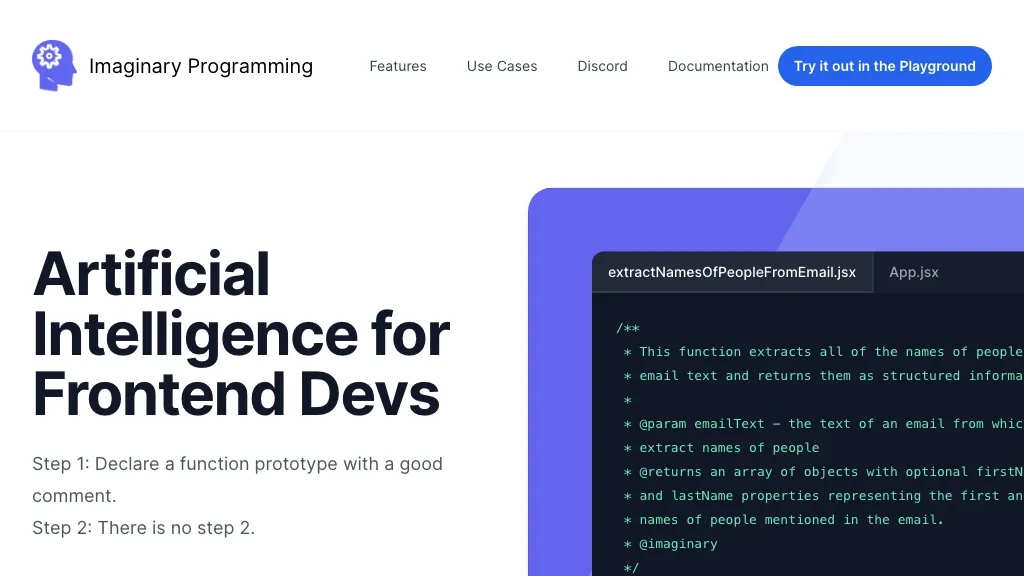
Historical image context: The retained Imaginary Programming screenshot shows the earlier developer landing page and a code example. Reviewed October 30, 2026; the original capture date is not separately recorded. Its simplified setup language is not a production-readiness promise, and it is not proof of current playground access, compatibility or a tested output.
Availability note: The original website was inaccessible during this review. The overview below is supported by the creator’s announcement and publisher extension documentation; neither the retrieval failure nor the age of those documents establishes that the project has closed.
| Name | Imaginary Programming |
| Overview | Imaginary Programming was introduced as a way to add language-model functionality to TypeScript and JavaScript applications. Developers declare a function signature and describe its intended behavior in a comment; the tooling turns that declaration into model calls at runtime. It is not primarily a code-completion tool or a service for translating software libraries between programming languages. |
| Key features & benefits |
|
| Use cases and applications |
|
| Who uses? |
|
| Pricing | Current product pricing and free allowances could not be verified. The extension documentation requires an OpenAI API key; provider usage can involve separate charges. Do not assume a free extension means free model calls. |
| Tags | AI programming, text generation, data classification, language processing. |
| App available? | A Visual Studio Code extension is documented in the publisher’s Marketplace listing. Current installation, framework compatibility and any standalone mobile app were not tested or verified. |
Example and development cautions
A hypothetical support application could use a described function to categorize a non-sensitive message as billing, delivery or other. Validate the returned category and provide a fallback when it is missing or unexpected. This is an illustrative use case, not an executed test. Model responses can vary; review accuracy, latency and cost before relying on them in an application. Do not place secret API keys in publicly shipped browser code, and assess provider data-handling terms before sending user content.
Sources: The creator’s March 30, 2023 introduction and the publisher’s Visual Studio Marketplace listing, checked October 30, 2026. Older API/model instructions are not current compatibility guarantees. Current hosted-service pricing and privacy terms were not verified.
The Twitter and Discord links are retained from the earlier listing; their current affiliation and availability were not independently verified.