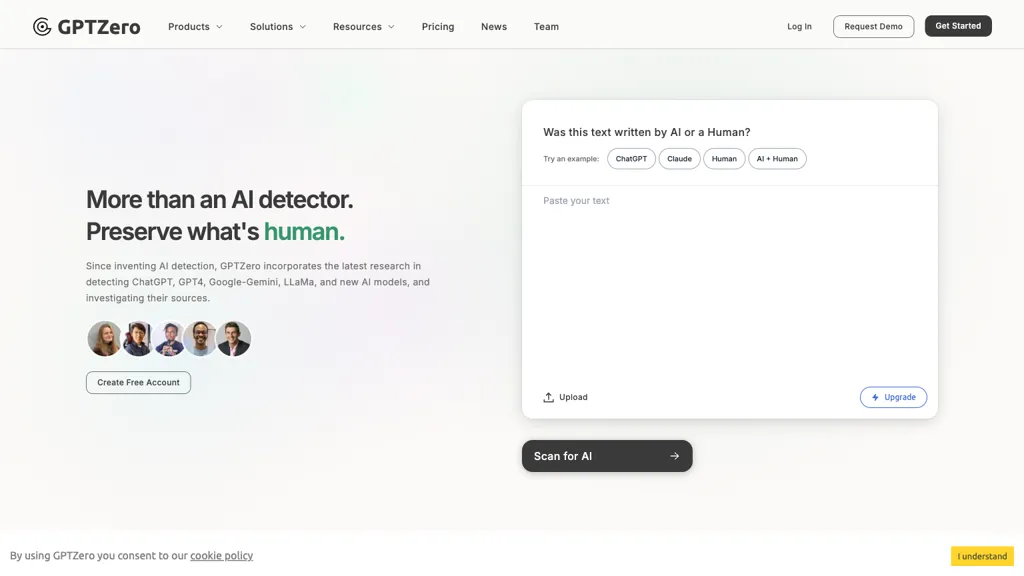
Historical GPTZero homepage image retained from the original December 2024 listing. Its interface and promotional wording may differ from the current service. This is not a GPTOnline detection test.
Updated October 15, 2026. This guide reviews GPTZero’s public documentation. We did not run detection tests, upload documents, use a paid account, or test an integration.
GPTZero analyzes writing for patterns associated with AI-generated text. Its reports can help educators and editors decide what to examine next. A score cannot prove authorship, establish misconduct, or authenticate a news article. Keep source checking and a fair discussion with the writer in the review process.
What GPTZero checks
AI detection and plagiarism checking answer different questions. The AI detector estimates whether writing resembles human, AI-generated, or mixed text. GPTZero’s separate plagiarism checker searches for similarities to existing material and provides source links. Read those matches: a quotation with proper attribution may be legitimate, while a low similarity score does not establish originality or factual accuracy.
GPTZero also offers writing feedback and Writing Replay, which shows editing activity. A replay can add context about drafting, revisions, and pasted passages. GPTZero itself describes it as process evidence rather than a verdict. Pasting text may have an ordinary explanation, such as moving an earlier draft.
Read results carefully
GPTZero’s score guidance describes three classifications and an uncertainty indicator. Read the displayed label and explanation together. The API documentation explains class probability as confidence in a classification; it should not automatically be read as the exact share of words written by AI. Sentence highlighting helps locate passages for review, rather than identifying their author.
False positives can flag human writing, and false negatives can miss AI-generated writing. The company’s technology page says results are strongest on longer English prose and recommends treating detection as a conversation starter. Short extracts and unfamiliar writing styles deserve particular caution. Vendor accuracy figures describe specific evaluations, not a guarantee for your document. Do not use a score as the sole basis for disciplinary, hiring, or publication decisions.
Access and integrations
Use the website to paste text or upload a document. The Chrome extension adds webpage scanning, Google Docs highlighting, writing reports, and other tools. Installation is free, with usage allowances tied to the account; paid plans raise limits. Check auto-scan and recording settings before opening sensitive material.
GPTZero also provides an API and institutional integrations, including Canvas and Google Classroom. Their availability does not establish that every integration or organizational feature is included in an individual subscription. Confirm the intended setup before paying.
Plans and limits
The live pricing page, checked October 15, 2026, shows three individual plans. Annual prices below are monthly equivalents under annual billing:
- Free: $0 and 10,000 words per month, with basic AI scanning and limited advanced scans and Chrome highlighting.
- Premium: $23.99 monthly, or $12.99 per month billed annually; 300,000 words monthly and 50,000 characters per scan.
- Professional: $45.99 monthly, or $24.99 per month billed annually; 500,000 words monthly and 150,000 characters per scan.
The page displays dollar signs without an explicit currency code. Confirm currency, annual total, taxes, and feature access at checkout. Older official articles list an Essential tier that is absent from the current individual cards. The overage guidance lists $0.00046 per extra word, but its maximum overage differs from the Professional card. Confirm the applicable cap and charge rather than assuming scanning stops at the allowance.
Privacy and deletion
Data handling depends on the route. The dashboard FAQ says website inputs are stored and used in aggregate to improve the service. That is insufficient grounds to promise that dashboard content is never used for model improvement or training. The privacy policy, updated April 2, 2026, says direct API submissions are not stored by default or used for product improvement; API subscribers can opt into storage for viewing within the application. It also provides a deletion-request route, with retention exceptions.
The Writing Replay FAQ says edit events, including insertions, deletions, and pastes, plus the document title and URL, are sent to GPTZero. Replays can be deleted in the dashboard; turning recording off does not delete existing ones. Avoid uploading confidential or identifiable student material without the required permission and institutional approval.
A practical review workflow
Consider a fictional editor checking a 1,200-word article about community gardens. This is an illustrative workflow, not a GPTOnline test:
- Set expectations. Clarify which AI assistance is permitted and what disclosure is required before reviewing the draft.
- Check permission. Remove unnecessary personal details and confirm that the document may be submitted to the service.
- Read the whole report. Record the scan date, classification, and uncertainty. Inspect highlighted passages in the context of the full article.
- Verify independently. Open cited sources, check quotations and claims, and review similarity matches separately.
- Ask about the process. Invite the writer to explain drafts, notes, revisions, and any AI use. A large paste could come from an offline draft.
- Document the outcome. Base editorial changes on verified problems and the agreed policy. Keep access to reports limited and delete unnecessary uploads.
For another product to compare, see our Copyleaks guide. Compare reporting, integrations, limits, and privacy terms. Agreement between detectors still does not prove who wrote a passage.