Framer is a visual website builder with AI-assisted design, a content management system and managed hosting. It can help turn a brief into editable website pages, then support the work of refining and publishing them. It suits projects where visual control and an integrated publishing workflow matter, such as portfolios, landing pages and marketing websites.
Updated October 15, 2026. This overview uses Framer’s official documentation; it is not a hands-on generation, deployment or export test.
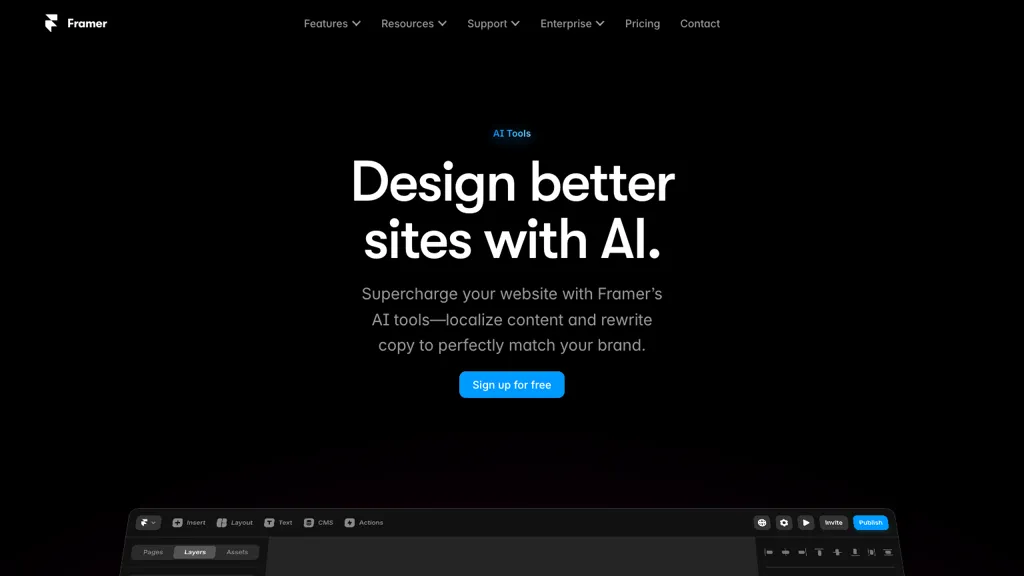
Image note: The retained image comes from the original Framer listing. It is historical and may not show the current interface.
What does Framer AI do?
Framer’s AI website builder can use a prompt or brief to produce a starting structure, sections and draft copy. The result remains editable on its visual canvas, where you can refine typography, components, responsive breakpoints and page layout before publishing.
The current AI agent workflow also covers changes to existing pages, CMS content, custom code components and reviews for issues such as missing alternative text, typos or inconsistent styling. Treat these suggestions as work to review. An AI-generated page still needs checks for factual accuracy, readable layouts, accessibility and working links.
Framer is useful for designers, freelancers, small businesses and teams maintaining a public-facing website. Before choosing it for a more complex project, list any required accounts, payment workflows, databases or integrations and verify those requirements individually.
Plans, credits and costs
Framer currently lists Free, Basic, Pro and Enterprise plans. AI features use credits, so usage depends on the available credit balance.
- Free: Includes a Framer domain and 1 GB bandwidth. Workspaces without active subscriptions receive 500 AI credits to try the features.
- Basic: Lists 30 site pages, two CMS collections, 1,000 CMS items, 50 GB bandwidth and 1,000 monthly credits.
- Pro: Lists 150 site pages, 10 CMS collections, 2,500 CMS items, 100 GB bandwidth and 3,000 monthly credits, with paid capacity extensions available.
- Enterprise: Offers custom limits and pricing.
Credits are shared within a workspace and cover Agents, localization and other AI features. Custom domains require a paid plan. Editors, translation locales and other add-ons can increase the bill, and applicable taxes are added at checkout. Check Framer’s current pricing for the amount, currency, billing period and limits before subscribing. An annual plan’s displayed monthly equivalent should not be confused with a month-to-month commitment.
CMS and localization
Framer’s page documentation distinguishes ordinary web pages, CMS pages and private design canvases. CMS pages use a shared template to display items from a collection, making them useful for a blog, project portfolio or case-study library. Plan the content fields and repeated page structure before filling a collection.
For multilingual sites, AI Style lets you guide the tone of AI translations with a prompt. Review translations with someone who understands the language and audience, especially for product claims, prices and legal text. Check the locale allowance and translation costs for your chosen subscription.
Hosting, domains and export
Publishing through Framer uses its managed hosting. Its official export guidance says there is no native export of a published site as standalone HTML or a static website bundle for self-hosting. Rendering, optimization and delivery depend on Framer’s infrastructure. This is an important limitation if your project requires a portable codebase or a move to another host.
The asset export feature can save selected assets or pages as PNG or JPG images in the desktop app. Those image files do not provide an independently functioning website.
Framer’s complimentary domain offer covers the first year on an eligible annual site subscription. It can be redeemed once per site subscription; monthly plans are not eligible. Domains renew at the standard rate afterward, so check the renewal cost before choosing a domain. The offer’s FAQ also says redeeming the free domain forfeits the option to request a refund.
Example: planning a studio website
Consider a fictional ceramics studio called Alder Clay. It needs a home page, a gallery of six projects, an about page and a contact page. A useful initial brief would name the audience, describe the studio’s style and identify the contact action visitors should take.
The studio could organize project descriptions in a CMS collection, then review each page at desktop and phone widths. Before launch, it should replace draft claims with verified information, confirm permission to use every photograph, check contact links and decide whether the hosting and export constraints fit its long-term plans. This is a planning example, not a site generated or published for this review.
Privacy and content rights
Framer’s AI Notice says outputs may be inaccurate or similar to other users’ outputs. It also prohibits providing AI inputs, or attempting to generate outputs, containing personal, sensitive or special-category personal data.
The notice distinguishes training policies: third-party model providers cannot use customer inputs or outputs for training under Framer’s contracts, and Framer does not train on Enterprise customers’ inputs or outputs. On non-Enterprise plans, Framer may use them to train its own models unless training is disabled in the workspace settings. Disabling it applies going forward. Review the current policy and settings before supplying confidential material.
Under the Terms of Service, customers retain ownership of their content while granting the rights needed to operate and optimize the service. That does not establish that every AI output is original or clears third-party rights. Check the licenses for templates, fonts, images and other assets you use.
Is there a Framer app?
Yes. Framer provides desktop apps for Mac and Windows.
Is Framer a good fit?
Consider Framer when you want visually editable website pages, structured content and hosting in one service. Compare alternatives if independently exportable website code is a requirement. For any project, budget for the domain, subscription, collaborators and multilingual needs, then review the finished content before publishing.