Updated October 15, 2026
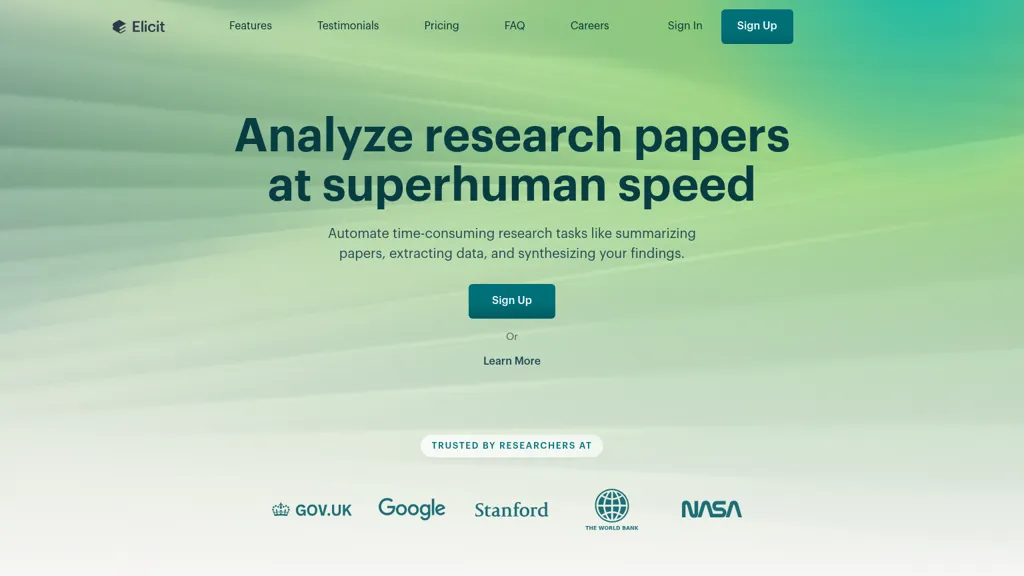
Historical Elicit homepage image retained from the original article. Its marketing headline is not an independently tested performance result; the current interface may differ.
Elicit is an AI research assistant for finding papers, comparing evidence, and organizing a literature review. Its current tools include a Research Agent, Research Reports, and a dedicated Systematic Review workflow. The useful question is how those tools fit your research process: which sources they can reach, what they can extract, and how you will verify the result.
This guide is based on Elicit’s public documentation and pricing. We did not run a research query, test its accuracy, or upload documents. The example below is fictional and untested.
What Elicit does
The Research Agent supports follow-up questions and flexible outputs, including comparison tables and research summaries. It can consult academic sources and wider material such as public filings and press releases. Research Reports and Systematic Reviews use more structured workflows focused on Elicit’s academic and clinical-trial sources.
There has been an important interface change. On September 30, 2026, Elicit incorporated its standalone Find Papers, Extract Data, and Chat with Papers tools into Research Agent. According to its migration guide, older sessions remain readable and exportable but cannot be edited. Users can carry their work into an Agent session; the company plans to remove legacy sessions on a date still to be announced in 2027.
For a new project, decide first whether you need an exploratory conversation or a structured screening and extraction process. A polished report alone does not establish that a literature review is complete.
Paper coverage
Elicit says its searchable academic collection contains more than 138 million papers from Semantic Scholar, OpenAlex, and PubMed. Its coverage documentation describes weekly updates, possible indexing delays, and a mix of journal articles, conference proceedings, preprints, and working papers. Books, dissertations, and non-academic publications are outside this paper collection. The Agent’s wider-source capability is a separate distinction.
Finding a record does not mean Elicit has the full paper. Without an accessible PDF, extraction can be limited to the abstract, which may omit methods, subgroup results, or important qualifications. Elicit’s extraction guidance explains this difference and recommends clearer column definitions and full-text sources.
For a formal review, record which papers had full text and which did not. Search relevant specialist databases and other required sources separately when your protocol calls for them. Keep an explicit list of missing papers rather than treating an empty extraction cell as evidence that a study never reported the information.
Check the evidence
Elicit links answers to supporting material, but citations still need inspection. Its reliability guide describes source highlighting and methods for reducing hallucinations. Those safeguards do not establish that every interpretation is correct.
The company’s limitations page acknowledges that extractions can miss nuance or misunderstand a number. It also warns that summaries can faithfully reflect weak studies: source traceability does not replace assessing study quality.
- Open the cited passage and check whether it supports the whole claim.
- Verify units, denominators, time periods, and whether a value describes the whole sample or one subgroup.
- Separate missing information from a measured zero or a negative finding.
- Check methods and limitations before using a study to support a decision.
- Look deliberately for contradictory evidence, not only papers that support your starting assumption.
Language is another practical limit. Elicit says its search, summaries, and extraction are optimized for English; quality in other languages varies and can consume usage faster. A multilingual review needs its own language-aware checking process.
A practical example
Imagine a university facilities team investigating whether exterior window shading reduces summer cooling demand in office buildings. This is an illustrative workflow, not an Elicit test or a claim about research findings.
- Define the scope. Specify existing office buildings, warm-season cooling, and exterior shading. Decide whether simulations qualify alongside measured building studies, and set the publication period before searching.
- Build a candidate list. Search for the main question, then related terms such as solar shading, external blinds, and cooling energy. Check whether known relevant papers appear and keep a record of search dates and wording.
- Design the extraction. Request separate fields for climate, building type, shading system, baseline, study method, outcome unit, and measurement period. Ask for missing details to be marked as unreported rather than inferred.
- Check a small batch. Read several papers manually before expanding the table. If a percentage represents a modeled peak-load reduction rather than annual electricity savings, correct the field definition before applying it more broadly.
- Write with boundaries. Group simulations separately from field measurements. Preserve conflicting results and explain which buildings or climates remain unrepresented. Keep source links beside each conclusion.
The deliverable would be a reviewable evidence table and a documented reading list. Whether it supports a procurement decision would depend on the actual studies, local conditions, and the team’s technical judgment.
Pricing and usage
The official pricing page separates Academic and Industry plans. The following per-user prices were checked on October 15, 2026. Elicit confirms that payments are in USD.
- Basic: free, with limited Research Agent and Research Report usage.
- Academic Plus: $19 billed monthly, or $132 billed annually, equivalent to $11 per month.
- Academic Pro: $69 billed monthly, or $468 annually, equivalent to $39 per month.
- Academic Scale: $149 billed monthly, or $1,068 annually, equivalent to $89 per month.
- Industry Pro: $75 billed monthly, or $588 annually, equivalent to $49 per month.
- Industry Scale: $279 billed monthly, or $2,028 annually, equivalent to $169 per month.
- Enterprise: custom pricing.
The annual equivalents require annual billing. Check the audience selector, current feature entitlements, and checkout total before subscribing.
Elicit’s current usage model is a shared monthly pool, replacing older workflow counts and separate daily Agent caps. Work consumes different amounts depending on its size, complexity, and settings, so a fixed “credits per paper” estimate can mislead. Usage resets monthly even on annual subscriptions, and unused allowance does not roll over. Pro and Scale users can enable separately billed extra usage with a spending limit. Check your account’s remaining allowance before a large extraction or rerun.
Access and privacy
Elicit is a browser-based service. Its technical requirements recommend current Chrome, Firefox, Safari, or Edge on current Windows or macOS. Elicit also documents a Chrome and Edge extension for retrieving full-text papers within Systematic Review workflows on Pro and higher plans. It can use existing institutional access; it does not grant a journal subscription.
The uploaded-paper guidance says PDFs are encrypted, private to the account, and excluded from the shared paper corpus. That statement should not be stretched into a universal promise about every kind of data processing or model training. Before uploading unpublished or confidential material, check your organization’s permissions, the privacy policy, and your plan’s contractual terms.
Is Elicit right for you?
Elicit is worth considering when you need to turn a research question into a traceable reading list or a structured comparison of papers. Start with a small, familiar topic and judge the usefulness of the evidence you can verify. If you are comparing research assistants, our Consensus AI guide provides another product overview to consider alongside your own requirements.
Budget for full-text access, manual checking, and documenting the search. Those steps determine whether an AI-assisted literature review is useful enough for your purpose.