Updated October 24, 2026
| Name |
ColorMagic |
| Overview |
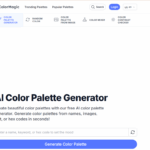
ColorMagic is an AI-powered color palette generator that creates beautiful color palettes based on keywords or images. It assists designers and creatives in exploring color combinations for their projects. Users can explore recent palettes, browse thousands of public options, and even generate random colors to inspire their artistic visions. |
| Key Features & Benefits |
- AI-Driven Palette Generation: Generates color palettes from keywords or images.
- Theme-Based Suggestions: Offers palettes based on moods or settings like “Sunset” or “Winter.”
- User-Friendly Interface: Accessible for both beginners and professionals.
- Save and Refer: Registered users can save their favorite palettes for future reference.
|
| Use Cases & Applications |
- Graphic design and digital art projects.
- Web design and development.
- Branding and marketing materials.
- Interior decorating and fashion design.
|
| Who Uses? |
- Designers and artists seeking color inspiration.
- Web developers aiming for aesthetic consistency.
- Social media managers creating eye-catching posts.
- Hobbyists exploring creative color combinations.
|
| Pricing |
- Free tools: The current homepage advertises free, unlimited palette generation from text or images, alongside other color tools.
- Earlier Pro listing: This article previously listed $6/month for Pro, history and favorites. A current paid offer at that price was not verified; do not treat it as a confirmed subscription or infer that an old plan has formally ended. Check any offer shown in your account before purchasing.
|
| Tags |
AI, color palette generator, design tool, creative inspiration, branding, web design, graphic design, interior decoration. |
| App Available? |
ColorMagic provides browser-based tools. Its current footer also links a “Desktop app,” but the destination and installation details were not verified. |
Try a theme or source image, then check the selected colors in the actual design. For text and backgrounds, use the site’s contrast checker rather than assuming a generated palette is readable. Sources: official overview and tools and terms.