Updated October 30, 2026
TerminalGPT is the command-line chat project at jucasoliveira/terminalGPT, not the ChatGPT website or an official OpenAI desktop app. Its repository now documents several LLM providers. The earlier description centered on text-davinci-003 is outdated: OpenAI retired that model on January 4, 2024.
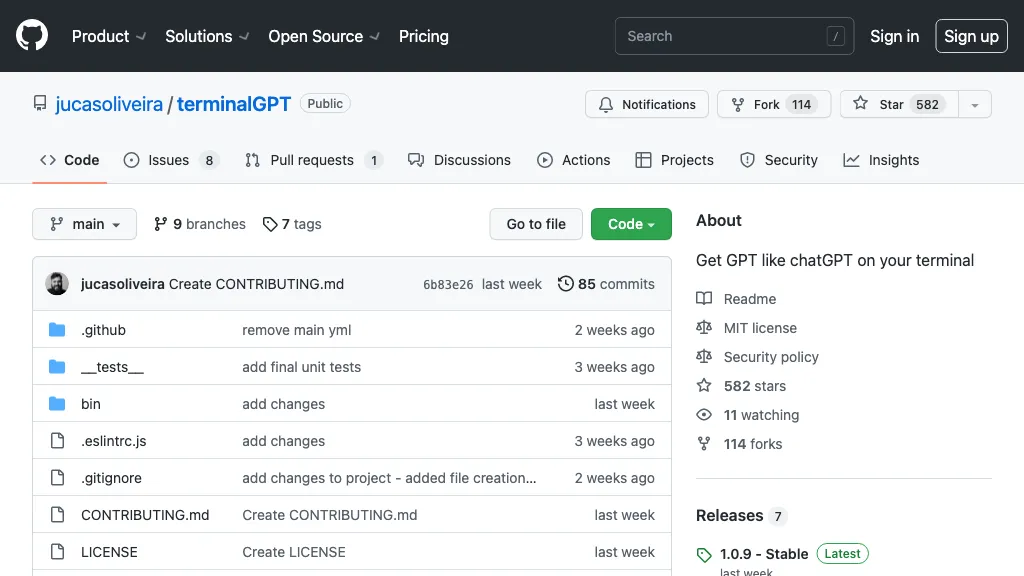
The retained image is an earlier screenshot of the project’s public GitHub repository. Its original capture date is unknown; the displayed counts, release version and relative timestamps are historical, not current maintenance or popularity claims. It does not show a test run or imply maintainer endorsement.
| Name | TerminalGPT — chatGPT on your terminal |
| Overview | TerminalGPT provides a terminal interface for conversations using an external language-model API. The public README lists OpenAI, Anthropic, Groq and Gemini keys as options, although its first-run instructions still specifically mention an OpenAI key. This documentation does not establish that every provider or current model works in a given installed version. |
| Key features & benefits |
Model selection and generation settings should be checked against the actual version rather than assuming the old engine and temperature options remain unchanged. |
| Use cases and applications |
Website chatbots and automated customer-support deployments would require additional integration and safeguards; they are not established turnkey features. |
| Who uses? | Command-line users, developers and researchers willing to inspect dependencies, manage API access and verify generated answers. |
| Pricing | The repository is publicly accessible and does not advertise a TerminalGPT subscription price. External model APIs may charge for usage or impose quotas. Possessing an API key does not make inference free; confirm the chosen provider’s current billing and limits. |
| Tags | AI Chat, Command Line, Terminal Tool, Language Model API |
| App available? | This is terminal software documented for use through JavaScript package tooling, not a verified standalone mobile app. Installation, operating-system compatibility and successful API access were not tested. |
Before using the package
For example, a developer could ask for an explanation of a small, non-confidential code sample, then compare the answer with the language’s documentation. This is a hypothetical use, not a TerminalGPT test. Review commands and generated code before running them.
Inspect the package source, dependencies and key-storage behavior before entering a credential. Do not paste an API key into public issues, screenshots or chat messages. Check which information is sent to the selected provider and how local history and provider-side retention are handled; a conversation-delete command does not establish deletion from an API provider’s systems.
The repository labels its licence MIT, while the retrieved package manifest declares ISC. Verify the applicable licence for the exact version before redistribution; this review does not resolve that inconsistency or grant rights to third-party assets.
Sources reviewed October 30, 2026: project README, package manifest and OpenAI model retirements. No installation, API key entry or generation was performed.