Updated: October 17, 2026
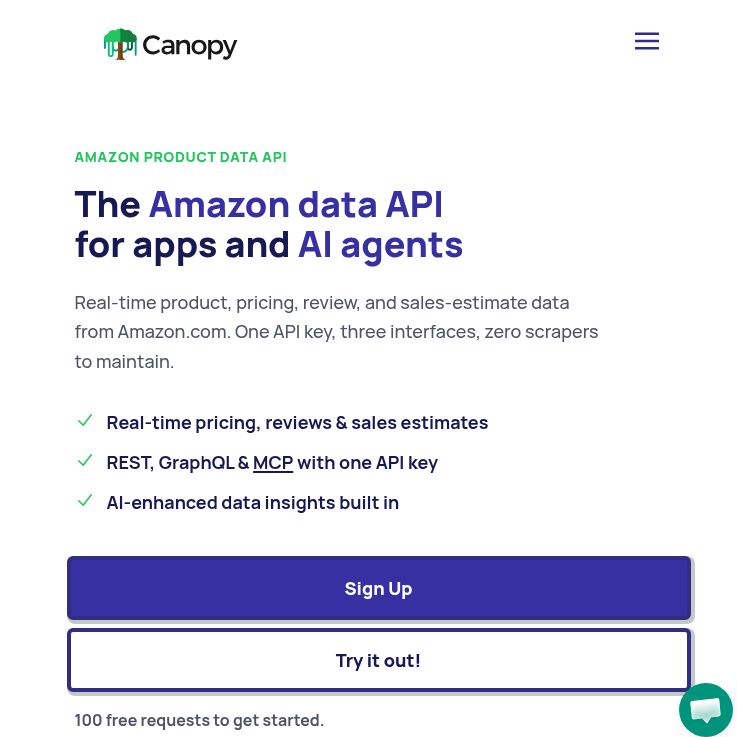
Screenshot: Canopy API official homepage, captured October 18, 2026. Public marketing preview; no account, software or API workflow was tested.
Canopy API supplies structured Amazon product data for developers building comparison tools, research workflows and commerce applications. It is operated by Rhino Labs LLC and should be distinguished from unrelated products also called Canopy. Its role is data access, not a promise that every returned value is complete, current or suitable for a particular business decision.
Data and Integration Options
The official website advertises product details, pricing, reviews, search results and sales or stock estimates. Treat estimates as estimates rather than verified seller transactions or exact inventory. Availability of a field can vary, and a search result is a snapshot rather than a permanent ranking.
The getting-started documentation supports REST and GraphQL. REST uses a GET request for product lookup, while GraphQL uses POST requests with selected fields. Both require authentication through an API-key or bearer header. Keep keys on a trusted server or in appropriate secret storage, rather than embedding them in a public page or committing them to a repository.
Canopy also documents a hosted MCP server for compatible AI clients. Its tools are described as read-only: they retrieve Amazon data rather than change an Amazon account. Tool calls still consume plan usage. Connecting an assistant therefore does not make queries unlimited or remove the need for cost controls.
Current Pricing and Request Budgeting
Checked October 17, 2026, the homepage lists Hobby with 100 requests per month at no charge. Pay As You Go has 100 free monthly requests, then $0.01 per additional request. Premium is displayed at $99+ per month, billed monthly, with 20,000 included requests and $0.008 per additional request. Enterprise pricing is custom.
The March 23, 2026 pricing announcement corroborates the $99, 20,000-request and $0.008 figures. Older articles can show different plans. Automatic volume discounts are advertised, but fixed discount thresholds were not established in the current material reviewed. Confirm the currency code, tax treatment, applicable plan and billing meter before purchase.
Illustrative budget: 20 products checked once a day for 30 days would require 600 product lookups if each check uses one billable request. Under the displayed Pay As You Go base rate, 100 free requests would leave 500 at $0.01, or $5 before taxes, discounts and any additional calls. Pagination, retries or extra datasets could change that total. This is arithmetic for planning, not a measured invoice or quote.
Freshness, Caching and Reliability
Canopy markets its data as real-time. We did not verify a current cache duration, cache-bypass option, cache-hit billing rule or field-level freshness guarantee. Do not assume that faster delivery proves a fresh fetch, or that a cached response is free. Ask how freshness is represented for the endpoint you plan to use.
For your own application, record when you requested data and label that timestamp accurately. It is not necessarily the time Amazon last changed a price. If you maintain a local cache, choose a refresh policy appropriate to your use and clearly mark stale results when refreshes fail.
We did not establish a current numeric requests-per-second limit or an independently verified uptime record for this service. Public pages being accessible does not prove every authenticated endpoint is healthy. Before relying on it in production, check your plan’s limits and support arrangements, and test how your integration handles throttling, timeouts, missing fields and errors.
A Practical Evaluation Workflow
Hypothetical project: a small team wants a daily comparison of 20 household products. This is a suggested test plan, not an integration we ran.
- Define the comparison. Fix the marketplace, product identifiers and variants. Decide whether you need a listing price, a particular offer or an estimate; do not mix them silently.
- Start with a small sample. Check a few responses against the corresponding public listings at a recorded time. Note missing fields and formatting differences.
- Validate responses. Check required fields and errors, not only the HTTP status. A successful transport response does not guarantee usable data.
- Set spending boundaries. Track requests, bound retries and prevent an agent or scheduled job from repeatedly requesting the same data unnecessarily.
- Review before publishing. Preserve currency and variant context, label estimates and stale values, and check the permissions applicable to the data you plan to display.
The terms limit the free playground to evaluation and testing, excluding production and commercial use. Do not treat a working playground example as permission to deploy it as a free production backend. The terms also prohibit creating multiple free accounts to avoid payment.
Privacy and Operational Limits
The privacy policy, updated October 13, 2026, says request parameters and usage metadata are logged. It says the MCP server receives tool arguments rather than the client’s complete conversation, and that tool inputs are not used to train AI models. These are provider disclosures, not an independent audit; avoid putting personal information into search terms.
The policy describes service providers for hosting, authentication, billing, analytics and support. Request logs are retained for up to 30 days; account data is deleted within 30 days after a closure request, while billing records can remain longer for legal requirements. Tool results also reach the AI client you connect and are handled under that client’s policies.
We have not tested response accuracy, run authenticated requests, connected an AI client or purchased a plan. Canopy may suit teams prepared to validate data and manage usage; it is less suitable if you need guaranteed freshness, exact sales figures or unrestricted reuse without further checks. Explore other products in the AI tools directory with those requirements in mind.