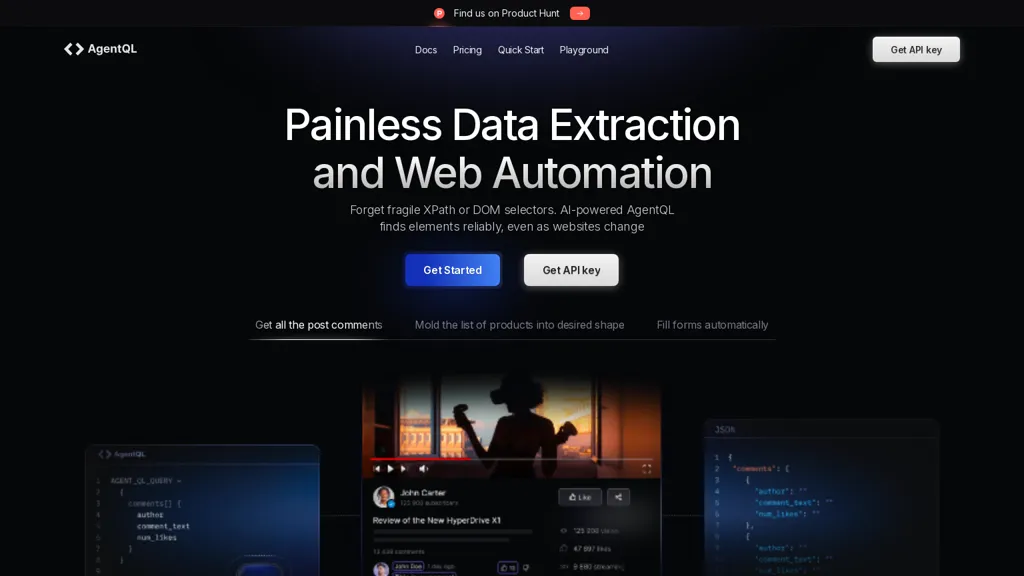
Website image: AgentQL. Existing homepage screenshot showing data extraction and web automation; original capture date is not recorded. Image relevance reviewed October 23, 2026. The website design may differ.
Updated October 23, 2026.
| Name | AgentQL |
| Overview | AgentQL by TinyFish is developer tooling for web data extraction and workflow automation. It uses natural-language-like queries and semantic element selection to reduce reliance on manually maintained DOM or XPath selectors. Its REST API supports data extraction, while Python and JavaScript SDKs integrate with Playwright for extraction and browser interactions. A Chrome debugging extension helps developers work with queries. Semantic selection can reduce some selector maintenance, but websites, layouts and outputs still require testing and error handling. |
| Key features & benefits |
|
| Use cases and applications |
|
| Who uses? | Software developers, Data engineers |
| Pricing |
The free trial includes 300 API calls and one remote-browser hour. Starter has an ongoing allowance of 50 API calls/month and 10 remote-browser hours, with charges for additional usage. Professional includes 10,000 API calls/month and 500 remote-browser hours, also with overage charges. Enterprise has custom pricing. The trial is separate from Starter’s monthly allowance; a free base tier does not mean unlimited free use. Check official pricing for current charges, rate limits and concurrency limits before enabling usage. |
| Tags | Data scraping, Workflow automation, API integration, Web automation |
| App available? | Developer platform with a REST API, Python and JavaScript SDKs, a web playground and the AgentQL Debugger Chrome extension. |
A practical AgentQL workflow
For a permitted product catalog, define the fields you need, such as product name, listed price and product URL. Use an AgentQL query to request those fields, then compare a sample of returned records against the source page. Validate currency, missing values and duplicate records before saving the data or scheduling a recurring job.
Choose the right interface
The official documentation explains the REST API and Playwright-based Python and JavaScript SDKs. Use the appropriate interface for extraction or interactive browser steps; the debugging extension assists development but is not a replacement for designing and maintaining the workflow.
Limitations and responsible use
Natural-language-like selectors do not guarantee that a script survives every site redesign or returns correct data. Handle navigation failures and rate limits, inspect outputs after changes, and monitor usage charges. Respect the target website’s access rules and privacy requirements. Keep API keys out of public code and logs; possessing a key does not by itself establish permission to collect someone else’s data.
This is an illustrative workflow, not a claim of hands-on testing. Sources were checked on October 23, 2026. For document-focused extraction, see AlgoDocs, or browse our data extraction category.