Updated October 18, 2026. This guide is based on Brushless’s public product pages, pricing calculator and documentation. It is not a hands-on test of generated artwork.
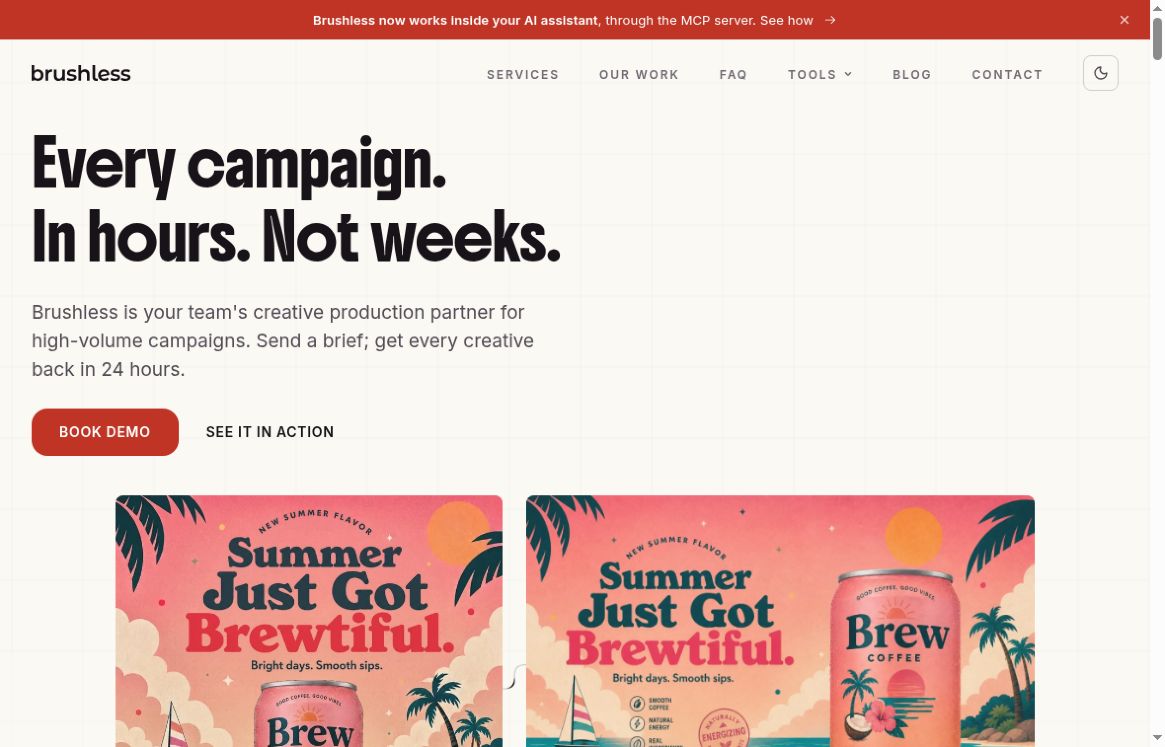
Website screenshot: Brushless’s official homepage, captured October 18, 2026. It shows the current creative-production service; the self-service illustration generator is available on a separate, officially linked subdomain.
Brushless AI helps users create illustrations, icons and logo concepts with editable vector output. Its website now covers three different offerings: a self-service illustration generator, free browser-based design utilities, and a creative-production service for campaign teams. Choose the appropriate entry point before comparing prices or uploading a brief.
What does Brushless AI do?
The Brushless illustration generator accepts text prompts and visual references. It offers preset styles, custom color palettes, custom styles based on reference images, and editing of generated layers and colors. The homepage shows styles including Notion, Structured, Humanist and Flat Icons. Its documented vector format is SVG; the pricing page also lists PNG export.
These capabilities can be useful for a consistent set of onboarding illustrations, website feature graphics, presentation visuals or educational diagrams. Treat logo output as a starting concept requiring further review, rather than assuming that an AI-generated mark is unique or ready to register.
Three ways to use Brushless
- Generate new illustrations: use the illustration product when you need a new scene, icon or brand-related graphic from a prompt. This product uses its own illustration credits and requires an account.
- Edit or prepare an existing asset: use the free tools directory for SVG editing, image-to-vector conversion, background removal, image compression, resizing, format conversion and color-palette work.
- Commission campaign production: the main Brushless site offers a service covering format adaptations, product variations and market localization. It describes a workflow involving AI agents and creative reviewers, with editable layered deliverables. The provider quotes pricing around campaign output and volume rather than a published per-seat rate.
The campaign service’s turnaround and performance statements are the provider’s claims, not results verified by this guide. Agree the scope, review process and delivery terms for your project directly with Brushless.
Pricing and free-use limits
Illustration generator
Brushless’s tools documentation says the illustration account starts with 20 free illustration credits. These are separate from the daily allowance for its free utilities. The illustration pricing page says free-plan generations are publicly visible and buying credits unlocks privacy.
At the calculator’s default selection on October 18, 2026, the page displayed $25 for 140 generations, with the base 125 crossed out and a bonus applied. This was a credit-purchase display, not a quoted monthly subscription. The public view used the dollar symbol without an explicit currency code; confirm the currency, taxes, final allowance and any expiry conditions before paying.
The same page lists two drafts per generation, a Pro Editor, an upscaled image, PNG/SVG export, background removal and unlimited revisions. It also lists commercial use, custom palettes, reference prompts and custom styles. Do not interpret unlimited revisions as unlimited new generations.
Free browser utilities
The nine utilities work without an account. Their AI operations share 20 free credits per day, resetting at 00:00 UTC. Tracing an image, removing a background, or generating a set of palettes uses this shared allowance. Editing an existing SVG and the non-AI compression, resizing and conversion tools do not use those credits. The provider also says these utilities work in a phone’s browser.
SVG editing and export
The standalone SVG editor can move, resize and recolor shapes, edit paths and text, and export SVG or raster copies in PNG, JPEG and WebP. Raster exports are offered at 1×, 2× or 4×. This is a separate utility from the generator’s Pro Editor, so check the relevant workflow rather than assuming every feature or export format is identical.
According to its documentation, opening and editing an SVG happens locally in the browser. Opening a PNG, JPG or WebP for vector tracing sends that image to an AI service and uses one daily tool credit. That distinction matters when the source artwork is confidential.
A practical illustration workflow
- Write a small visual brief. Specify the subject, composition, palette and where the graphic will appear. For example: “A flat illustration of a cyclist checking a city map, navy and coral palette, simple shapes, no text.” This is an illustrative prompt, not a tested result.
- Choose one style for the set. Keep the composition and palette constraints similar across related scenes. Upload only reference artwork you have permission to use.
- Review before scaling up. Check anatomy, symbols, text, brand suitability and whether the composition remains legible at its intended size. Consistency is something to inspect across outputs, not a guarantee.
- Refine and export. Correct the shapes and colors you need, then choose SVG for further vector editing or a suitable raster format for a fixed-size placement. Open the export in its destination application before committing to a larger batch.
Privacy, usage rights and practical limitations
The illustration service’s terms, dated January 22, 2026, allow personal and commercial use of generated content subject to compliance and applicable payment terms. They do not promise exclusivity, and users remain responsible for third-party rights. Payments are generally non-refundable except where required by law or where the provider chooses to make an exception.
The privacy policy describes collection of prompts, account information and usage data, along with sharing with service providers. Paid generation privacy should therefore not be read as a promise that uploaded content never reaches a server. For unreleased client work, check the relevant account settings and contractual protections before uploading.
SVG output does not itself establish that every shape will be clean, every word correct or a logo legally distinctive. This review did not benchmark output quality, generation speed, accessibility or reliability. We also did not verify native mobile applications; the documented access described here is web-based.
Can Brushless work inside an AI coding assistant?
Yes. Brushless documents an MCP integration for compatible assistants, including Claude Code, Cursor and Codex. It requires a Brushless account and sign-in approval, and generation spends the account’s credits. Importantly, the integration page specifies lossless WebP output with a transparent background by default; do not assume that an MCP result is an SVG just because the web illustration product advertises vector export.
Who is it worth considering for?
Consider the illustration generator if you need a themed set of small graphics and can review and refine the output. Start with the free utilities if you already have artwork and mainly need recoloring or file preparation. Teams needing many campaign adaptations should evaluate the quoted production service separately. For more options, browse GPTOnline’s AI design tools.