Updated October 24, 2026
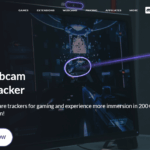
Existing screenshot from Beam’s website; original capture date unrecorded. The game-count and webcam/demo messaging are provider marketing, not an independent compatibility or accuracy test. Check the current Steam demo requirements described below.
| Name |
Beam Eye Tracker AI |
| Overview |
Beam Eye Tracker AI is an innovative software solution that leverages artificial intelligence to transform standard webcams into sophisticated eye and head tracking devices. Designed for gamers and streamers, it supports compatible PC games with six degrees of freedom (6DoF) head tracking. Current releases offer direct camera control in supported games; OpenTrack remains an optional integration path, not a mandatory separate application. This technology enhances gameplay immersion and provides real-time analytics, allowing users to gain insights into their focus and performance. Setup requires a compatible camera, calibration and game configuration; tracking quality depends on the camera, lighting and use case. |
| Key Features & Benefits |
- AI-Powered Tracking: Utilizes AI to estimate eye and head movement using standard webcams.
- 6DoF Integration: Offers six degrees of freedom head tracking for a more immersive gaming experience.
- OpenTrack Compatibility: Supports integration with OpenTrack, supporting a wide range of games.
- Customizable Overlays: Provides real-time gaze overlays for gameplay analysis and streaming enhancement.
- Mobile Device Support: Allows the use of smartphones as tracking devices, increasing flexibility.
- Productivity Tools: Includes features like multi-screen pointer control and presence detection for enhanced usability.
|
| Use Cases and Applications |
- Gaming: Enhances immersion in flight simulators, racing games, and other genres by providing intuitive camera control.
- Streaming: Offers real-time gaze overlays to engage viewers and provide insights into player focus.
- Training: Assists in performance analysis by highlighting attention patterns and areas of focus during gameplay.
- Accessibility: Offers an alternative input approach through eye and head movements; suitability varies, and the provider excludes medical-device and high-risk uses.
|
| Who Uses? |
- Gamers: Seeking enhanced immersion and control in their gaming experiences.
- Streamers: Looking to engage audiences with interactive overlays and insights.
- Content Creators: Aiming to analyze and improve their gameplay or tutorials.
- Accessibility Advocates: Individuals requiring alternative input methods for computer interaction.
|
| Pricing |
- Standalone license: The official pricing page lists $29.99 as a one-time purchase with no subscription. The old SPRING2025 discount and monthly offer are not presented as current rates. Confirm currency, tax and checkout terms for your region.
- Demo: The provider offers a Steam demo and states that a Steam Level 1 account is required. Check the current demo and device requirements before installing.
- Website purchase: A 14-day money-back offer is advertised for standalone website purchases; this is a refund policy, not a free trial. Check its conditions before paying.
|
| Tags |
AI, Eye Tracking, Head Tracking, Gaming, Streaming, OpenTrack, Webcam, Productivity, Accessibility |
| App Available? |
- Desktop applications: Windows, Linux and macOS are supported by the September 2026 release. Check current OS, camera and game requirements.
- iOS app: Supports compatible Face ID-enabled devices as a phone-based tracking option.
|
Check your setup before a session
Confirm that your game and operating system are supported, position the camera in stable lighting, and calibrate before testing camera movement. Start with a short local session to adjust sensitivity and recentering; choose direct control or OpenTrack according to the game’s setup instructions. A gaze overlay can help review attention, but it is not a medical assessment or proof of improved performance.
Official sources: Standalone pricing · Demo and purchase conditions · Linux and macOS release · Direct game camera control · Use limitations