Updated October 19, 2026. Reviewed and revised for current information.
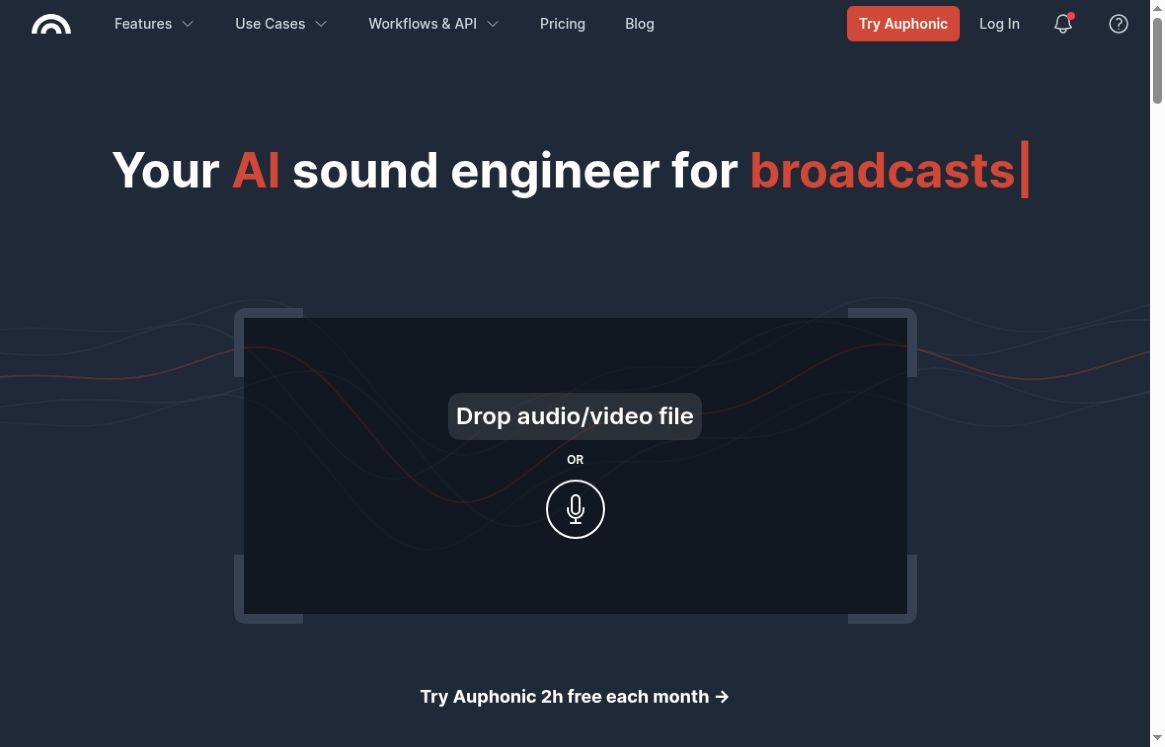
Image: Official Auphonic homepage with its empty audio/video drop area, captured October 19, 2026. No file was uploaded and no recording, processing or sound-quality test was performed.
Auphonic is an automated audio post-production service for spoken-word recordings, including podcasts, interviews, lectures, narration, and video soundtracks. It combines level balancing, noise reduction, loudness controls, and optional transcription in a web workflow. It is worth considering when you regularly repeat the same cleanup and export steps.
This guide describes Auphonic’s published capabilities and plan limits, checked on 19 October 2026. It does not present a hands-on sound-quality test or guarantee that a recording will meet a publisher’s requirements.
What Auphonic can do
- Balance uneven voices: its Intelligent Leveler adjusts differences between speakers and between speech and music.
- Control delivery loudness: configure target loudness and peak limits for the destination you are preparing audio for.
- Reduce unwanted sound: choose noise and reverb reduction rather than relying on a single fixed cleanup setting.
- Combine separate recordings: multitrack processing includes automatic ducking, noise gating, and microphone-bleed reduction.
- Prepare video and podcast outputs: the service supports audio/video encoding, metadata, chapters, audiograms, and subtitle workflows.
These functions are described on Auphonic’s feature page. They are most relevant to speech-led productions; the right settings depend on the material you need to preserve.
Transcripts, shownotes, and editable cuts
Auphonic offers its own Whisper-based speech recognition and connections to external transcription providers. It can generate shownotes and timestamped chapters, with a transcript editor for corrections. Its documentation explicitly notes that automatic transcripts are imperfect, so check names, specialist terms, quotations, and summaries before publishing. See the speech-recognition documentation.
Automatic cutting can detect silence, filler sounds, coughs, and other respiratory noises. You can apply cuts, replace the detected regions with silence, or export uncut audio alongside a cut list for review in another editor. This makes it possible to inspect suggested edits before committing to a tighter version of an interview. The audio-algorithm guide explains these modes.
A practical workflow
- Start with a representative recording and keep an untouched original.
- Choose the output format and loudness requirements for your publishing destination.
- Enable only the cleanup you need. If music or ambient sound is intentional, check which denoising mode preserves it.
- Listen to quiet passages, overlapping speakers, and transitions after processing. Inspect any automatic cuts and correct generated text.
- Save settings as a preset once the result suits your recurring production.
Auphonic’s documentation warns that speech-isolation processing removes music as well as other non-speech sound. Strong reduction can also introduce artifacts. These are reasons to audition the result rather than assume that maximum processing is always preferable.
Free plan and paid processing credits
The free plan includes 2 hours of processed audio per month, and its productions include an Auphonic jingle. The current comparison excludes speech recognition and automatic shownotes from the free tier. Free multitrack productions must be shorter than 20 minutes; watch folders and batch productions require a paid option. Check the current plan comparison and prices before choosing a plan.
Paid usage is available as recurring credits or one-time credits. Recurring allowances reset monthly without rollover; one-time credits do not expire. Processing is billed by duration, with a three-minute minimum per production. Multiple output formats do not multiply that duration charge. An optional automatic top-up can make one-time credit purchases repeat, so check that setting if you want occasional purchases only. The pricing FAQ explains credit use and billing.
Integrations and suitable users
For repeated production, Auphonic documents transfers with services including Dropbox, Google Drive, OneDrive, Amazon S3, and SFTP, plus direct publishing destinations such as YouTube and podcast hosts. Watch folders can start processing when a file arrives; developers can use the API or command-line interface. Availability differs by plan. Review the workflow and API options against your actual publishing setup.
Auphonic is a practical candidate for podcasters, educators, journalists, video creators, and narration teams that need repeatable post-production. A short trial with your own typical recording is the most useful way to assess whether its automatic processing reduces your editing work while preserving the voice, pacing, and background audio you want.