Updated on October 20, 2026.
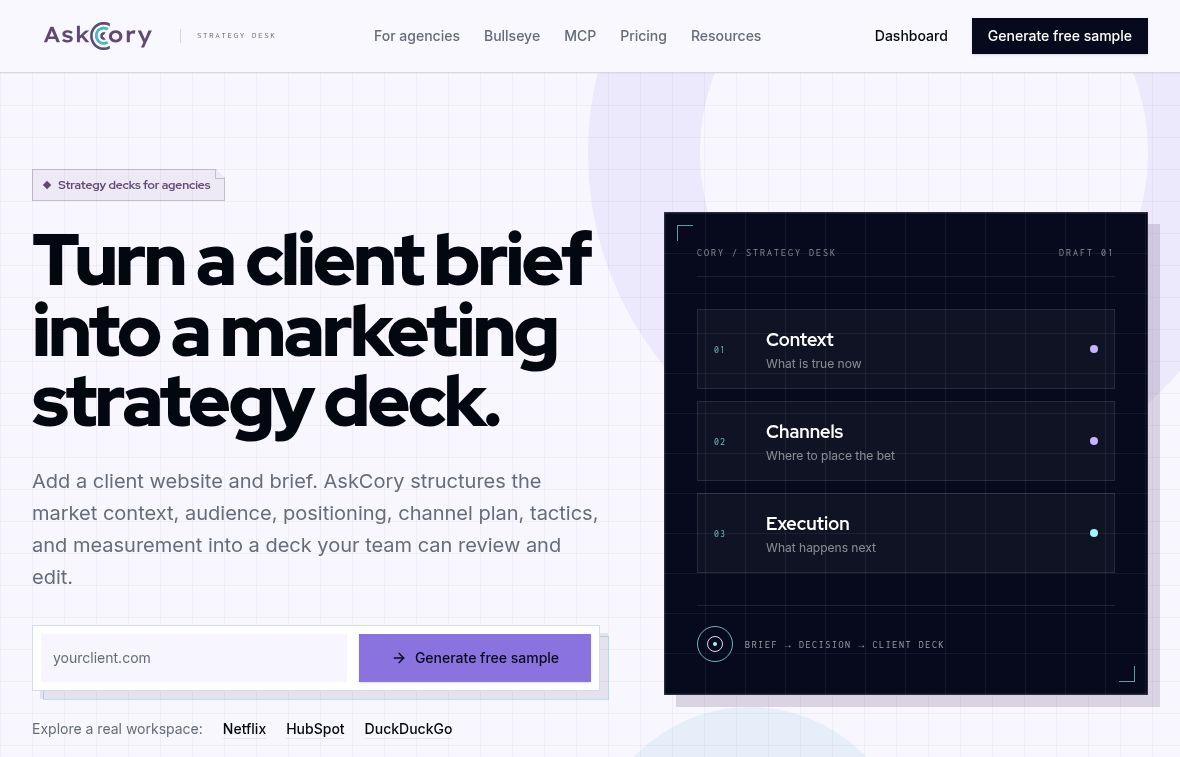
Featured image: screenshot of AskCory AI’s official website, captured October 20, 2026. Vendor presentation for editorial identification; no hands-on product test. The strategy diagram is the provider’s sample workflow, not tested campaign results.
AskCory AI is a marketing workspace from Build Up Labs in Lisbon. It turns a business website and project brief into strategy, channel ideas, tactics, implementation guides, content, and an editable presentation. Its current agency-oriented workflow is useful for preparing a first client strategy or keeping a team’s planning work organized.
From business context to a marketing plan
The official website focuses on taking an initial brief through analysis, decisions, and a client-ready deck. You supply the business context and review the resulting direction rather than treating the generated plan as validated market research.
- Strategy and tactics: organize audience, positioning, channels, objectives, and proposed actions into a structured plan.
- Execution guides: develop steps and KPIs for implementing selected tactics instead of stopping at a list of ideas.
- Content support: prepare drafts for blogs, social posts, and other marketing assets with a chosen tone of voice.
- Bullseye planning: compare possible channels and prioritize experiments before committing a campaign budget.
- Reports and collaboration: keep project assets in workspaces, collaborate within teams, and create an editable PowerPoint strategy deck.
A freelancer might use this to prepare a proposal, while an agency could separate client strategies into workspaces. Startups and small businesses can use the same structure to document assumptions and decide what to test. The product advertises benchmark-informed planning, but a recommendation still needs current market evidence and business judgment.
Current monthly pricing
The pricing page explicitly says billing is monthly with no annual commitment. It displays dollar amounts without an explicit currency code in the reviewed comparison; confirm currency and tax at checkout.
| Plan | Monthly price and credits | Team limits |
|---|---|---|
| Starter | $16.80; 150 credits | 1 team, up to 4 workspaces, 1 seat |
| Professional | $46; 600 credits | 3 teams, 12 workspaces, 4 seats |
| Custom | Quote; advertised unlimited monthly credits | Tailored teams, workspaces, and seats |
Starter includes 100 assistant messages per month, three custom tones, and watermarked reports. Professional includes 400 messages, ten tones, branded reports, and priority support. PowerPoint generation is included in the comparison; the old “100 PPT” figure was not a verified deck allowance.
A tactic or implementation guide costs one credit; other tools display their charge before generation. Paid accounts can buy additional credits. Included and purchased balances follow the expiry dates in the billing account, so do not assume rollover or indefinite validity. A no-card trial is advertised, but its current credit quantity was not confirmed.
Connections, cancellation, and review
The official MCP integration can connect compatible assistants to projects, strategies, assets, and experiments through OAuth. It uses the workspace’s credits. The documented publishing flow requires an authorized owner or administrator to approve the specific payload before publication; connecting an assistant does not justify unrestricted posting.
Under the terms, subscriptions renew automatically and cancellation takes effect at the end of the paid period. Fees are generally non-refundable except where required by law or accepted case by case. Check the current billing account before buying add-ons or canceling.
Review the audience assumptions, competitive claims, channel costs, and KPIs before presenting a deck. Verify factual claims in generated content, obtain permission for client material, and edit outputs to match the actual brand. This overview did not generate a plan, connect MCP, or test campaign performance. A dedicated native mobile app was not verified from the official pages reviewed. Sources checked: October 20, 2026. Explore related marketing tools.