Anthropic has launched Claude Install as app, a beta feature that turns Claude artifacts into installable Mac and Windows desktop apps. Announced on November 24, the feature lets users create, run, and share desktop apps built with Claude, with no packaging, code signing, or separate login required. “Starting today, you can use Claude artifacts to create, run, and share desktop apps,” Anthropic said in its announcement. “The ‘Install as app’ feature is rolling out in beta in Claude for Mac and Windows.”
What Was Announced?
Building an app starts with a conversation. Users describe the app they want to Claude, try it as an artifact, and then click “Install as app” from the Share menu. Anthropic handles packaging and signing, and the app runs under the user’s Claude account, so there is no API key or separate login. Once installed, the app gets its own icon and opens in its own window instead of inside Claude. It can be shared with others through a link, and it updates automatically whenever the underlying artifact is edited. Each app can use Claude and the user’s connectors, and any requests the app makes to Claude count toward the user’s plan usage limits.
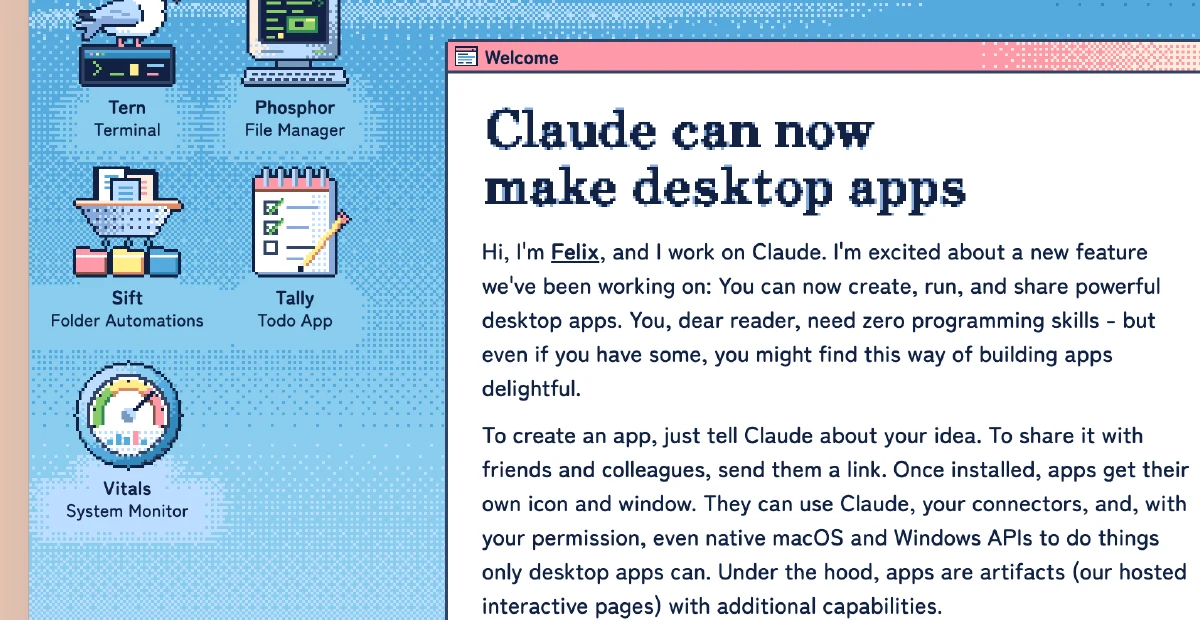
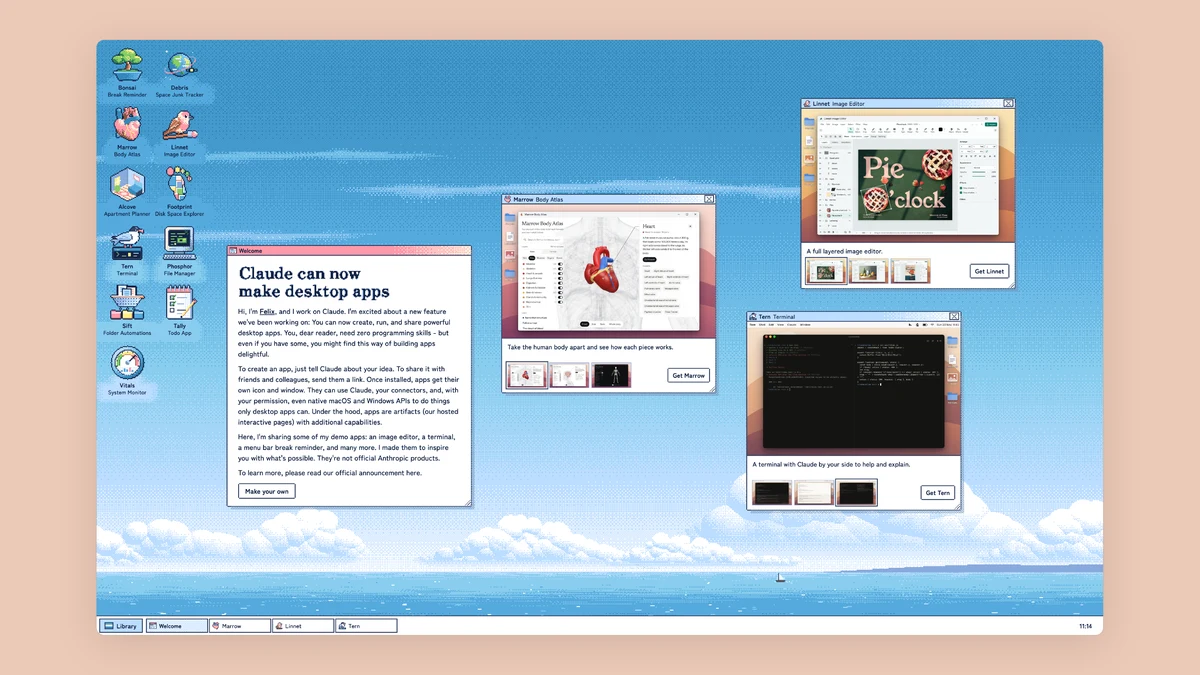
Anthropic’s demo desktop shows apps built with Claude, including an image editor, a terminal, and a system monitor. Image: Anthropic
What Installed Apps Can Do
Installed apps can do more than a web page in a browser tab. They can send notifications, add items to the Mac menu bar or the Windows system tray, listen for global shortcuts, and float above other windows, subject to the permissions the user grants. Anthropic staff have already used the feature to build working tools, including Linnet, a full layered image editor; Phosphor, a file manager; Sift, which sets up folder rules and uses Claude to keep files organized; Tern, a terminal with Claude alongside to help and explain; and Vitals, a menu bar and tray app for checking computer performance.
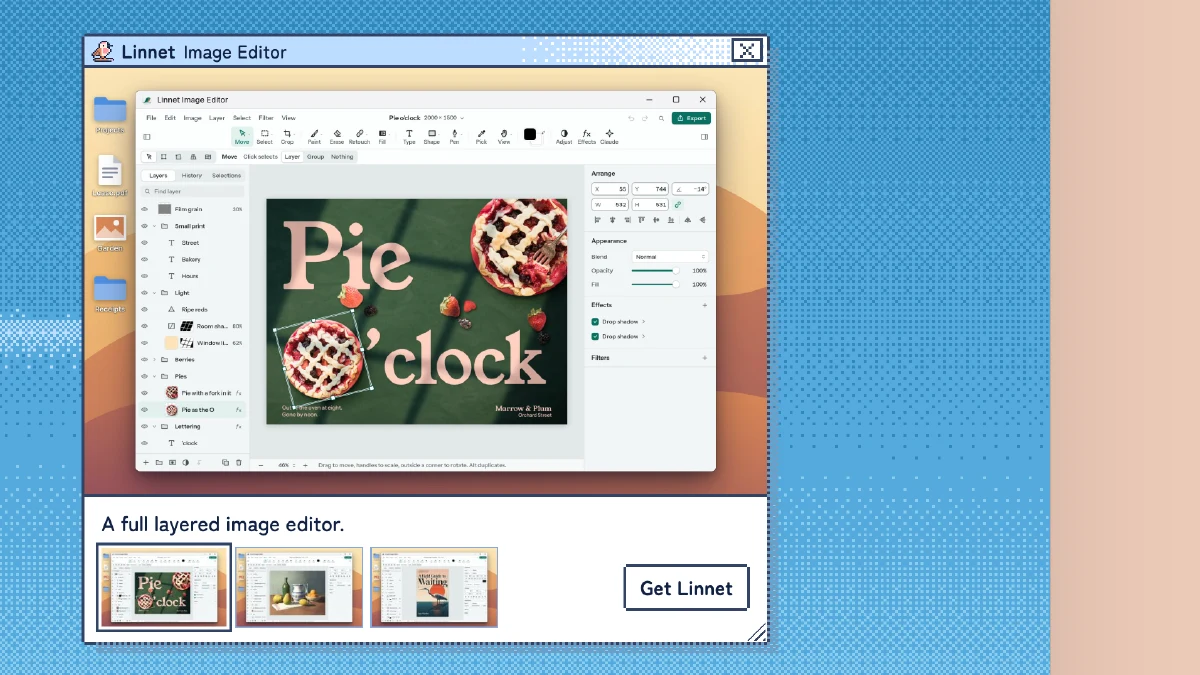
Linnet, a full layered image editor built by Anthropic staff with Claude. Image: Anthropic
Permissions and Safety
Anthropic built the feature around three permission levels. At the Default level, an installed app can only do what it could do in a browser. App permissions let an app ask for tightly controlled desktop features, such as creating always-on-top windows, listening for global shortcuts, or sending notifications. Full computer access lets an app run programs and read, change, or delete files without asking each time. A permission covers only the current version of the app, so Claude asks again after every update, even the user’s own edits. Full access can only be granted to apps the user made, or, on Team and Enterprise plans, apps made by people in the same organization. Anthropic warned: “Anthropic doesn’t review apps before you install them, so only give full access to apps you trust.”
Pricing and Availability
Install as app is rolling out in beta on all plans. Team workspaces have it on by default, with full access off, while on Enterprise it stays off until an owner turns it on. HIPAA-ready organizations and hybrid deployments cannot use it. To try it, users need to update Claude for Mac or Windows, open an artifact they use every day, and choose “Install as app” from the Share menu. Installed apps need an internet connection and an active Claude sign-in to open, and some artifact types cannot be installed, including Claude Docs, Slides, and Sheets.
Why It Matters
The launch moves artifacts from one-off outputs inside a chat window to persistent, personal software that lives on the desktop. Anyone who can describe a tool in plain language can now build a small app for a recurring job, from a meeting prep page that pulls from a calendar to a tracker for orders that need to ship. The trade-off is dependence on Claude itself: because installed apps need to be online and signed in, they are not standalone programs in the traditional sense, and the permission model puts real trust decisions in users’ hands. For teams, the admin controls matter as much as the feature itself, since a shared app with full computer access can read and change files across the organization.