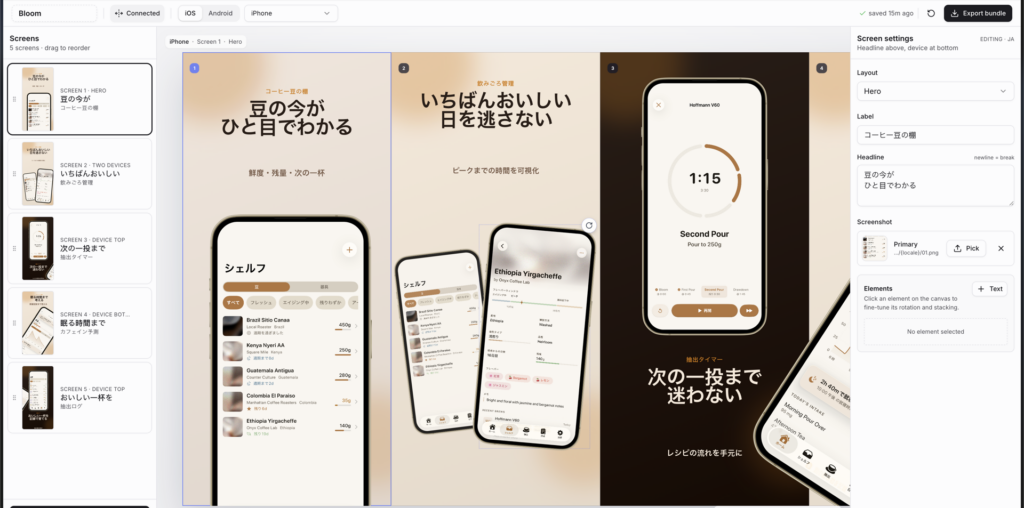
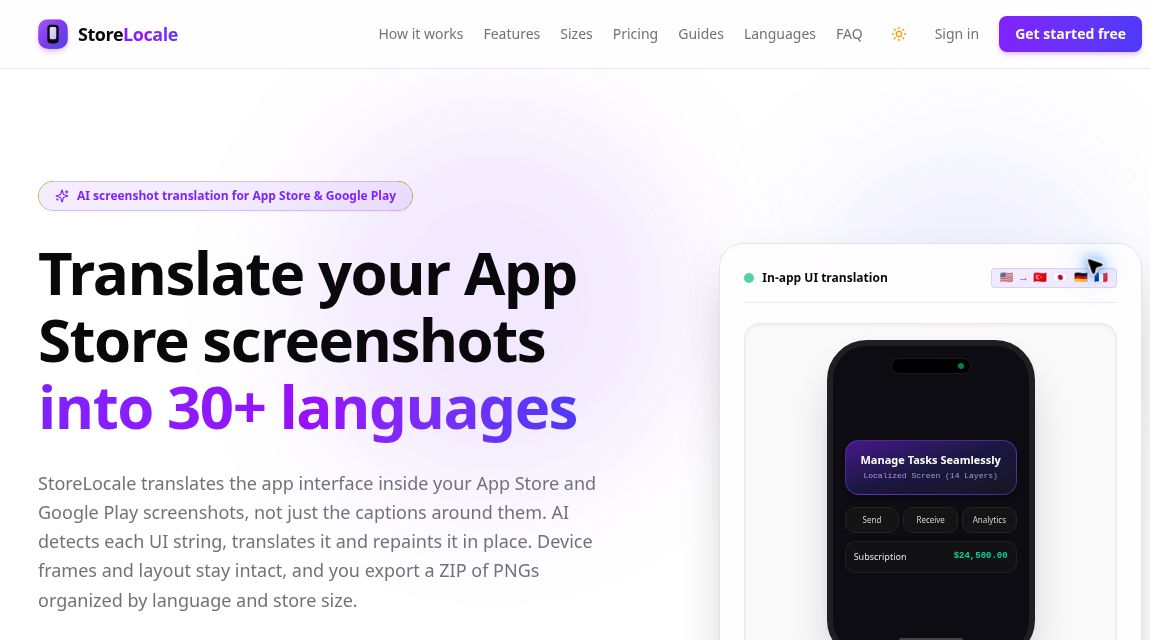
StoreLocale is an AI-assisted editor for localizing app-store screenshots. Its distinguishing task is translating the interface text inside the screenshot, not only the promotional headline placed above a device frame. That can be useful when an app’s store images need to match several languages without rebuilding every image manually.
This overview is based on official pages checked on October 30, 2026, Vietnam time, not a hands-on quality test.
What is StoreLocale, and is it the same as Frameful?
According to the official changelog, the product launched as Frameful on August 18, 2026. A September 4 update refined in-place text replacement. It was renamed StoreLocale on September 21, with existing accounts, projects and credits carried over. The rename is not a new product launch, and this article does not present it as an October release.
The product overview describes a sequence of text detection, translation and generative repainting. Users review the localized image before export. The editor also provides layout tools and device frames; exported PNG files are packaged in a ZIP for manual upload to the relevant store.
A small localization workflow to try
Imagine an independent developer preparing three English screenshots for German and Japanese listings. The example below is a planning exercise, not a reported product test.
- Check the source images. Use screenshots from the current app version. Remove personal data and replace demonstration accounts with material you have permission to publish.
- Prepare language guidance. List brand names, product terms and placeholders that should remain unchanged. A fluent reviewer can clarify which words need translation and which are identifiers.
- Start with one slide. Pick an image containing a navigation label, a button and a longer description. Inspect the detected text and proposed translations before spending credits on the repaint.
- Compare the result carefully. Check spelling, clipped text and alignment. Ensure the apparent functionality still matches the real app; a translated button should not suggest a feature that does not exist.
- Review each export size. Check the delivered PNG files, not just the editor preview. Verify the store’s current screenshot requirements and upload the correct language set yourself.
Repeat the process for the remaining slides only after the sample is acceptable. A reviewer who understands the target language is more useful than approving an image simply because it looks visually polished.
How credits and BYOK pricing work
The pricing page lists one-time packs in U.S. dollars: Starter costs $9 for 30 credits, Launch $29 for 120, and Scale $69 for 350. Purchased credits do not expire. A repainted slide in one target language uses one credit at Standard, two at Pro or four at Ultra quality.
In the example above, three slides in two languages make six runs: six Standard credits or twelve Pro credits, before any additional changed-input generations. Text detection and translation do not consume credits; the image repaint does. Designing and exporting are also free.
Bring-your-own-key access uses zero StoreLocale credits with a supported Gemini or OpenRouter key, but the provider can still charge for requests and impose limits. Welcome credits are conditional, not guaranteed. Check checkout and the current refund policy before purchasing a pack.
Where human review still matters
The terms explicitly warn that generated translations, placement and images may contain mistakes. Users remain responsible for rights to submitted material and for reviewing outputs. Do not mistake a plausible-looking screen for a verified translation.
Projects can sync to cloud storage, and AI requests may reach the configured provider, as explained in the privacy policy. StoreLocale is therefore not an offline-only workflow. It also does not publish screenshots to App Store Connect or Google Play Console for you.
Choose this kind of tool when the bottleneck is translating existing interface imagery. If you mainly need a new promotional layout, that is a different requirement. Browse our AI tools directory to compare those jobs separately.
If you need to design a screenshot deck rather than translate text within an existing capture, compare the different workflow in App Store Screenshots.
Image source: official website, captured October 30, 2026. This is an editorial homepage screenshot, not our hands-on test. Copyright remains with the respective owner.