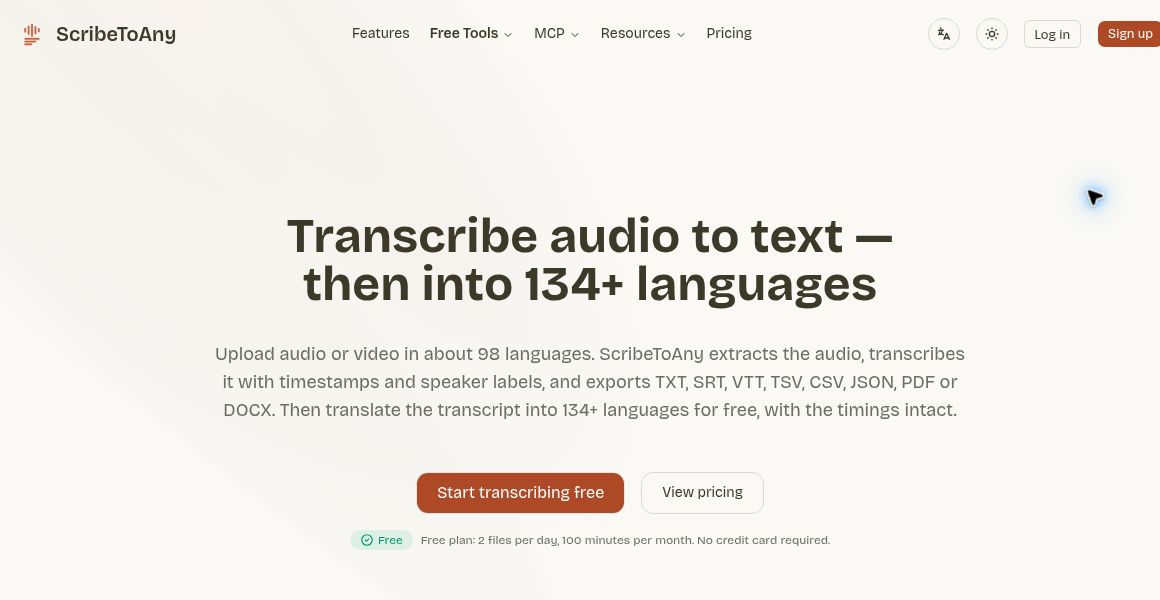
ScribeToAny is a browser-based transcription service for turning audio or video into editable text and exportable subtitle files. Its integrations can make transcripts easier to reuse, but the first job remains checking that the words accurately represent the recording.
This guide uses official sources checked on October 30, 2026, Vietnam time. We have not run an accuracy benchmark or tested a paid account.
What is ScribeToAny?
The service operates at scribetoany.com. Its terms describe automated speech recognition running on third-party compute infrastructure. This is not an offline desktop transcriber. Users retain rights to their submitted material and must have permission to process it, including any necessary recording consent.
Exports include text, document and subtitle formats. Choose the output for the next task: a readable document for review, a structured file for another system, or a timed subtitle file for a video editor. Exporting does not remove the need to check names, numbers and timing.
Recent integration updates
The October 15 changelog records version 2.6.0 with MCP integrations, Notion export and longer paid-file support. Authorized MCP clients can read transcripts and start transcription, rather than edit or delete them. Notion exports include timestamps and speaker labels. An earlier October update added AI summaries and chat with transcript references.
Example: turn an interview into useful notes
Suppose you have a 20-minute interview with permission from the participant and want a checked transcript plus an internal research note. A practical workflow is:
- Prepare a suitable recording. Remove unrelated private conversation and check that you are allowed to upload the file to a cloud service.
- Review the transcript against the audio. Listen again wherever a name, technical term or number matters. Mark uncertain wording instead of silently guessing.
- Check speaker assignments. If two people interrupt each other, confirm who made each statement before attributing a quotation.
- Create a concise summary. Ask for themes or follow-up questions, then inspect the referenced transcript passages. A summary should not turn a tentative comment into a confirmed fact.
- Export for the next reader. Keep timestamps when colleagues may need to revisit the recording. Check the destination and sharing permissions before moving the result into a team workspace.
For subtitles, add a separate playback pass: readable wording alone does not guarantee that captions appear at the right moment or remain on screen long enough.
Free allowance and annual-plan pricing
The pricing page currently lists 100 transcription minutes per month on Free, a 30-minute file limit, two files per day and one file processed at a time. AI summary and chat access is limited daily.
Prices are USD before tax for one user. The annual Plus plan is $88 per year, displayed as $7.33 per month, with 1,500 transcription minutes each month. Annual Pro is $120 per year, displayed as $10 per month, with 3,000 monthly minutes. These are annual commitments, not month-to-month prices; subscriptions renew automatically until canceled. Paid plans list files up to 5 GB and six hours, with six processed in parallel. Check the current billing option and final charges before subscribing; temporary promotions are not included here. The provider’s pricing-method note identifies the currency and tax basis.
Important limits and privacy checks
The terms warn that automated transcripts can contain errors and do not guarantee accuracy. They also explicitly say YouTube imports are rejected, so this guide does not recommend that workflow despite YouTube-related navigation on the site. Exact language counts differ between official pages; check support for your specific language rather than relying on a headline total.
Use only the integrations you need, review their permissions and consider what transcript content will reach another service. ScribeToAny is most useful when you want reusable transcript files and are prepared to perform a correction pass. See our AI tools directory for other workflow options.
For a detailed checking routine, see our guide to reviewing an AI transcript before sharing it.
Image source: official website, captured October 30, 2026. This is an editorial homepage screenshot, not our hands-on test. Copyright remains with the respective owner.