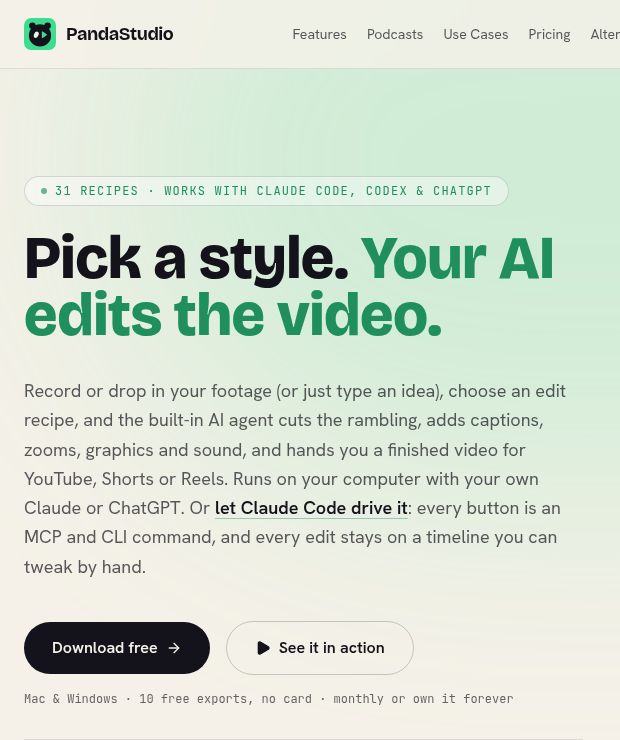
PandaStudio by WritePanda is a desktop video editor for creators who want AI assistance without giving up an editable timeline. The useful question is not whether it can make every creative decision for you, but whether it can prepare a first cut that you can inspect and improve.
This overview is based on official documentation checked on October 30, 2026, Vietnam time. It is not a hands-on performance test.
What does PandaStudio do?
The official product page describes a Mac and Windows editor with screen and camera recording, text-based video editing, captions and remote-podcast tools. You can ask its agent for changes or connect an external agent through MCP or the CLI. AI-provider features use your own account; buying the editor does not include unlimited external AI service.
What changed recently?
The October 29 release notes describe two relevant updates. Version 2.1.40 introduces editing plans for approval, routines and inspectable agent memory. Version 2.1.41 adds animated backgrounds, device frames and cursor-following tilt, alongside recording controls. These are product updates, not evidence that the software was first launched that day.
A review-first product-demo workflow
For a hypothetical example, imagine a small software team turning a six-minute walkthrough into a shorter onboarding video. Start with footage you own and remove customer names, account details and private notifications before importing it.
- Define the outcome. Write a brief such as: “Explain how to create the first project. Keep the warning about required permissions. Do not add performance claims.”
- Check the transcript. Correct product names and commands before using text to remove repeated explanations. A misheard word can otherwise become a misleading caption.
- Review the proposed edit. Check whether cuts remove an important prerequisite or make two unrelated steps appear consecutive. Approve only the changes that preserve the explanation.
- Use effects selectively. A zoom can identify a small control; excessive movement can obscure it. Keep captions clear of buttons and other essential screen content.
- Watch the exported file. Check the opening, every edit and the ending, with sound on. Keep a copy of the original footage so a questionable cut can be restored.
Pricing and platform requirements
At the time checked, PandaStudio offers 10 free exports with a watermark. Prices are USD: Pro costs $19 monthly for one device; lifetime Starter is $99 for one device, Creator $199 for up to three, and Team $499 for five. Direct publishing to additional social platforms is included with Pro, Creator and Team, not Starter. External AI-provider charges are separate.
The listed minimum systems are macOS 12 or Windows 10/11 (64-bit), with Apple Silicon or at least 16 GB RAM recommended. Confirm current requirements and checkout terms before buying.
Limits to consider before choosing it
Local recording and editing do not mean every connected feature is offline: external AI requests and publishing involve other services. Review the relevant provider settings before using confidential footage. AI-generated titles, captions and graphics also need factual and rights checks; a polished export does not establish permission to use music, a person’s likeness or a third-party clip.
PandaStudio is worth evaluating when the main job is revising existing footage and retaining manual control. Use the trial to assess your own material rather than treating vendor examples as a promised result. Explore more options in our AI tools directory.
Image source: official website, captured October 30, 2026. This is an editorial homepage screenshot, not our hands-on test. Copyright remains with the respective owner.