Updated November 10, 2026.
| Name | GoSearch AI Enterprise Search |
| Overview | GoSearch is an AI-enhanced enterprise search solution designed for resource discovery and knowledge management within teams. It aggregates searches across well-known platforms such as Google Docs, Notion, Jira, and Confluence to provide quick, relevant results that include summaries and suggestions. The platform’s multimodal generative AI capabilities offer personalized recommendations through its Chat Assistant (GoAI), image and URL searches, as well as customizable enterprise-specific GPTs to streamline workflows. The provider lists more than 100 connectors. Its pricing table reserves shared workspace connectors and bring-your-own LLM or cloud options for Enterprise; Free and Pro focus on private connectors. It is intended to support knowledge discovery across connected applications; usefulness and productivity gains depend on the connected sources and implementation. |
| Key features & benefits |
|
| Use cases and applications |
|
| Who uses? |
|
| Pricing | The current pricing table lists Free at $0 per user per month with basic private connectors, 10 searches and 3 GoAI queries per day. Pro is displayed at $20 per user per month and adds all private connectors and unlimited searches and GoAI conversations. Enterprise is contact-sales pricing for shared connectors, the GoSearch API and bring-your-own LLM or cloud options; trials are offered case by case. The page displays a dollar symbol; currency, taxes and contractual billing details should be confirmed with the provider. |
| Tags | AI-powered search, enterprise knowledge management, productivity tools, resource discovery |
| App available? | Web service with a provider-described browser extension, Slack app and Microsoft Teams app. These integrations are not evidence of an iOS or Android app; installation and runtime were not tested. |
Find a workplace answer and check its source
For a question such as where to find your team’s project handover checklist, start with the sources already connected and approved for your workspace. GoSearch’s documented controls support this workflow:
- Search for the checklist, narrow results by application or document type, and use the last-modified sorting option to compare versions.
- Open the citations in the AI summary and check the original document’s date, owner and instructions before relying on the answer. A citation helps you inspect the evidence; it does not establish that a document is still authoritative.
- When asking GoAI a follow-up question, use the funnel control to focus on the relevant connected sources or individual resources. Avoid AI only for questions that need company documents: the help guide describes that mode as using model knowledge without connectors or uploaded documents. The guide separately describes Web as adding internet results alongside internal sources. Inspect the selected sources and citations when the answer must rely on company documents.
This is a documentation-based example, not a tested account workflow. See the provider’s search controls guide and GoAI interface guide. Indexed copies of these guides were retrieved November 10, 2026; this date does not confirm that their descriptions match the current interface. Availability in your workspace depends on its configuration and plan.
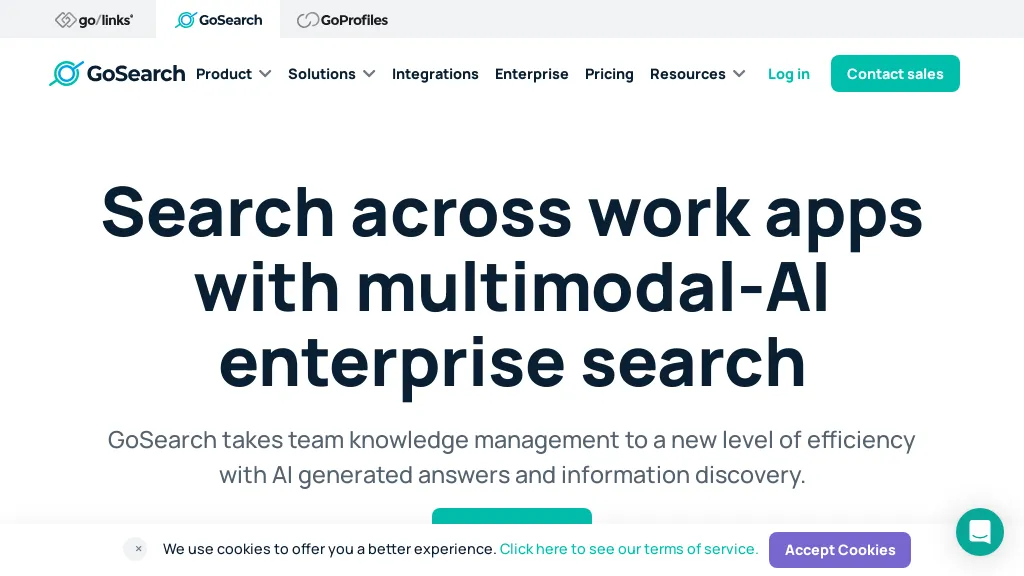
Image note: The retained screenshot shows an earlier GoSearch marketing homepage describing multimodal enterprise search across work apps, with GoLinks and GoProfiles navigation. Its original capture date is unverified; it is not proof of the current interface or tested results.
Sources: current plans and connector scope; provider extension and integration-app announcement. Sources checked October 26, 2026.